24th February 2026
Here's whats new in v0.0.246 - v0.0.250
Features -
Merge duplicate patients:
HearLink now allows users to merge duplicate patient records. All appointments, orders, notes and other related data are moved to a single target patient, helping organisation's maintain clean and accurate patient records. If both patients have Noah records you will still need to contact HearLink support to merge these, this functionality will be added in due course.
 Important: As this is a new feature access is controlled by group permissions. You may need to review and update your user groups to allow user's to merge patients.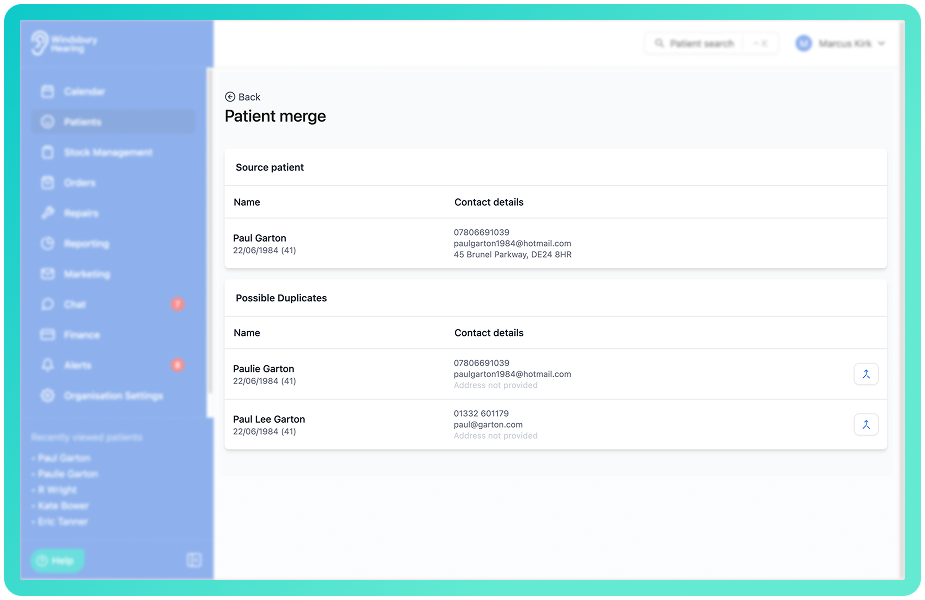
Further reading: Merge Patients.
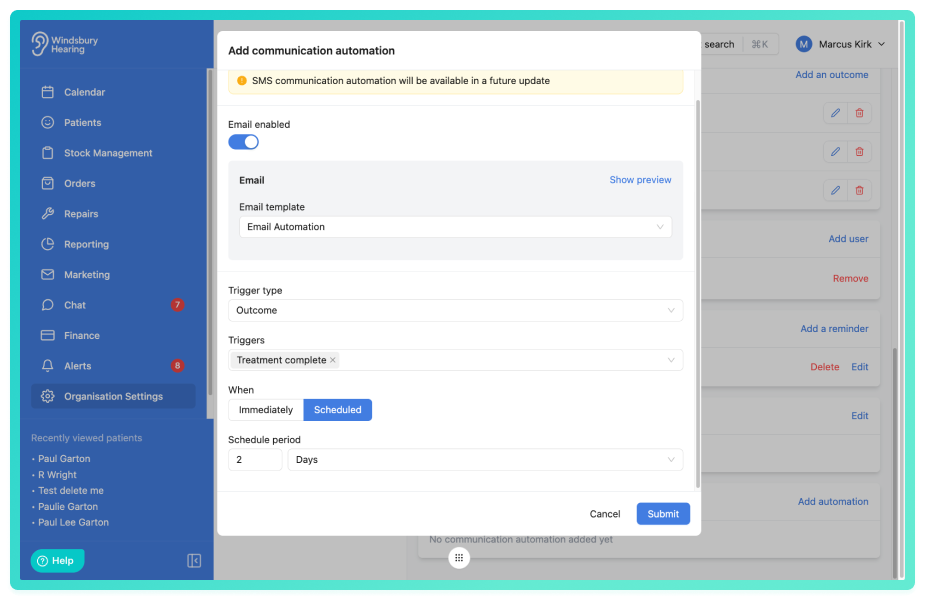
Communication Automations:
You can now automate appointment based email communications within each appointment type. Emails can be triggered by specific outcomes or appointment statuses and sent either immediately or after a scheduled period in hours, days, weeks or months. This provides greater flexibility for follow-ups, treatment communications and status based messaging without requiring manual sending.
Further reading: Communication Automations.
Ability to manage your manufacturers accounts:
Organisations can now manage manufacturer accounts within Organisation Settings. Storing account details enables return note generation accuracy by ensuring the correct manufacturer information is applied automatically. Manufacturers accounts will be expanding in the near future to be used in other areas of the system.
Important: As this is a new feature access is controlled by group permissions. You may need to review and update your user groups to allow user's to view and use Manufacturer Accounts.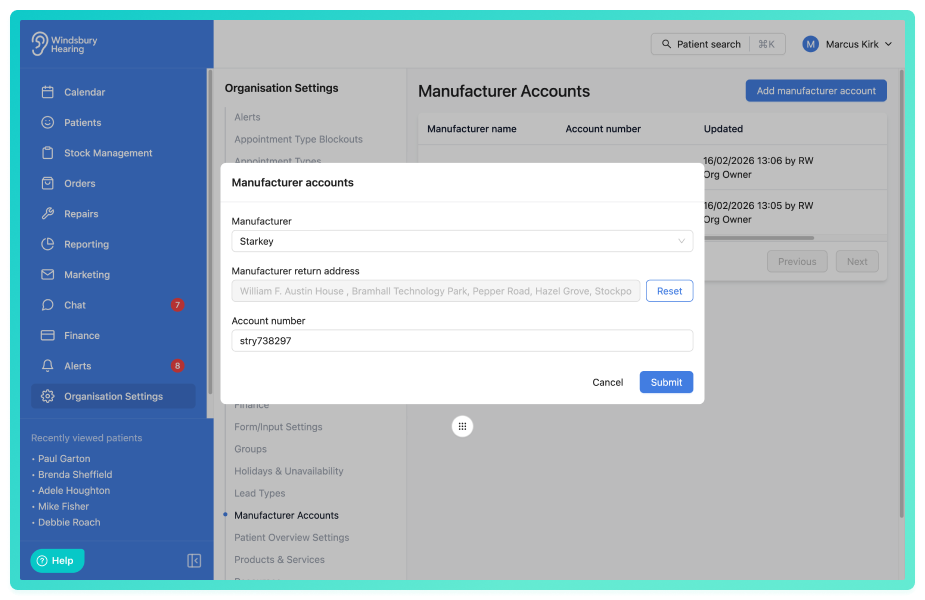
Further reading: Manufacturers Accounts.
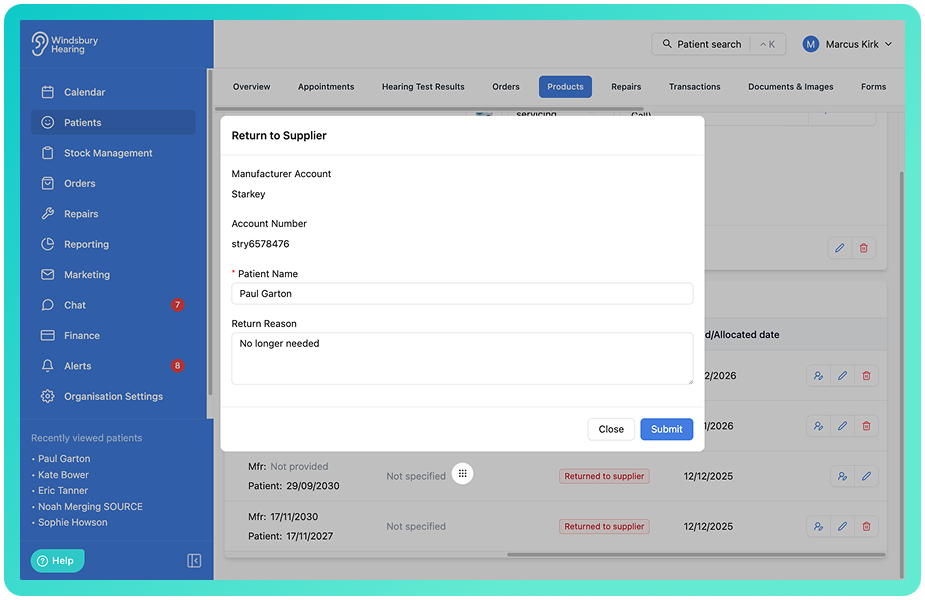
Generate a credit note for Patient Products:
When marking a product as Returned to supplier from the Patient Products list, users can now generate a Return for Credit from as part of the workflow. The manufacturer is automatically selected where configured, a return reason can be added, and upon submission a Return for Credit PDF is created and saved to the patient's document section.
Further reading: Generate a Credit Note for Patient Products.
Repeating appointment type blockouts:
Appointment type blockouts can now be set to repeat on a recurring schedule. Users can choose to repeat daily, weekly, monthly or use custom repeat options with specific intervals, selected days and end conditions. This provides greater flexibility when managing regular clinic closures, meetings or recurring availability changes.
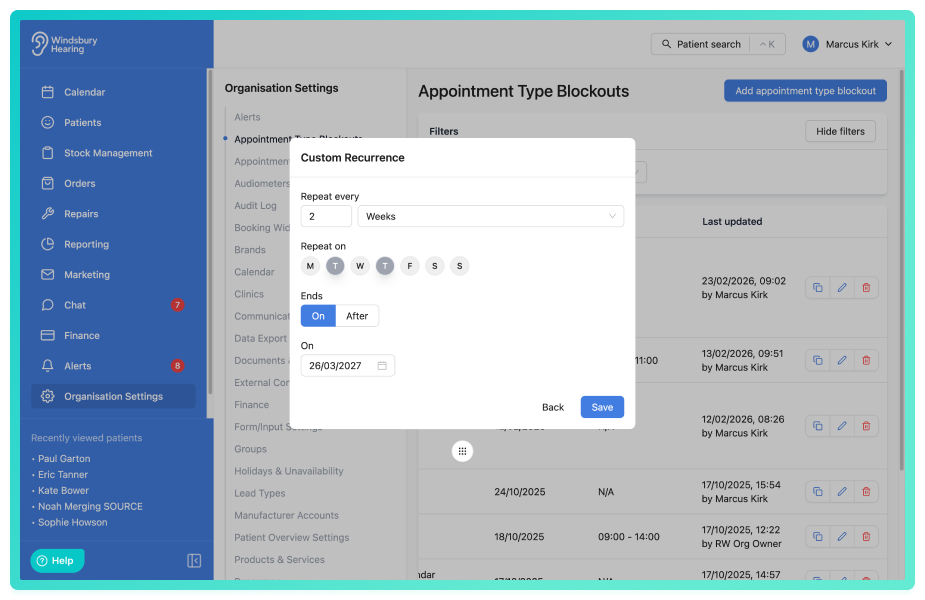
Further reading: Appointment Type Blockouts.
Upgraded the manual marketing queries to include appointment based filters and additional groups:
Manual marketing queries now include appointment based filters. This provides more precise targeting options when building marketing lists, helping organisations refine campaigns based on appointment history.
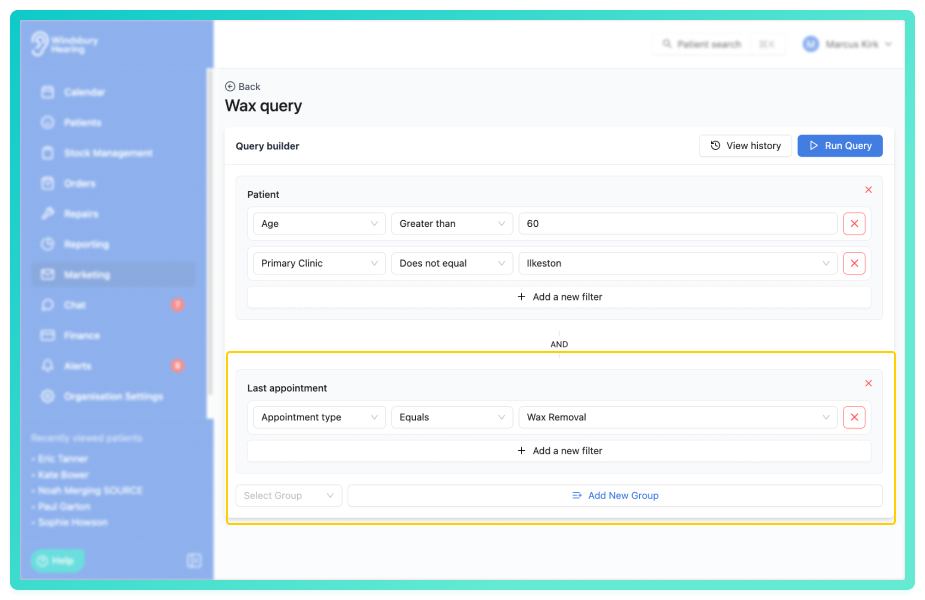
Further reading: Manual Marketing Queries.
Improvements -
Allow appointment statuses to be applied even when the appointment is cancelled:
Appointment statuses can now be updated even when an appointment has been cancelled. This provides greater flexibility for reporting and internal tracking where a cancelled appointment still requires a specific status to be recorded.
Sort products and services alphabetically for easier identification:
Products and services are now displayed in alphabetical order, making them easier to locate and reducing selection time when creating orders or invoices.
Ability to send generic appointment email:
Users can now send a generic appointment email directly from within HearLink. This provides additional flexibility when communicating appointment related information outside of standard confirmations and reminder templates.
Further reading: Send ad hoc email.
Add created by field to holiday and unavailability table:
Added a created by field to the table of holiday and unavailability. Users can now see at a glance when the record was created.
Time picker on mobile updated to use native pickers:
When creating an appointment on mobile the time picker was a dropdown and scroll. This has been updated to use the native time pickers from both Android and OS.
Ability to decide which fields are mandatory in the online booking widget:
Added the option to make each form field in the booking widget either mandatory or optional.
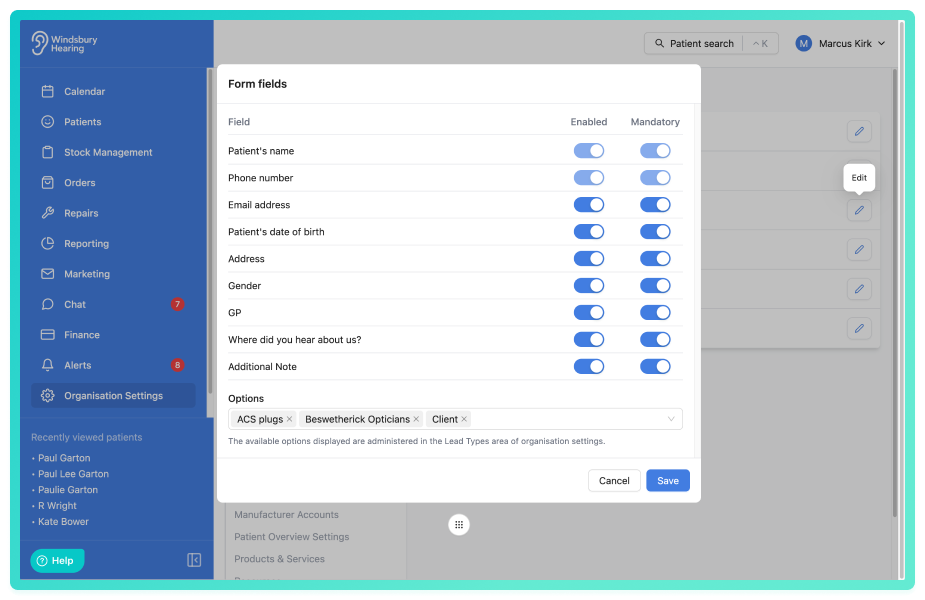
Further reading: Form fields.
Ability to hide specific clinics from the online booking widget:
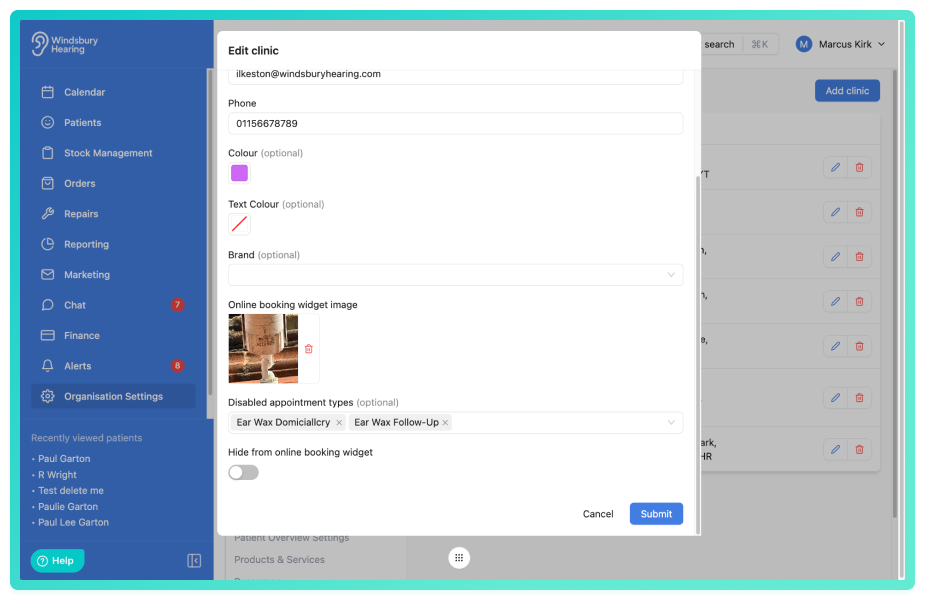
Each clinic can be specifically hidden from the online booking widget. If this is enabled, a patient will not be able to book an online appointment at that clinic.
Further reading: Add, Edit, Delete & Manage Clinics.
Exclude appointment types from specific clinics:
You can now define which appointment types should not be available at specific clinics. This allows organisations to prevent certain services from being booked at selected locations, ensuring accurate availability both internally and via the online booking widget.
Maximum advanced booking for online booking widget:
You can now control how far in advance patients are able to book online. The new Maximum booking setting allows you to define the number of weeks (up to 12) that each clinic is available for booking through the online widget, giving greater control over future availability.
Further reading: Maximum advanced booking.
Bug Fixes -
Long appointment types being truncated in the appointment type selection list:
Resolved an issue where when creating an appointment and selecting an appointment type, if the name was long it was truncated. It now "wraps" so the whole name can be seen.
Hearing test report notes got cut off when too long:
Added a check for the length of the additional notes in the hearing test report. If over a certain length the PDF will be split into two pages and the extra additional notes added to the second page.
Holidays and unavailability not showing correctly when spanned over a week:
If a holiday or unavailability spanned over a week, for example Friday 1st to Monday 10th. When booking an appointment, the holiday or unavailability would not show in the "middle" week.
If no form included with confirmation and variable was applied to a template, variable still showed:
Added a check so if a confirmation template includes the form variable but there is no from attached to the appointment type, the variable text will not display.
Was this article helpful?
That’s Great!
Thank you for your feedback
Sorry! We couldn't be helpful
Thank you for your feedback
Feedback sent
We appreciate your effort and will try to fix the article