26th August 2026
Here's whats new in v0.0.285
Improvements -
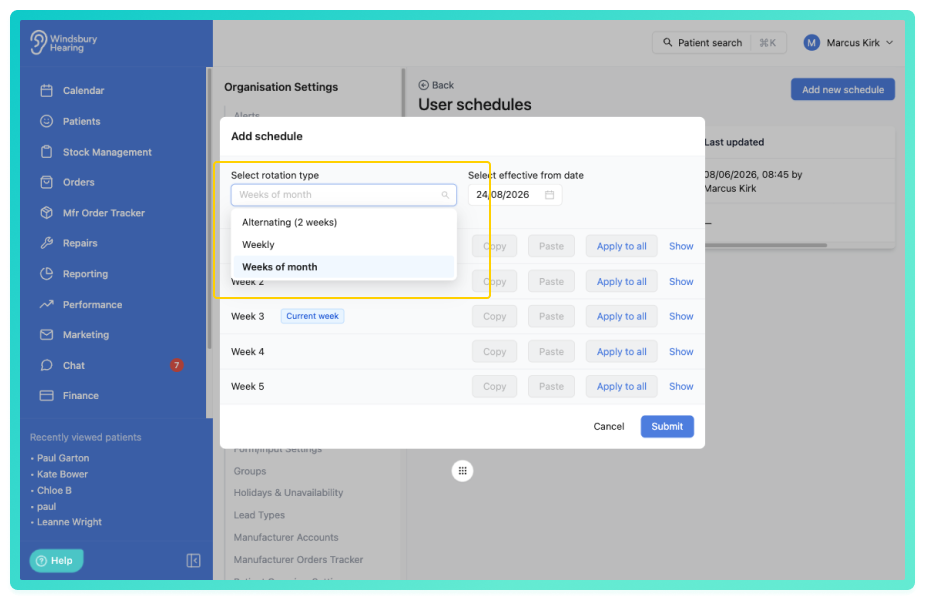
Rotation types for user schedules:
User schedules now support three rotation types. Weekly, Alternating fortnightly and Weeks of month. Select a rotation type when editing a schedule, and the editor will display the appropriate week panels for configuration. Existing schedules without a rotation type continue to use Weeks of month.
Further reading: Manage a users schedule.
Custom recurrence for holidays and unavailability:
Holidays and unavailability entries can now use custom recurrence patterns, allowing you to repeat entries every set number of days, weeks, months or years, on specific weekdays, ending on a chosen date or after a set number of occurrences.
Further reading: Holidays and Unavailability.
Edit or delete single occurrences of repeating appointment type blockouts:
Individual occurrences of a repeating appointment type blockout can now be edited or deleted without affecting the rest of the series by right clicking the appointment type blockout bar on the calendar. Edited occurrences can also have the override removed if no longer needed.
Further reading: Appointment type blockouts.
View individual cancelled appointments from the cancellation report:
The Appointment cancellation report now includes a view option to drill down into each cancellation group and see the individual cancelled appointments, including patient name and address, appointment type, assignee and date and time. Patient names link directly to the patient dashboard.
Bill invoices to a third-party contact:
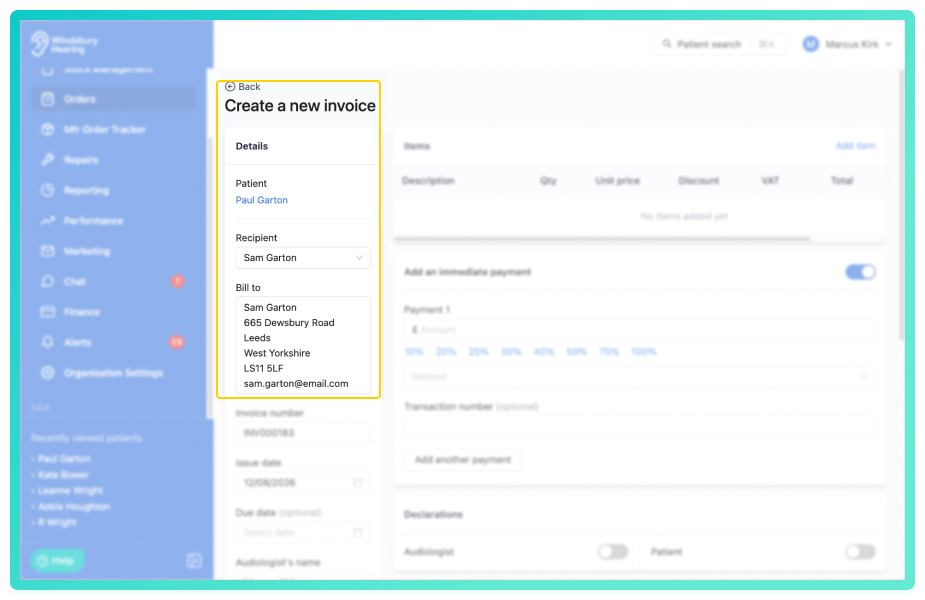
Invoices can now be billed to a third-party external contact instead of the patient, using the Recipient dropdown in the Bill to section. This allows you to send invoices to any external contacts assigned to the patient. The Bill to field automatically populates with the selected contact's details, and your selection is saved with the invoice.
Utilisation Rate metric for performance dashboards:
A new Utilisation Rate metric is available for performance dashboard widgets, showing the percentage of scheduled clinician time filled with appointments. The metric is calculated from booked appointment minutes against available clinician minutes, accounting for holidays and unavailability, and can be broken down by clinic or practitioner and viewed over time.
Further reading: Configure a Performance Dashboard.
Pre-fill custom form fields from the patient records:
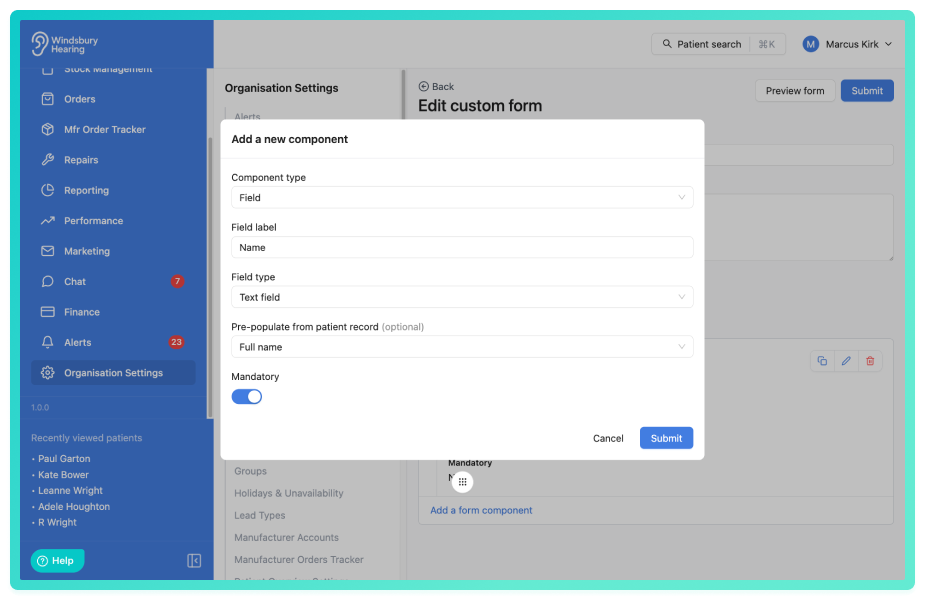
Custom form fields can now be mapped to patient record fields, automatically pre-filling information when a form is attached to a patient. This reduces data entry and ensures consistency across your records. Pre-filled values are captured at the moment the form is created and can still be edited by the person completing the form.
Further reading: Custom forms.
Configurable address source for repairs:
When creating a repair the account address field can now be configured and tailored to your organisations needs. Choose between organisations address, clinic address or a custom fixed address.
Further reading: Repair address settings.
Assign clinics to stock items:
Stock items (hearing aids and accessories) can now be assigned to specific clinics, allowing you track which clinic each unit is located at. Stock can also be filtered by clinic from the stock listing screen.
Improved speaker attribution and reliability in Tonee scribing:
Report generation has been updated to prevent failures on long consultations caused by token limits, improving performance and reliability. Transcripts now capture speaker labels automatically as soon as transcription completes, shown as Speaker A or Speaker B. When a report is generated, these are mapped to Clinician, Patient or Other, allowing statements to be attributed to the correct person. Consultations transcribed before this update do not have speaker labels, but reports can still be generated for them without speaker attribution.
Disable AI-suggested referral recommendations:
AI-suggested onward referral recommendations can now be disabled at the organisation level for Tonee scribed consultation reports and hearing test AI summaries. When disabled, clinicians retain full control over referral decisions and can still manually add referral flags. Existing referral flags created before the setting was disabled remain visible and editable.
Further reading: Tonee Scribing Configuration.
Multiple terms and conditions documents on invoices and fitting receipts:
You can now select up to 5 Terms and Conditions documents when creating invoices and fitting receipts. Selected documents are merged onto the generated PDF in the order you select them.
Clinic assignment and branding for repairs:
You can now assign a clinic to patient and stock repairs. When a clinic is assigned, the generated repair PDF is branded with that clinic's logo, colour and company name. Repairs can also be filtered by clinic in the repairs list.
Further reading: Repairs Overview.
Billed appointments selector on invoices:
Invoices can now track which appointments they cover using the billed appointments selector, enabled in the Organisation Settings. Once enabled, a Billed appointments field appears on the invoice form, allowing multiple appointments to be selected. This helps track invoiced appointments and excludes them from the unbilled appointments report.
Further reading: Invoice form settings, Invoice details.
Display date of birth on calendar appointments:
Patient date of birth can now be shown in appointment popovers on the calendar. This can be enabled or disabled via Calendar appointment customisation in the Organisation Settings, giving you control over whether dates of birth appear when viewing appointment details on the calendar.
Further reading: Calendar Settings.
Address history for patients:
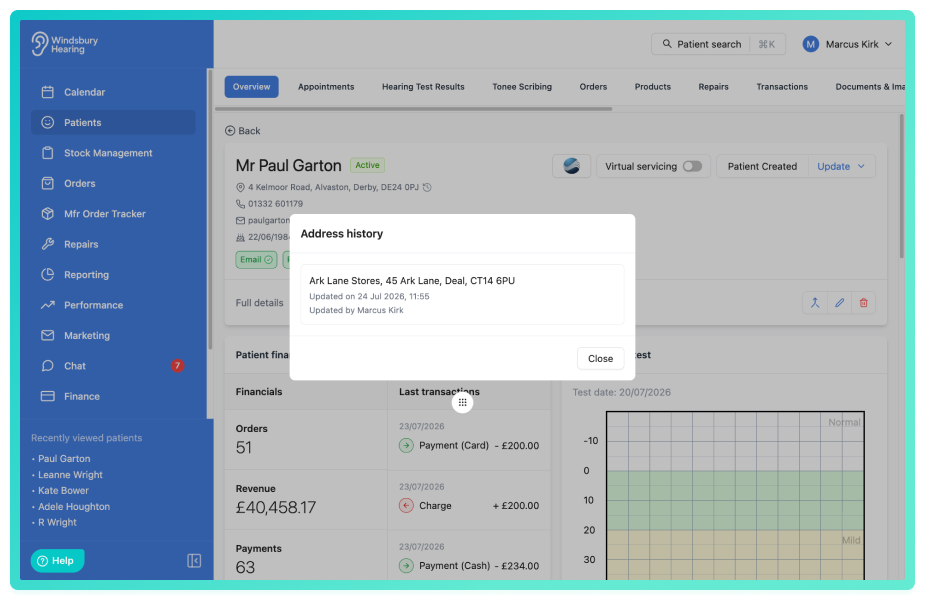
When a patient's address is changed, the previous address is now automatically recorded with the date, time and staff member who made the change. Address history can be viewed from the patient record by clicking the address on the patient profile and selecting View history, showing all previous addresses in reverse chronological order.
Historical stock status for record keeping:
A new Historical stock status is now available for allocated stock, letting you retain items for record keeping while excluding them from active stock workflows. Historical stock is hidden from standard views and product selection when creating repairs. To change a product from allocated to historical click the status of the product assigned to a patient and select Historical
"Available online" column in Appointment Type table:
The Appointment Types table in Organisation Settings now includes an "Available online" column, showing at a glance whether each appointment type is enabled for the booking widget. This read-only column displays Yes or No for each appointment type without needing to open individual records.
Patient note activity in the audit log and improved patient labels:
Audit log entries for patient related resources, including patient notes, documents, external contacts and more, now display the patient's full name instead of a generic label, making logs easier to understand.
Weekly calendar view auto-scrolls to today's column:
The weekly calendar view now automatically scrolls to display today's column when opened, so you can see the current day's appointments immediately without needing to scroll horizontally.
Export combined schedules for multiple clinicians:
You can now export a combined appointment schedule for multiple clinicians in a single PDF or CSV file from the Print Schedule function, rather than generating separate exports for each clinician.
Clinician name on Consultation Report PDF:
The Consultation Report PDF now displays the clinician's name, positioned after the report date, matching what's shown in the on-screen viewer. This ensures printed and exported reports can be attributed to the clinician who conducted the consultation.
Warn or block when a patient clinic doesn't match:
HearLink can now warn or block users when assigning a patient to an appointment at a clinic that isn't their primary clinic, configurable in the Calendar settings. This helps maintain data accuracy and ensures patients are scheduled at the correct location.
Bug Fixes -
Route Planner timeline preview includes clinic appointments with no patient address:
The route planner timeline preview now correctly displays appointments at clinic locations even when the patient has no address on file. Previously, these appointments were omitted from the timeline. When an appointment is at a clinic location, the clinics address is used as the routing point if the patient has no address on file.
Improved date of birth matching in booking widgets:
The booking widget no longer merges a booking into an existing patient's record when the name and email match but the date of birth is clearly different. A patient is only matched if their date of birth is consistent with the booking, preventing family members from being incorrectly merged into the wrong record. When the date of birth doesn't match, a new patient record is created instead and existing patients dates of birth are never overwritten. Bookings without a date of birth are unaffected.
Cancelled appointments display correct on invoices:
Appointments linked or billed to an invoice now display correctly with a (Cancelled) label if cancelled afterwards, instead of showing as raw identifier. This keeps a clear record of which appointments were billed, even if later cancelled.
Credit note documents no longer overwrite when sharing a filename:
Credit note documents could previously overwrite one another when they shared the same filename on the same day. Each credit note document is now identified using the product's serial number as part of it's name, ensuring documents are distinguishable and preventing this from happening.
Was this article helpful?
That’s Great!
Thank you for your feedback
Sorry! We couldn't be helpful
Thank you for your feedback
Feedback sent
We appreciate your effort and will try to fix the article