18th June 2026
Here's whats new in v0.0.277 - v0.0.279
Features -
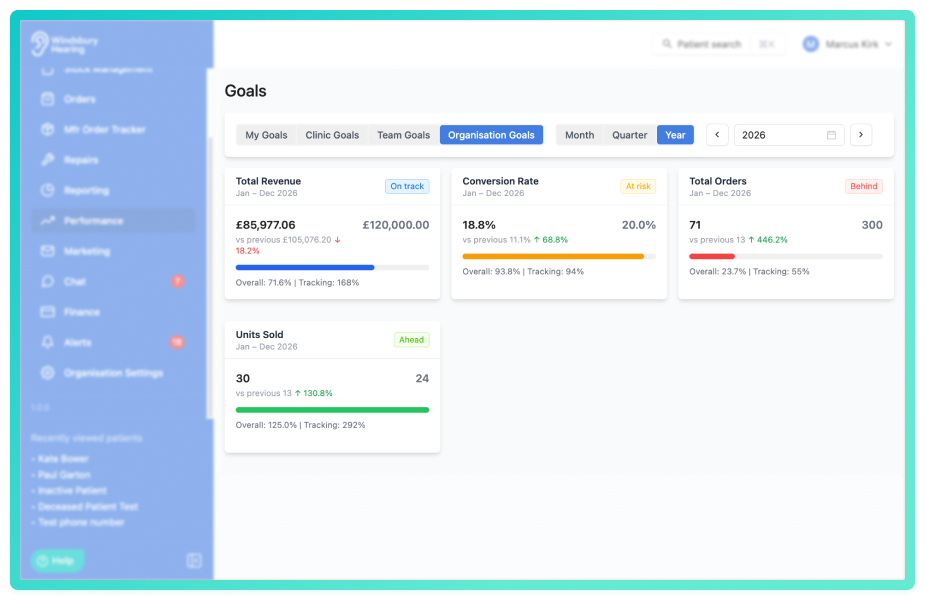
Goals for tracking performance targets:
Goals allow organisations to set measurable targets for key performance metrics and track progress against them throughout each period. Goals can be created for the whole organisation, individual clinics, or specific team members, helping teams rally around concrete monthly targets. Each goal tracks a metric (such as Toal Appointments, Conversion Rate, Revenue or New Patients) against a monthly target, with the system automatically rolling up results to show quarterly and yearly performance. The goals page provides at a glance status indicators showing whether performance is on track.
Targets can be adjusted for future months, allowing targets to grow with the business without affecting historical data. Permissions levels allow staff to view there own personal goals or clinic goals, while administrators and organisation owners manage targets across the organisation. Goals help motivate teams with visible targets, enable fair performance management, and provide early warning when targets are at risk of not being met.
 Important: As this is a new feature access is controlled by group permissions. You may need to review and update your user groups to allow user's to view and use Performance Goals.
Further reading: Creating and managing performance goals, View performance goal progress.
Improvements -
Future dated user schedules:
User schedules can now be created for future dates, allowing you to plan ahead fro known schedule changes. When managing a users schedule, you can set an effective date for when the schedule becomes active. This is useful for shift changes, seasonal adjustments or planned schedule changes.
Future schedules can be edited or deleted before their effective date arrives. Once the effective date passes, the schedule becomes current and the past schedules become read-only, ensuring schedule history is preserved fro reference.
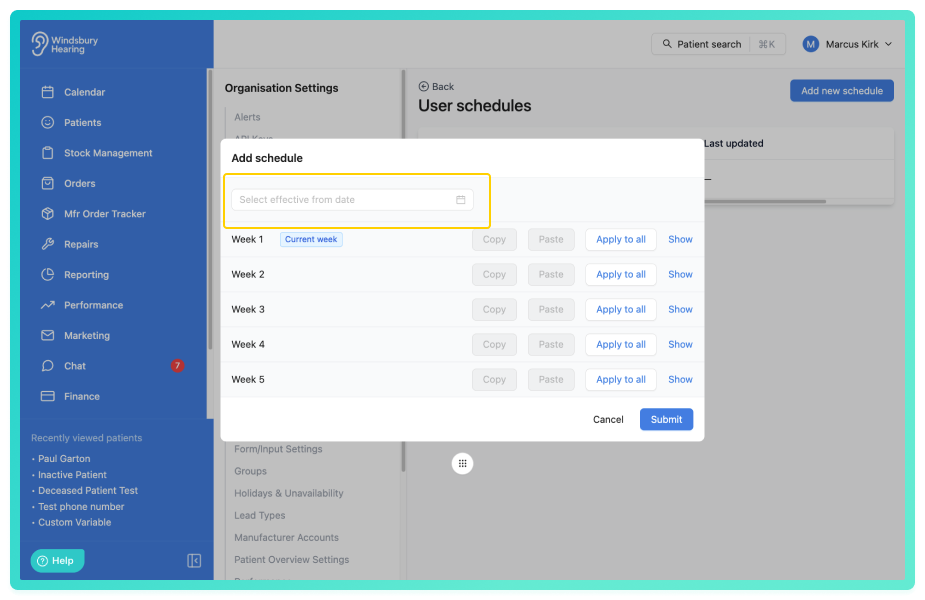
If you see a schedule with the affective date of 1990, this is migrated from an existing schedule and can be edited or a if you wish to start fresh create a new one.Further reading: Manage a users schedule.
Physical signature box on fitting receipts:
A physical confirmation mode option has been added to fitting receipts, allowing a signature box to be included on the printed PDF. When physical confirmation is selected, both the patient and audiologist can sign the document manually after printing.
Edit group chat names and participants:
Group chat creators and organisations owners can now edit an existing group chat's name and participants after creation. The edit option appears in the conversation header for eligible users, allowing you to update the group name or add and remove participants as needed. Changes take effect immediately for all group members.
Add products to a patient's record:
Hearing aids and accessories can now be added directly to a patient's product record without creating an invoice or adding to stock management first. You can record product details including serial number, ear side and allocation dates. This allows for quick recording of products patients have received or own, including those purchased from external sources.
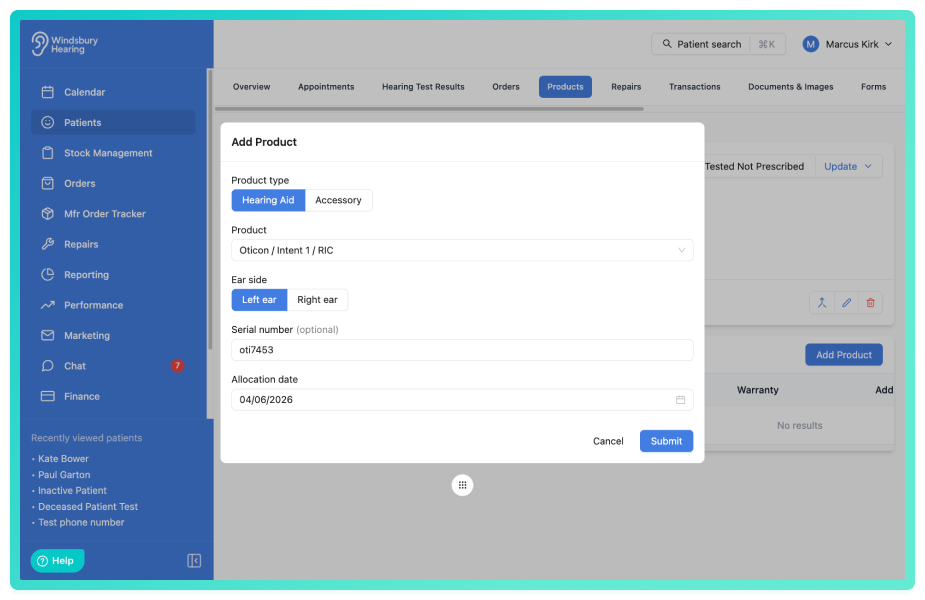
Further reading: Add products directly to a patient's record.
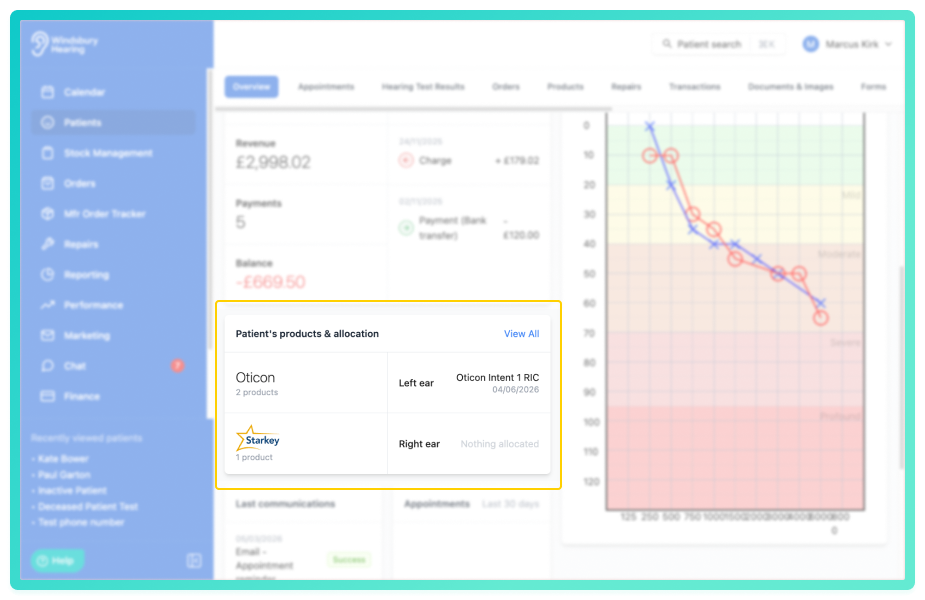
Patient's products & allocation on Patient Overview page:
A new widget has been added to the patient overview page, displaying the most recently allocated hearing aid or product. The widget shows the manufacturer name, model and style for each aid and the allocated date. Clicking the View All link takes you to the complete products list. If no products have been allocated to the patient, the widget displays Nothing allocated.
Improved navigation link behaviour:
Navigation links in HearLink now load sections faster without page reloads, improving the overall responsiveness when moving between different areas of the application. Right click context menu interactions now work as expected, providing more consistent behaviour across menus and aligning with standard web application interactions.
Mail consent as marketing permission channel:
Mail is now available as a marketing preference in HearLink. You can record patient consent for postal contact alongside existing contact methods. Mail consent information is included when exporting patient data to CSV format.
Show All Clinics setting for booking widget:
The booking widget can now be configured to display all available clinics instead of showing a "show more" button. When the Show All Clinics setting is enabled in the booking widget settings, patients see the complete list of clinics when booking an appointment. When disabled a "show more" button appears instead.
View up to 5 clinics simultaneously on calendar:
You can now select up to 5 clinics to view simultaneously on the calendar, allowing you to monitor appointments across multiple clinic locations at once. Simply select multiple clinics from the clinic selection option to display appointments from all selected locations in a single calendar view.
GET/patients API endpoint with multiple lookup modes:
The GET/patients public API endpoint now supports three distinct lookup modes for retrieving patient data. List mode returns paginated patient records ordered by creation date. External ID lookup performs exact matches on the externalSystemId field. Fuzzy search mode allows searching by patient name, phone number or email address. This provides flexible options for integrating patient data retrieval into external systems.
Link to technial API docs: https://docs.hearlink.co.uk/
GET/appointments API endpoint:
The appointments API endpoint is now available for retrieving a paginated list of appointments from your organisation. Results are filtered by required date range parameters (from and to dates in ISO 8601 format) and can be further refined using optional filters for appointment type, assignee, clinic and patient.
Link to technial API docs: https://docs.hearlink.co.uk/
GET/appointments/availability API endpoint:
The appointments availability API endpoint is now available for retrieving available appointment slots for a given clinic and appointment type over a specified date range. The endpoint accepts clinic identifier, appointment type identifier, and start and end dates (format: YYYY-MM-DD) as query parameters, allowing you to discover when a clinic can accept bookings. Date ranges cannot exceed 62 days and the start date must not be in the past.
Link to technial API docs: https://docs.hearlink.co.uk/
Bug Fixes -
"Where did you hear about us?" field requires at least one referral option:
Fixed an issue where enabling the "Where did you hear about us?" field in the booking widget from settings without selecting any referral options would cause the booking widget to fail to load. The field now requires at least one referral option to be selected before the settings can be saved, preventing loading failures.
Copy action for appointment type blockouts creates duplicate instead of editing original:
Fixed an issue where the Copy action on appointment type blockouts was behaving like Edit, modifying the original blockout instead of creating a duplicate. The Copy action now correctly creates a new independent blockout with the same details as the original, leaving the original unchanged.
Email templates use current version when sending from Documents tab:
Email templates sent from the Documents tab now correctly reflect recent changes, using the current version instead of outdated template information. This ensures consistency between your saved template settings and the emails patients receive.
Noah XML detail dialog displays long records with scrollable content:
The NOAH XML detail dialog now displays long records with scrollable content, preventing information from overflowing the dialog window. Content is capped at 70% of screen height, allowing you to view all record details within a contained area.
Was this article helpful?
That’s Great!
Thank you for your feedback
Sorry! We couldn't be helpful
Thank you for your feedback
Feedback sent
We appreciate your effort and will try to fix the article