Marketing email templates allow you to design and store reusable email templates for your email marketing campaigns. This helps save time when creating campaigns, as you can quickly select a pre built template instead of designing a new email each time.
Templates are created using the same email editor used when building a campaign, allowing you to include formatted content, images and variables where required. You can also upload HTML templates to use pre-designed HTML code.
Templates can also be created directly when designing a campaign email.
Here is an external link to an article explaining how to make templates using this software: https://docs.unlayer.com/builder/email-builderIn this article we'll cover how to:
- create a marketing email template.
- upload an HTML template.
- edit or delete a marketing email template.
Create a marketing email template
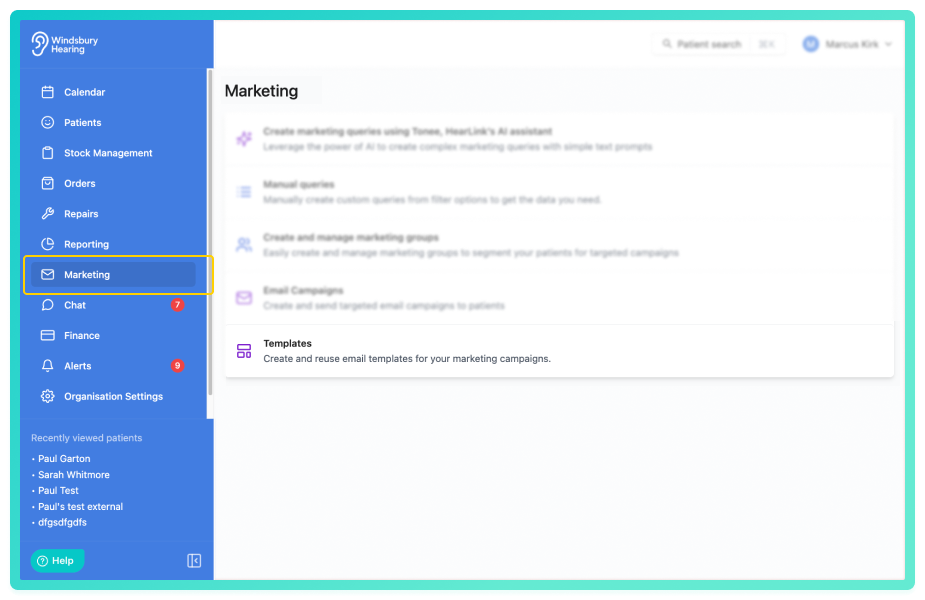
- Navigate to Marketing.
- Click Templates.
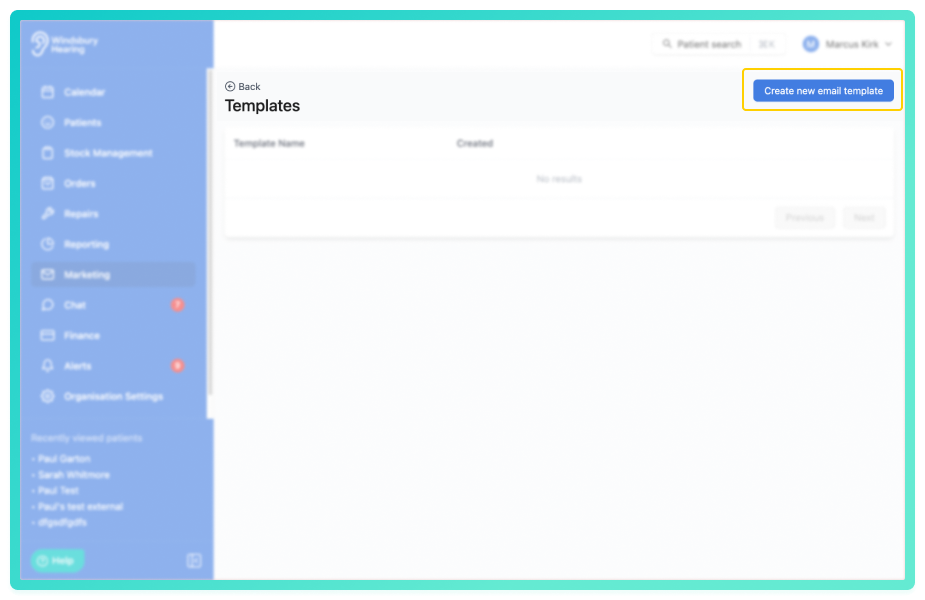
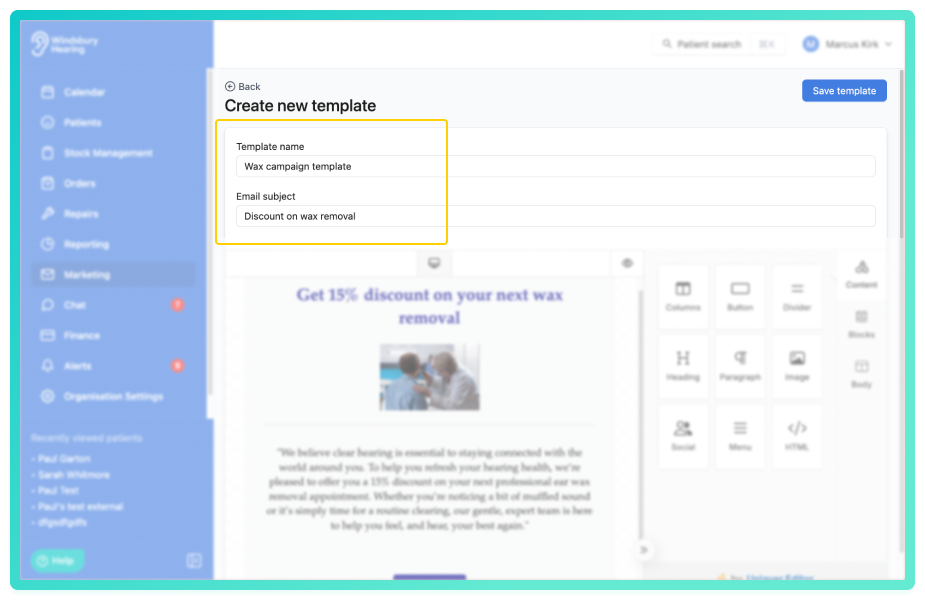
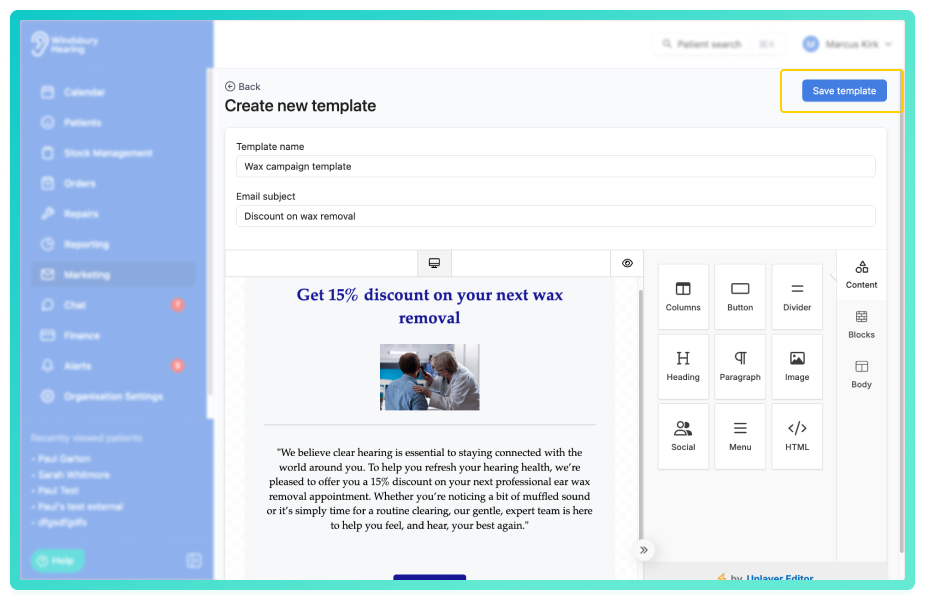
- Enter a Template name and email subject.
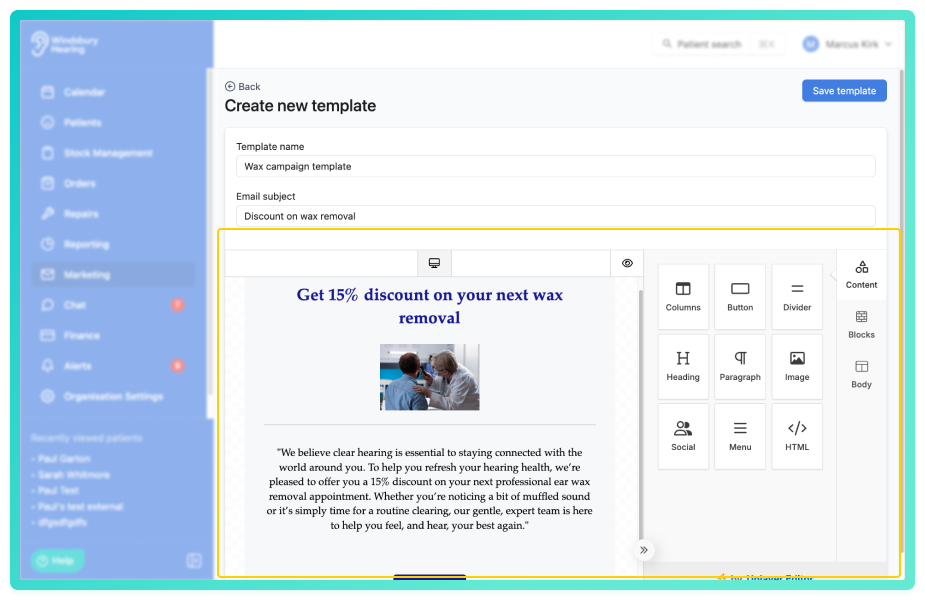
- Use the editor to design your email template. You can add text, images, buttons, formatting blocks and variables as required.
- Once complete, click Save template.
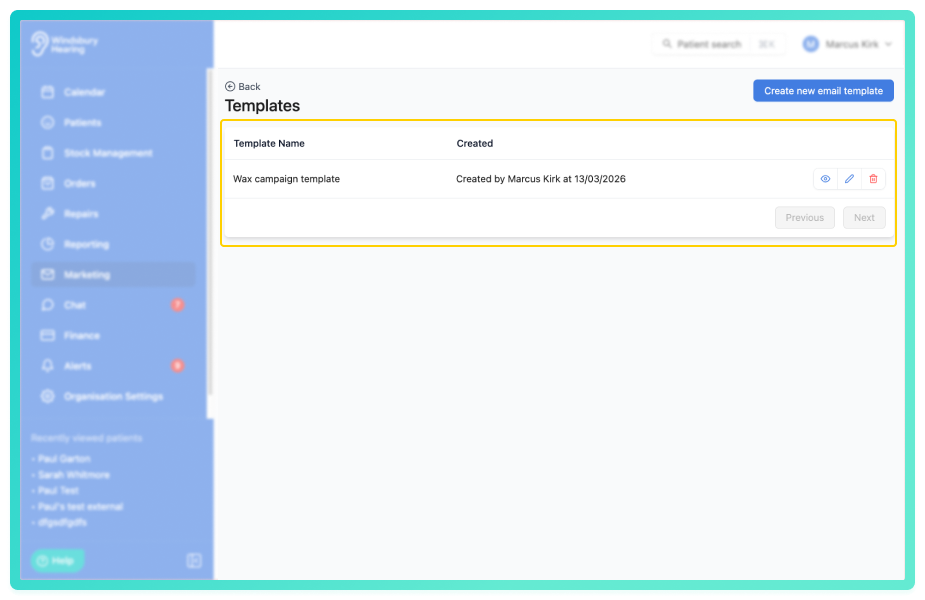
The template will now appear in the Email templates list and can be reused when creating marketing campaigns.
Edit a marketing email template
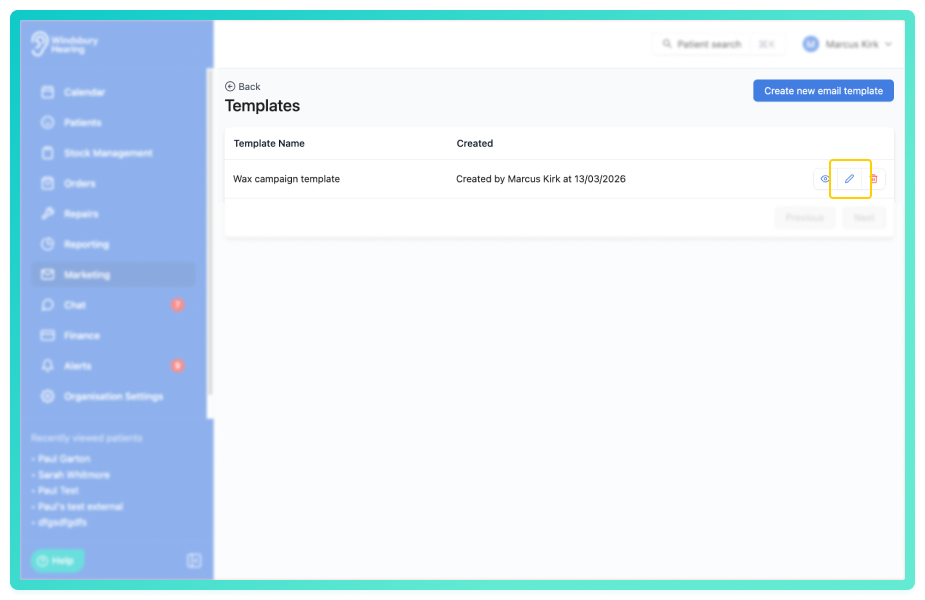
- Click the Edit icon
 for the template you want to modify.
- Update the template details as required.
- Click Save template to save your changes.
Upload an HTML template
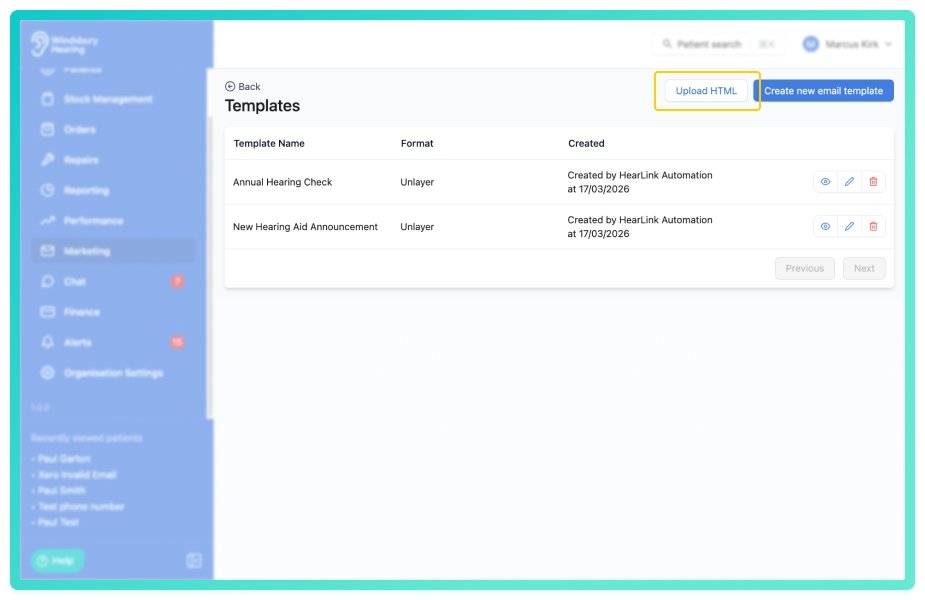
You can upload an HTML template when creating a new email template. This allows you to use pre-designed HTML code to format your template.
- When on the Create new email template page, locate and click the Upload HTML button.
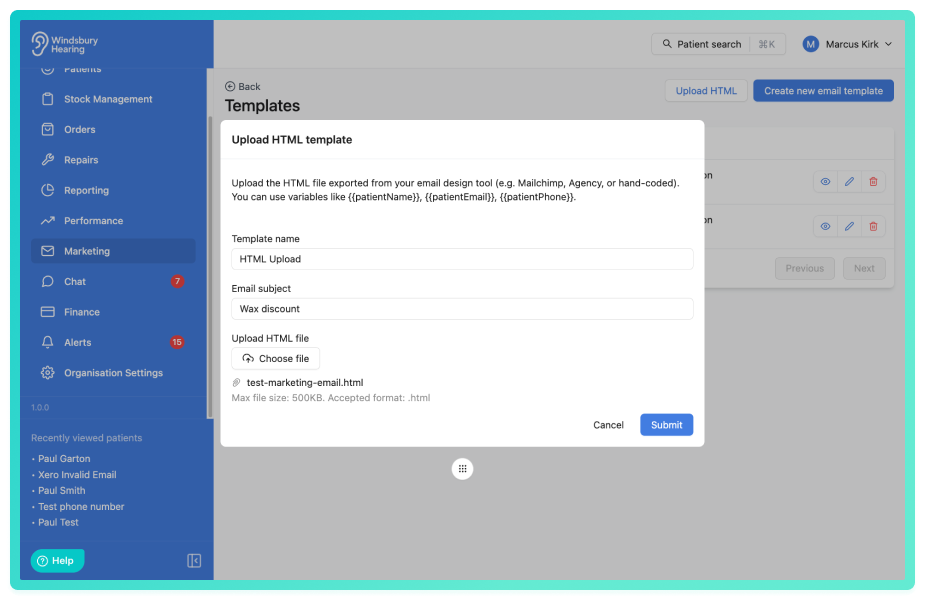
- Click Submit to save the template.
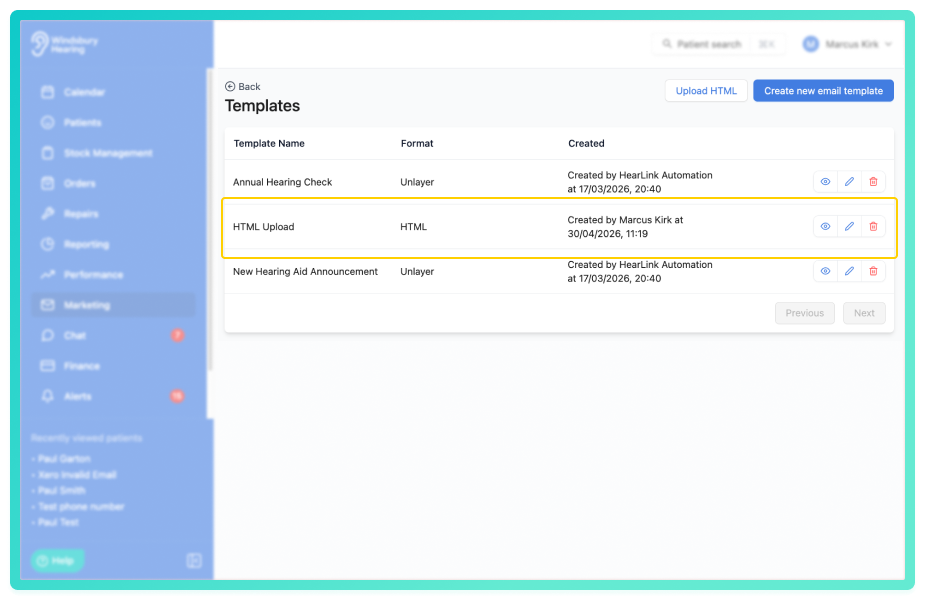
HTML file requirements:
- File size must be 500kb or less.
- File must use the .html extension.
Edit a marketing email template
- Click the Edit iconfor the template you want to modify.
- Update the template details as required.
- Click Save template to save your changes.
Delete a manufacturers account
- Locate the Delete icon
 of the template you want to delete.
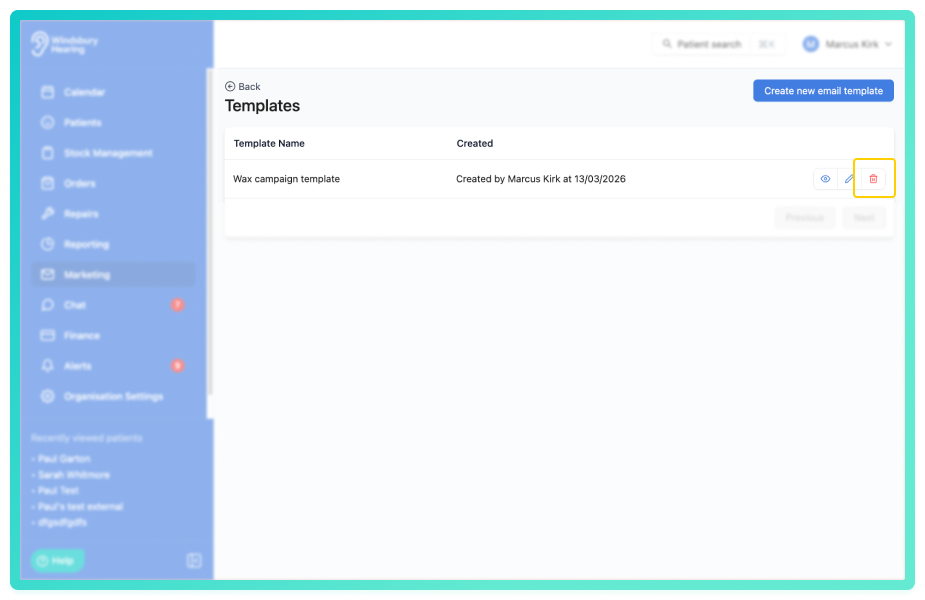
- Click the Delete icon.
- You'll be shown a warning message.
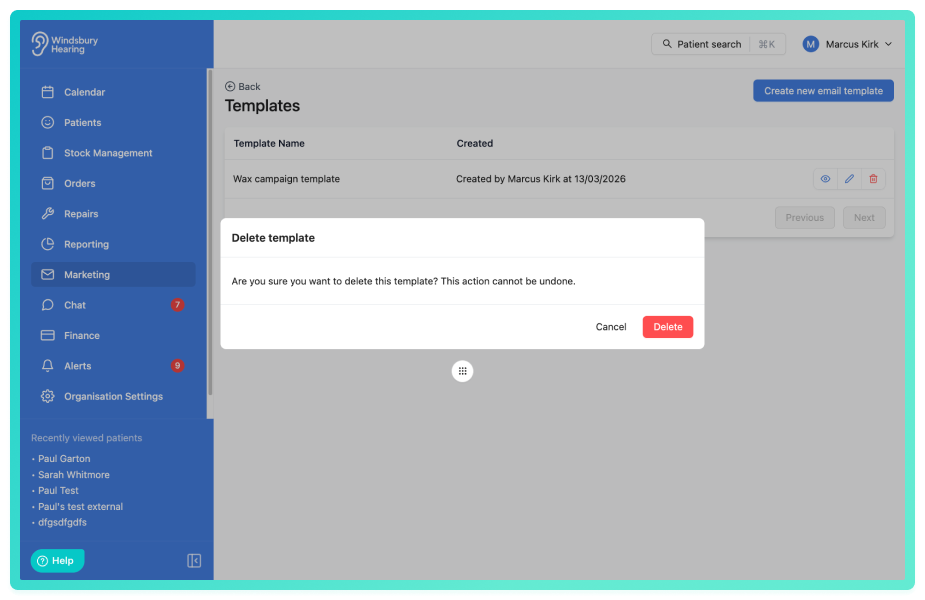
- Click Delete to confirm and delete the template.
Warning: Once a template has been deleted this action cannot be undone. Please proceed with caution!
Was this article helpful?
That’s Great!
Thank you for your feedback
Sorry! We couldn't be helpful
Thank you for your feedback
Feedback sent
We appreciate your effort and will try to fix the article