11th February 2026
Here's whats new in v0.0.245
Features -
Email Marketing Campaigns:
HearLink now supports Email marketing campaigns, allowing organisations to create and send targeted email campaigns directly from within HearLink. Campaigns can be built using Marketing Groups, Manual Queries or Tonee the marketing tool, with automatic handling of invalid emails and marketing opt outs. Emails can be designed using built in formatting tools and patient variables, previewed before sending, and tracked with sent, skipped and failed deliveries.
 Important: As this is a new feature access is controlled by group permissions. You may need to review and update your user groups to allow user's to view and use External contacts.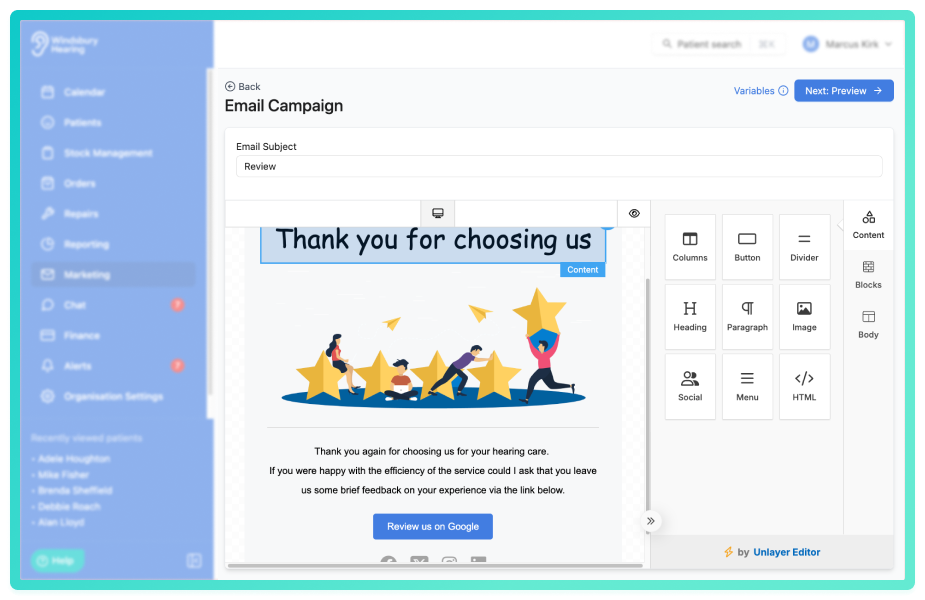
Further reading: Email Marketing Campaigns.
Ability to enable an optional, additional note field on the online booking system:
The online booking widget now includes an Additional notes form field. Any information entered by the patient during booking is automatically added to the Additional notes section of the appointment and the notes section in the patient profile. This gives clinicians and reception teams greater visibility and context before the appointment takes place.

Further reading: Form fields.
Improvements -
Ability to use variables in the subject of emails:
You can now use variables within the subject line of email templates. This allows you to dynamically insert patient or clinic information into the subject, helping improve clarity and engagement.
Booking widget label updates:
We've updated the booking widget field labels to improve clarity for patients.
- Full Name - has been changed to Patient's Name.
- Date of Birth - has been changed to Patient's Date of Birth.
Ability to select brand when creating email templates:
You can now select a brand when creating an email template. This ensures templates align with the correct branding configuration for your organisation.
Bug Fixes -
Patient could make online booking without address when field enabled:
Resolved an issue where patients could complete an online booking without entering an address, even when the address field was enabled in the booking widget form settings. Address validation now works as expected when the field is enabled.
Appointment confirmation and reminder branding:
Fixed an issue where the incorrect brand could be used when sending confirmations and reminders. Communications will now correctly reflect the selected brand configuration.
Was this article helpful?
That’s Great!
Thank you for your feedback
Sorry! We couldn't be helpful
Thank you for your feedback
Feedback sent
We appreciate your effort and will try to fix the article