11th May 2026
Here's whats new in v0.0.268 - v.0.0.274
Features -
KPI Performance Dashboard:
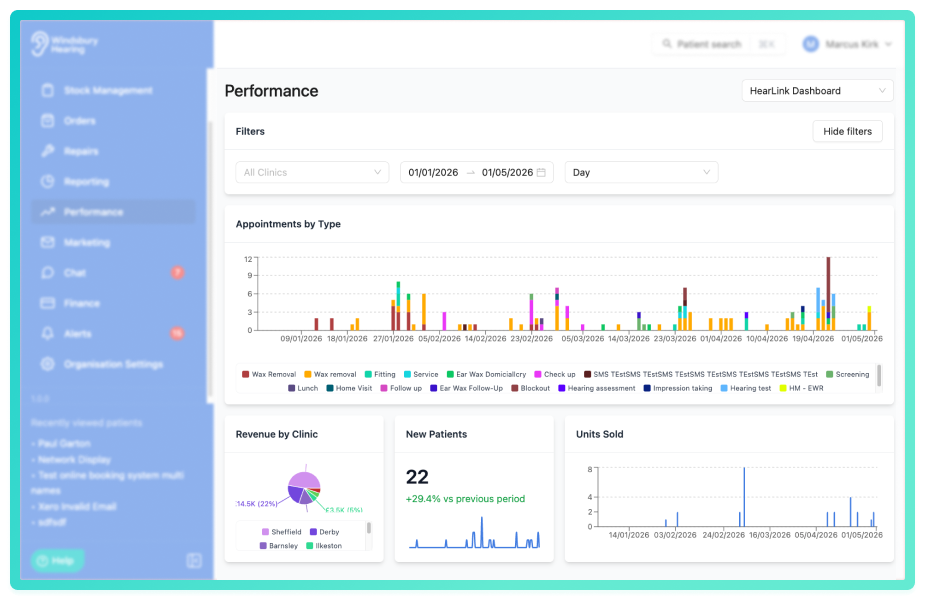
Performance dashboards provide organisations with comprehensive tracking of key clinic metrics across appointments, revenue, orders and patients. Dashboards are fully configurable in the Organisations settings and can be accessed through the Performance section in the main navigation. Each dashboard is built from customisable widgets that can display metrics as stats with comparison trends, time series bar charts or proportional pie charts.
Widgets can be pinned to specific clinics or users to maintain focus on particular data sets, while dashboard level filters allow viewers to narrow data by clinic, date range and aggregation period. Dashboards support flexible visibility controls and can be shared with everyone, restricted to specific groups, or assigned to individual users. Organisations can create multiple dashboards with different configurations to suit different teams reporting needs.
 Important: As this is a new feature access is controlled by group permissions. You may need to review and update your user groups to allow user's to view and use KPI dashboards.
Further reading: Configure a Performance Dashboard, View a Performance Dashboard.
Conversion Opportunity Criteria for performance dashboards:
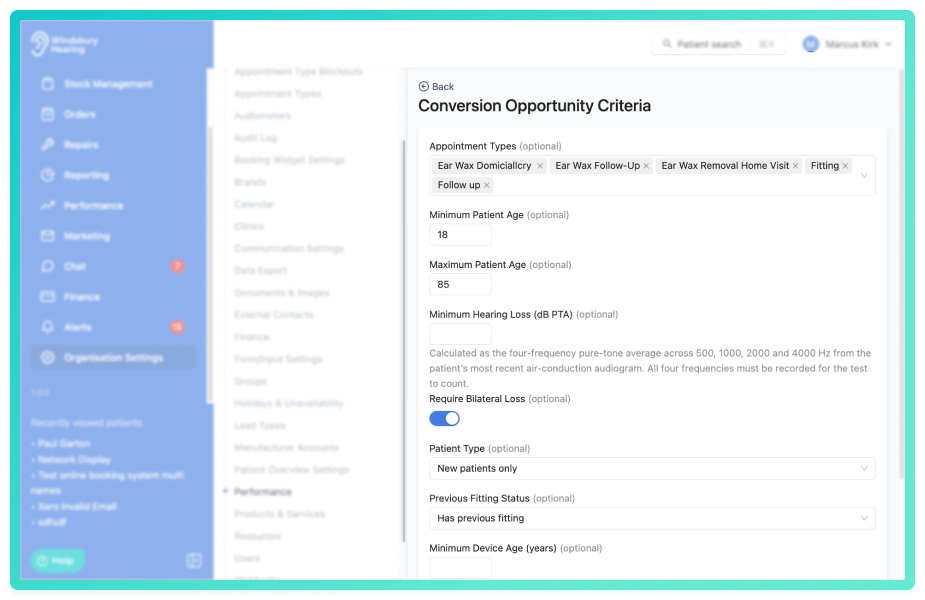
Conversion Opportunity Criteria can now be configured to define which appointments count as a qualified opportunity for the conversion rate metric on performance dashboards. Criteria include appointment types, patient age ranges, minimum hearing loss thresholds, patient type and much more. This allows organisations to narrow conversion rates to meaningful audiences, such as adults with measurable hearing loss or returning patients due for an upgrade.
Further reading: Conversion Opportunity Criteria.
Serialised accessories:
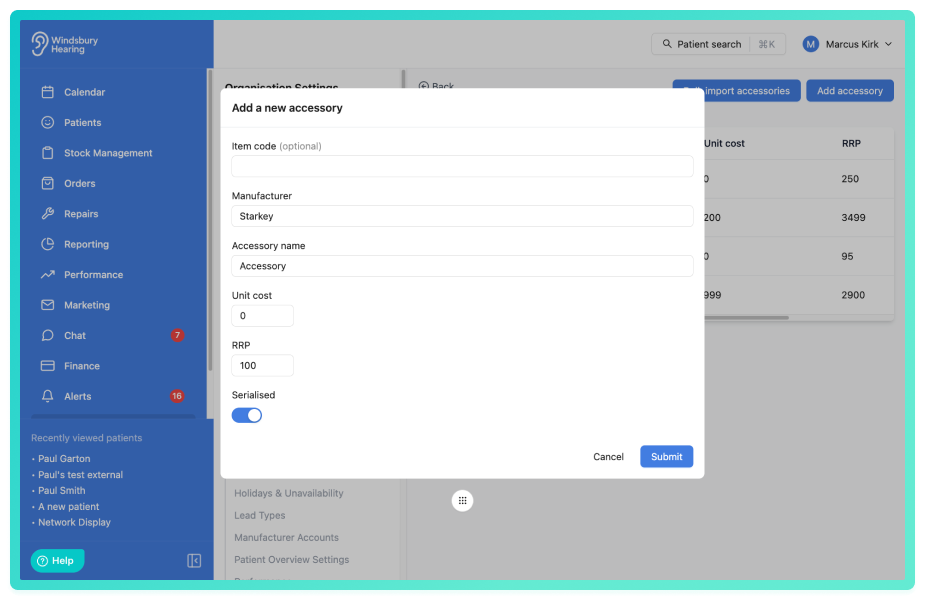
Accessories can now be marked as serialised to track individual units of equipment allocated one per patient, such as custom ear moulds or specialist devices. When creating or importing accessories in Products & Services, the serialised toggle allows you to specify whether units should be tracked individually by serial number or quantity.
Serialised accessories are managed differently in stock management, with each unit tracked individually and requiring a unique serial number when added to stock. Each serialised accessory has a fixed quntity of 1 and can only be allocated to one patient at a time, ensuring accurate tracking of single use items.
Existing non-serialised accessory stock items can be converted to serialised format, provided they have no active allocations or have one fully spent allocation. Once marked as serialised, accessories cannot be converted back to non-serialised.
Further reading: Add or Import Accessory, Adding Stock, Convert existing accessory stock to serialised.
Improvements -
5 week monthly schedule system:
HearLink now uses a 5-week monthly schedule system, replacing the previous primary and alternate 2 week schedule. Each week (1-5) has it's own independent schedule based on the calendar month week number, with cop, paste and apply to all shortcuts available to speed up configuration. Week 5 mirrors Week 1 by default, with the option to customise it separately if needed.
All existing schedules have been automatically migrated to the new system, so no action is required unless you want to adjust individual week schedules.Further reading: Manage a users schedule.
Create repairs for stock items:
Repairs can now be created for hearing aids in stock without linking them to a patient, allowing you to manage repairs for items that are not yet assigned. Stock repairs generate PDF's that include the stock item description and serial number instead of patient information, and can be accessed from the Repairs section.
Further reading: Create a repair.
Linked appointments can be set as mandatory on invoices:
The linked appointment field on invoices can now be set as mandatory in Organisation settings under Form settings. When enabled, users must select an linked appointment when creating or editing an invoice. This is particularly important for organisations using sales opportunities and conversion rate metrics on performance dashboards and reports, as invoices without a linked appointment cannot be included in these calculations.
Further reading: Invoice form settings.
Patient address on the patient information card opens in maps:
The patient address displayed on the patient information card is now a clickable link that open the appropriate maps application for your device. On iOS devices the address opens in Apple Maps, on Android it opens in Google Maps and on other platforms it open in Google Maps in your web browser.
Upload HTML templates for marketing emails:
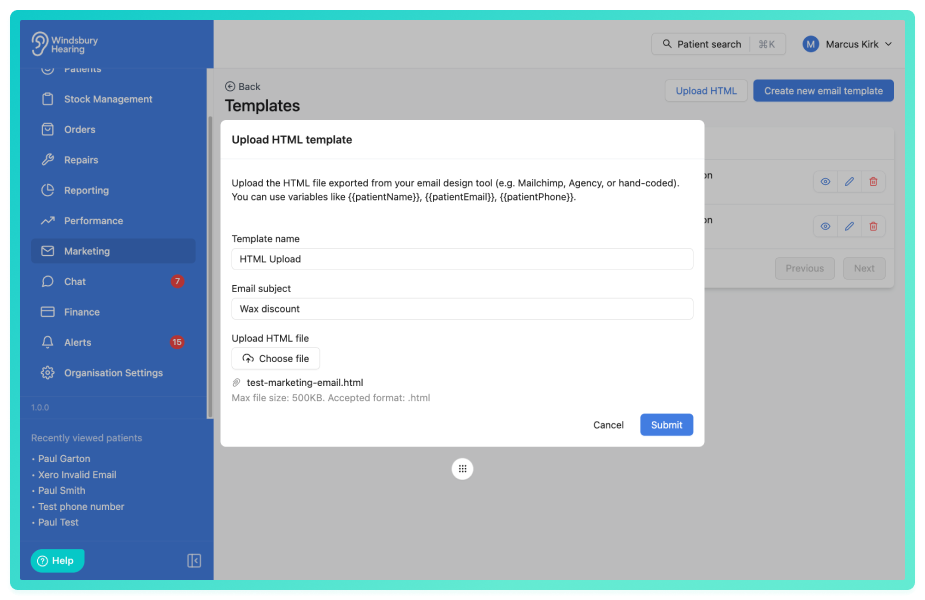
HTML templates can now be uploaded when creating marketing email templates in HearLink. This allows you to use pre-designed HTML code to format your templates. HTML files must be 500kb or less and use the .html extension.
Further reading: Marketing Email Templates.
Search for users in organisation settings:
You can search for users in the organisation settings to quickly locate specific team members in your users list. Enter a name or user details in the search bar and the list will filter to display matching results.
Custom column selection for calendar exports:
Calendar exports to CSV now allow you to select which columns to include in the file. This provides more control over exported data and allows you to exclude unnecessary information, making exports cleaner and more relevant to your reporting needs.
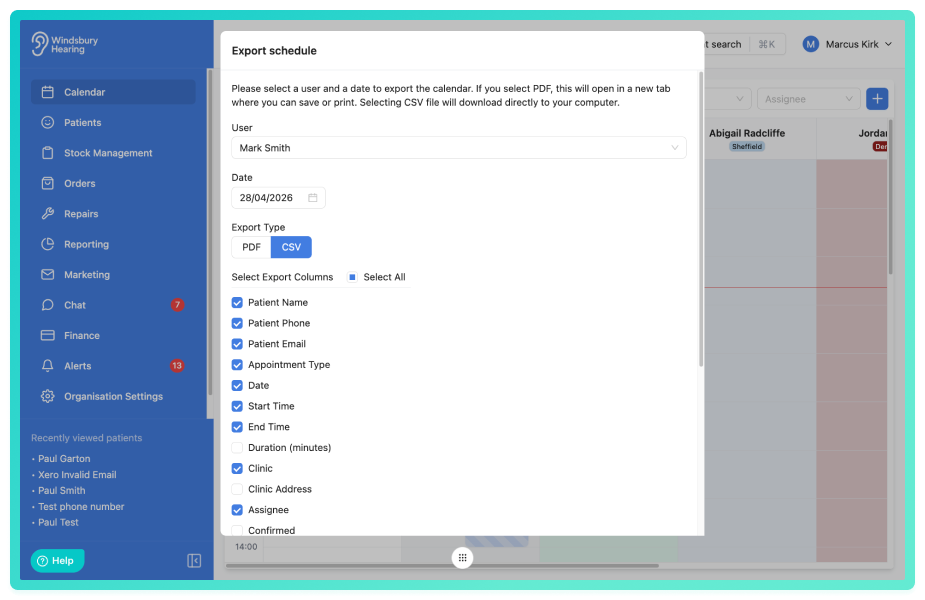
Further reading: Export schedule.
Automatic reminder updates for future appointments:
When you update reminder settings on an appointment type, HearLink now automatically applies these changes to all future scheduled reminders using that appointment type. This includes hours before the appointment, email and SMS reminder configuration, and templates.
Unavailability blocks now display in clinic calendar view:
Unavailability blocks are now displayed in the clinic calendar view, appearing in the correct clinic column based on where the assignee is working on that day. The assignee's name is shown on unavailability block labels, making it easier to identify whose unavailability is displayed.
Unavailability block popover with creation details:
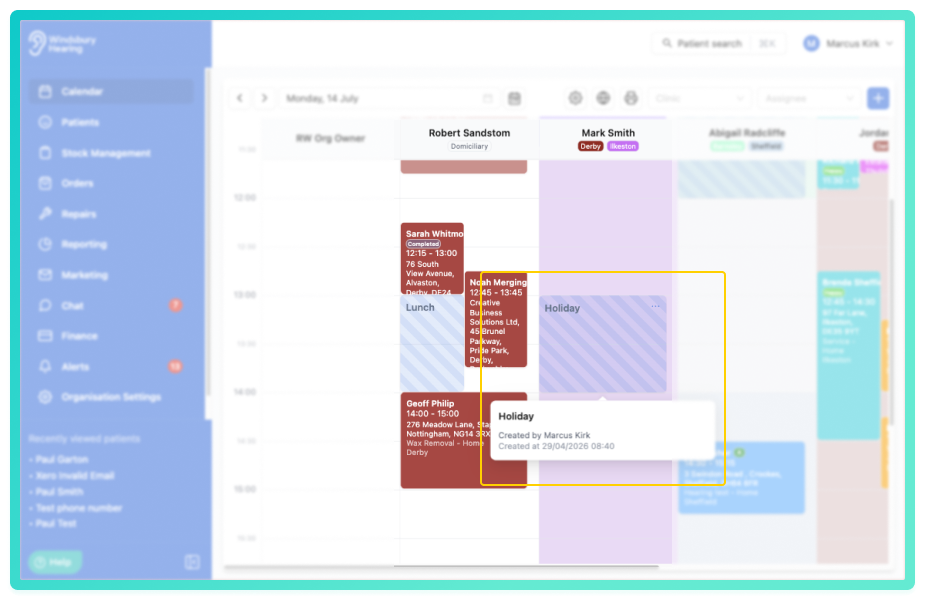
Hovering over an unavailability block in the calendar now displays a popover showing who created the block and when it was created, providing better visibility into schedule management and helping teams understand unavailability history.
Delete custom alert types with reassignment:
Custom alert types can now be deleted from the system. When deleting an alert type, HearLink checks for any future unacknowledged alerts assigned to that type and prompts you to reassign them to another custom type or default alert type if available, ensuting no alerts are lost during deletion.
Further reading: Alert types.
Appointment type blockouts displayed on calendar:
Appointment type blockouts now appear as visual indicators on the calendar, making it easier for staff to identify when time slots are blocked and unavailable for scheduling. Hovering over the indicator shows a popover with affected appointment types, time range and recurrence details.
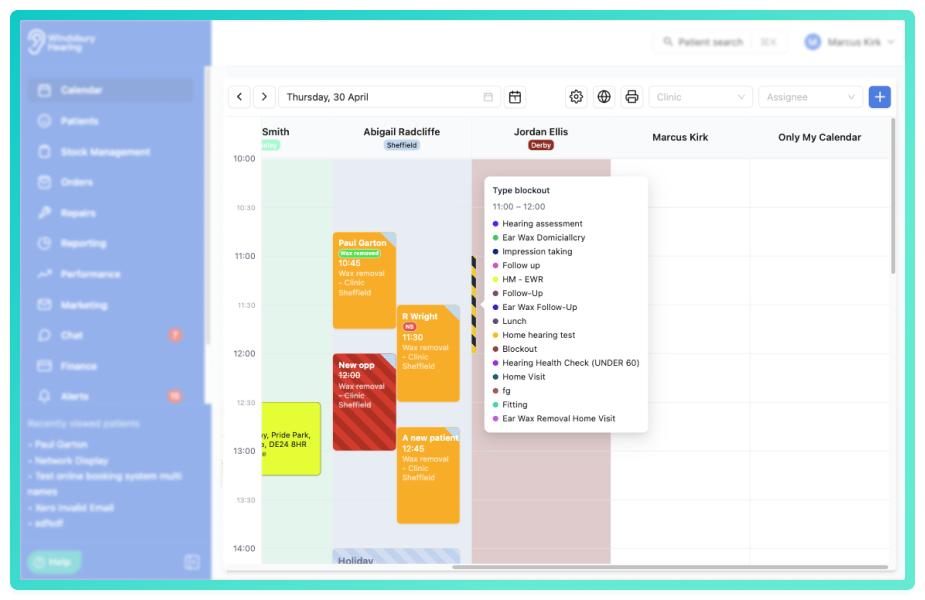
Further reading: Appointment type blockouts.
Manufacturer accounts lookup improvements:
The manufacturer account lookup in the return for credit dialog has been improved to find manufacturer accounts even when there are slight variations in the name entered.
Previously, the system required an exact match of the manufacturer name. Now it normalises names by removing special characters and ignoring case differences, making it easier to locate the correct manufacturer account.
Auto-populate account details when creating repairs:
When creating a repair, the account number and address fields are now automatically populated based on the manufacturer of the selected product, provided manufacturer accounts have been added to the system. If multiple accounts exist for a manufacturer, a dropdown allows you to select the required account. Manual entry and editing of account details is still available if required.
Improved manufacturer lookup:
The manufacturer account lookup has been improved to find manufacturer accounts even when there are slight variations in the name entered. The system now normalises names by removing special characters and ignoring case differences, making it easier to locate the correct manufacturer account without requiring an exact match.
Notification badges visible on collapsed sidebar:
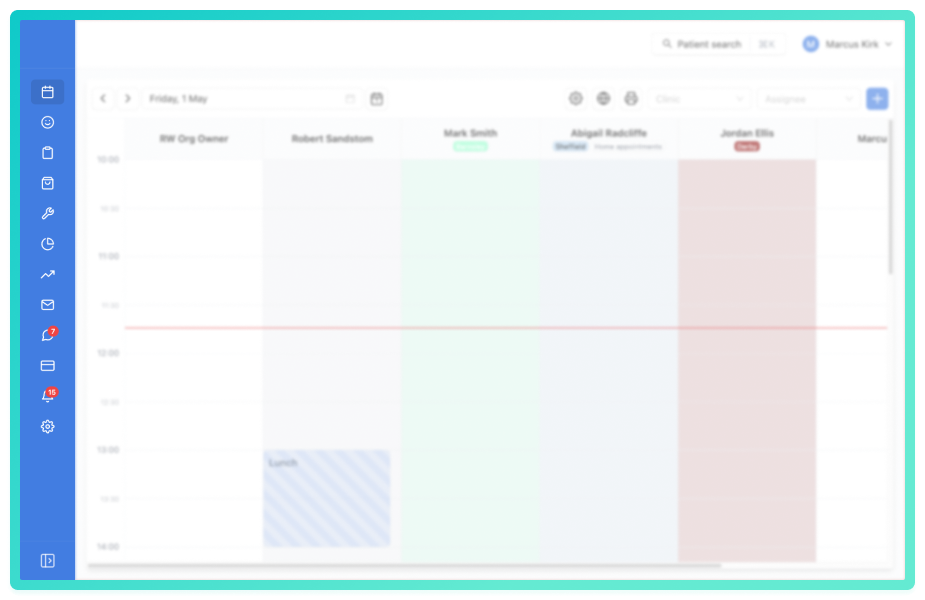
Notification badges fro alerts and chat are now visible when the sidebar is collapsed. Badges appear as small indicators overlaid on the navigation icons, allowing you to see unread alerts or messages at a glance without needing to expand the sidebar.
Assignee dropdown filters by clinic and date availability:
When assigning an appointment to a staff member, the assignee dropdown now only displays users who are scheduled to work at the selected clinic on the chosen appointment date. This prevents scheduling conflicts and ensures appointments are only assigned to available staff members.
Delete manual marketing queries:
Manual marketing queries can now be deleted from the system. This allows you to remove outdated or unused queries, keeping your marketing workspace organised and relevant.
Booking widget emits appointment UID on booking completion:
The booking widget now includes the appointment unique identifier (UID) in the booking completed event payload after a successful booking. This allows you to reference the created appointment directly from the event without additional lookups, improving integration capabilities with external systems.
Bug Fixes -
Warranty date displaying incorrectly on fitting receipts:
Fixed an issue where the warranty date on fitting receipts was not displaying correctly in some timezones. The warranty date will now display correctly on fitting receipts regardless of your organisation location settings.
Order transaction updates automatically in real time:
Fixed an issue where order transaction totals required manual refresh to reflect the latest data. Transaction aggregates including totals and counts now update automatically using live data synchronisation, removing the need for manual actions.
Was this article helpful?
That’s Great!
Thank you for your feedback
Sorry! We couldn't be helpful
Thank you for your feedback
Feedback sent
We appreciate your effort and will try to fix the article