7th January 2026
Here's whats new in v0.0.228 - v0.0.232
Features -
Chat for all users in the organisation:
Organisation wide chat within HearLink, allowing users to send and receive messages in one shared space. This makes it easier to quickly clarify tasks, coordinate care and communicate internally without leaving the system. Users will receive notifications for new messages to ensure nothing is missed.
 Important: As this is a new feature access is controlled by group permissions. You may need to review and update your user groups to allow user's to view and use HearLink chat.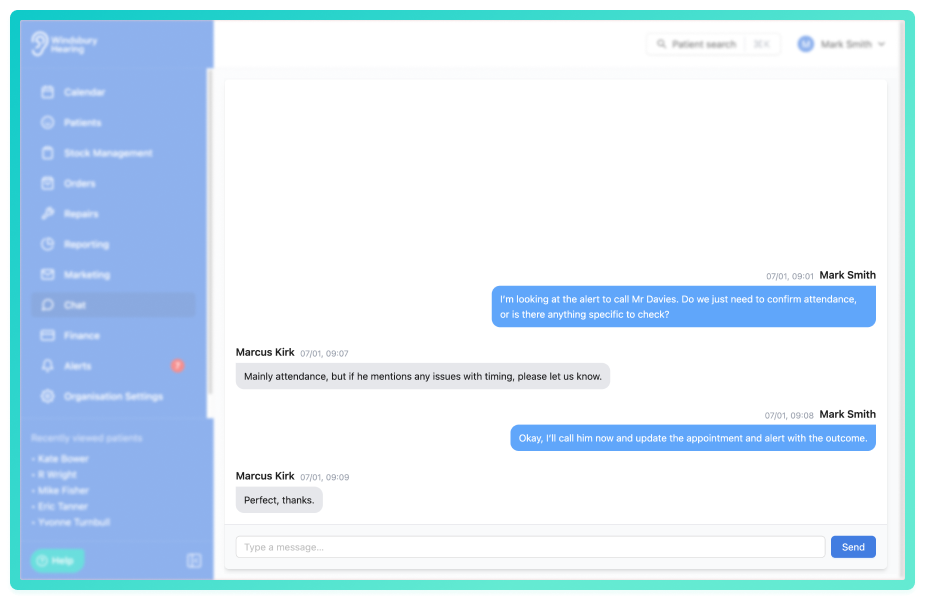
As a new feature this is something we will be expanding on, such as groups, private messages and much more.
Further reading: HearLink Chat.
Ability to see what communications are scheduled for a patient:
Added a new status, scheduled, in the communications page on the patient dashboard. This scheduled status will display any upcoming communications due to be sent to the patient.
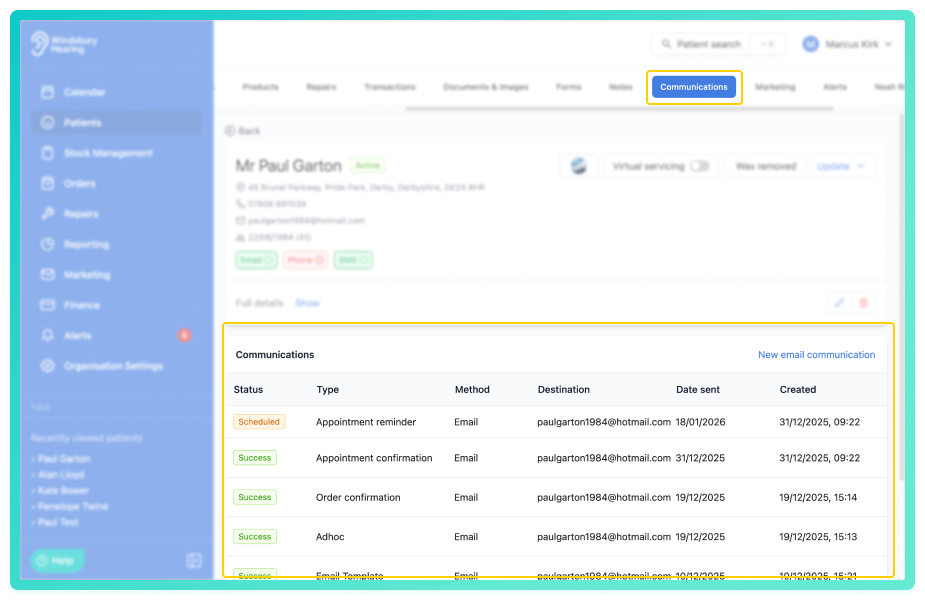
 Note: You cannot view the contents of a scheduled communication the same way you can with successful communications. This is because the content is captured on sending, not before.
Further reading: Patient Communications.
Improvements -
Make the assignee's filter on the calendar searchable:
Added the option to type into the Assignee filter on the calendar view and search by name.
Bug Fixes -
Scrolling wasn't enabled on form fields dialog for booking widget:
Issue: When setting the booking widget form field settings, if the user was on a small screen they were not able to scroll to submit the changes.
Fix: Made the dialog scrollable.
Patient search not showing phone numbers:
Issue: When searching for a patient the phone numbers were not showing alongside the name and emails if there was no secondary phone number.
Fix: Removed check for the secondary phone number and display primary regardless.
Was this article helpful?
That’s Great!
Thank you for your feedback
Sorry! We couldn't be helpful
Thank you for your feedback
Feedback sent
We appreciate your effort and will try to fix the article