An organisation has full control over which order the appointment types appear in the booking widget.
In this article we'll cover:
- how to order the appointment types in the booking widget
Only users with the correct permissions can order appointment types. If you think you should have permission to perform such an action please contact the organisation owner.Edit form fields
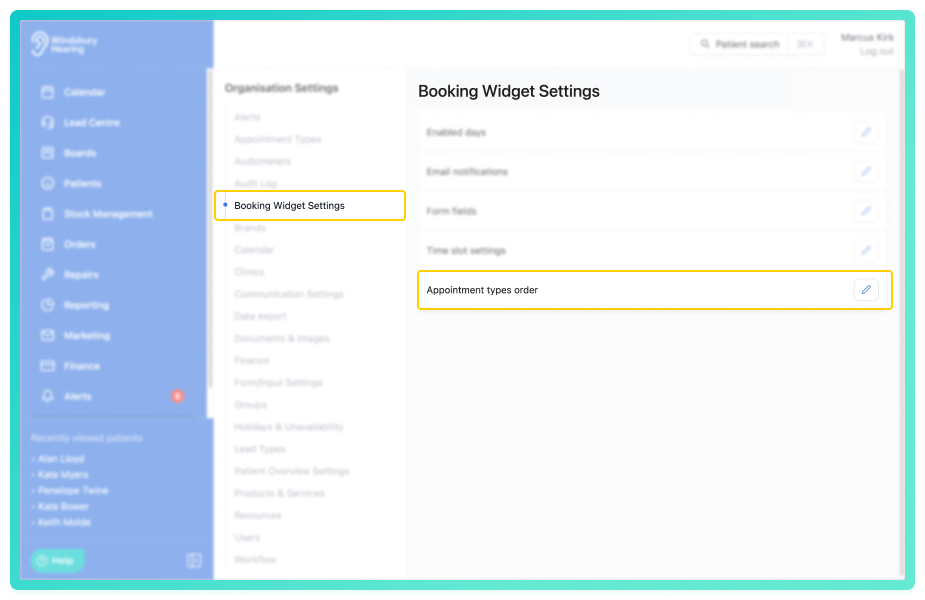
- Navigate to Organisation settings.
- Locate and click the Booking Widget Settings section of the settings.
- Click the Edit icon
 next to Appointment types order.
- Drag and drop each appointment type to reorder them as you would like them to appear on the booking widget.
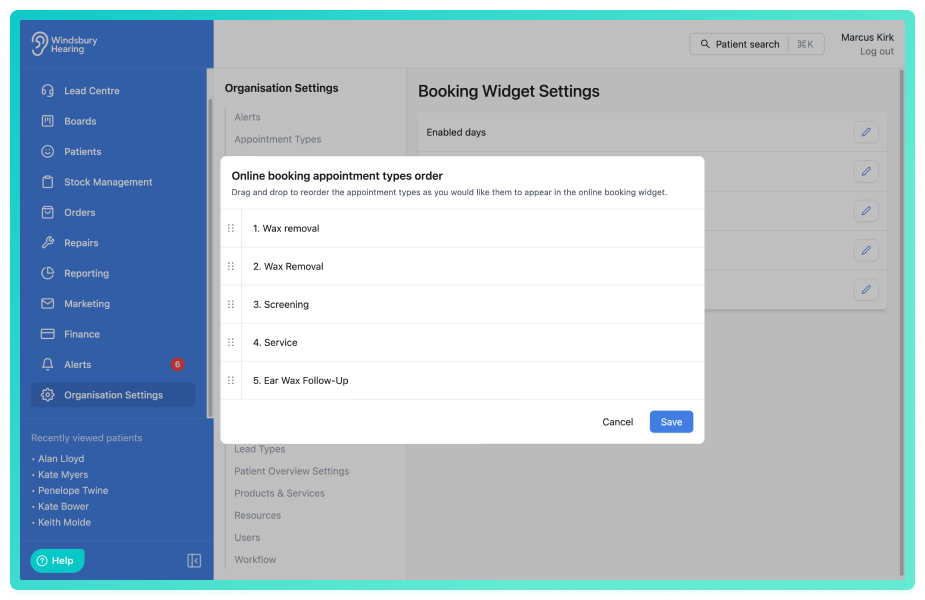
- Click Save to apply the changes.
The order will now be applied to the booking widget on your website.
Was this article helpful?
That’s Great!
Thank you for your feedback
Sorry! We couldn't be helpful
Thank you for your feedback
Feedback sent
We appreciate your effort and will try to fix the article