23rd December 2025
Here's whats new in v0.0.227
Features -
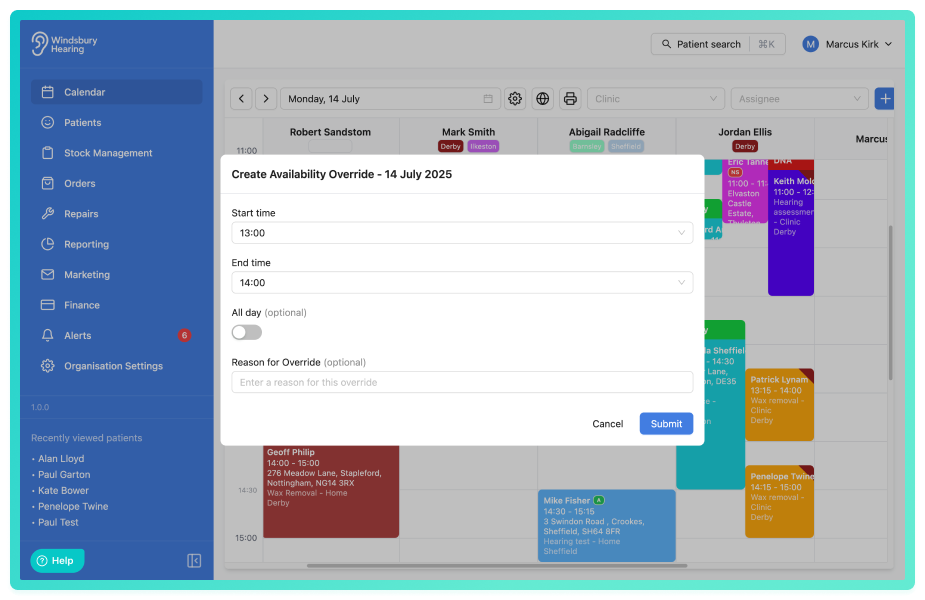
Ability to edit a single repeating holiday or unavailability:
HearLink now allows you to edit a single instance of a repeating holiday or unavailability. This allows you to make one off changes (such as adjusting a lunch break for a specific day) without affecting the rest of the recurring schedule, giving greater flexibility when managing availability.
Further reading: Holidays and Unavailability.
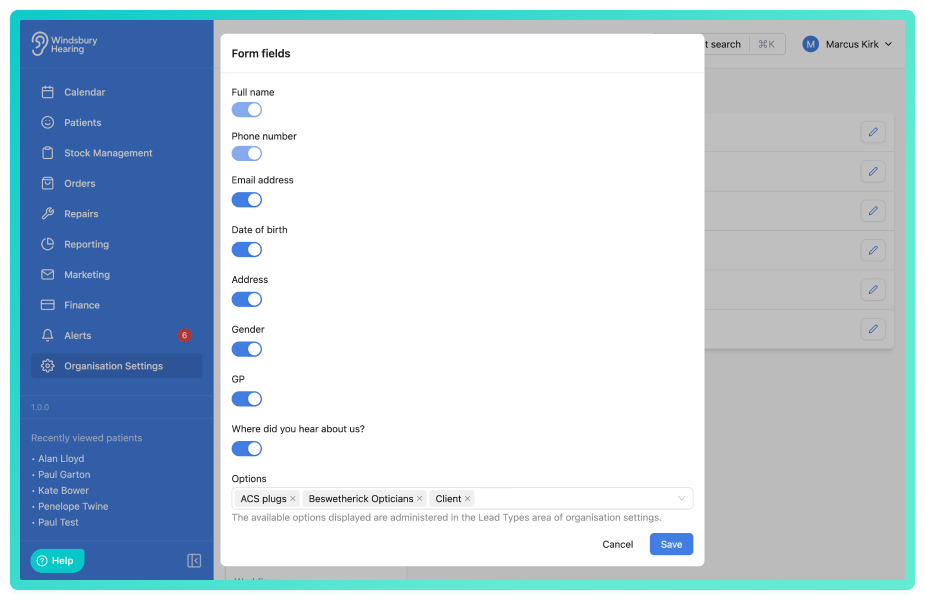
Enable Address, GP details and Gender to be entered when creating an appointment with the online booking widget:
Address, GP details and Gender are now fields available to be enabled on the online booking widget. If these fields are enabled in HearLink, a patient booking through the online booking widget will be required to enter these on submission. As a reminder, the only mandatory fields for HearLink are Full name and Phone number all other fields are optional to the organisation but if enabled required by the patient booking.
Further reading: Booking Widget Settings Form Fields.
Improvements -
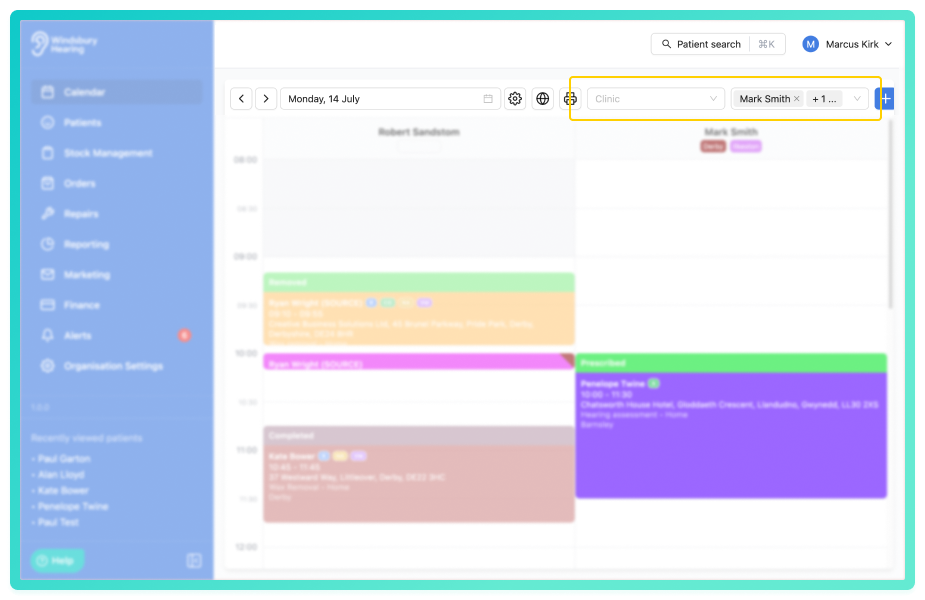
On larger screens display the calendar filters in header instead of behind a button:
If you are viewing the calendar on a larger screen (1280px or larger) the filters will display automatically in the header not behind a button in a side drawer.
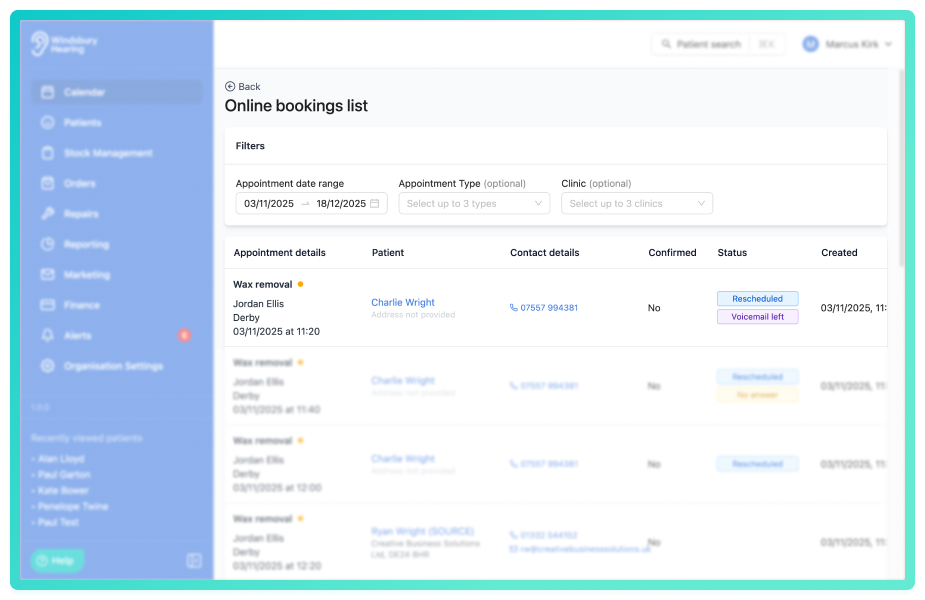
Updates to the online booking lists:
The online bookings list has been updated to include an Appointment status column and now defaults to showing unconfirmed bookings. When a bookings status is updated, either from the online bookings list or directly from the calendar, the status is reflected in the list. This helps teams see at a glance if a patient has already been contacted. Once marked as Confirmed, the booking is automatically removed from the list, keeping it focused on appointments that still require action.
Further reading: Online bookings list.
Phone number and email address on the patient information card are now clickable:
The Patient information card on the patient overview page has been enhanced to make contact details now interactive. When a patient has a phone number or email address recorded, these details are now clickable. This allows you to quickly place a call through your connected phone system or open your default email to compose an email.
When creating a clinic you can now assign a text colour as well as a background colour:
You can now assign text colours as well as background colours to visual elements on the calendar. This works alongside existing colour settings, allowing greater control over contrast and readability.
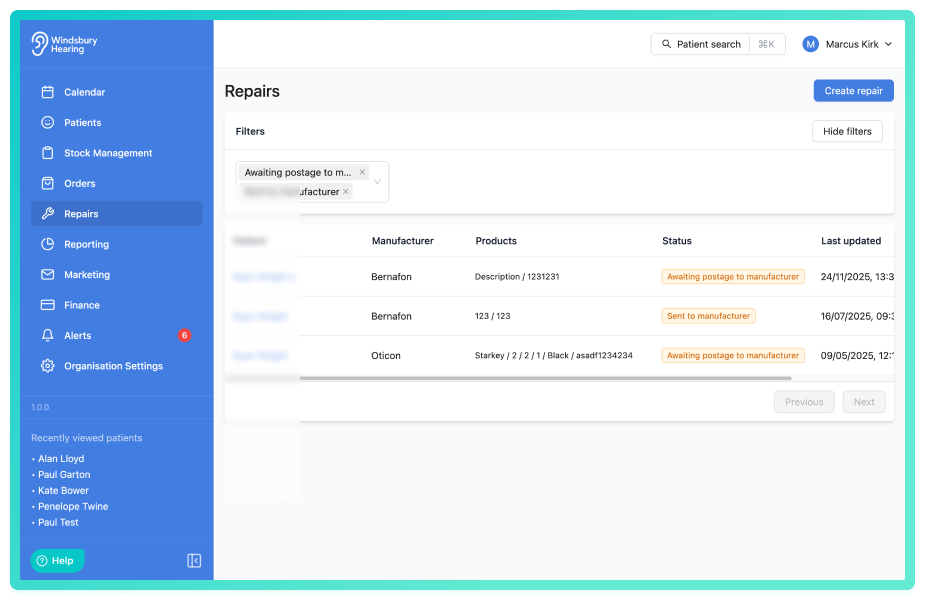
Ability to filter repairs by status:
The main repairs page can now be filtered by status, making it easier to see how many repairs are at each stage. This helps your organisation identify items that need attention and better manage repairs through to completion.
Further reading: Online bookings list.
Terms and conditions can now be added to the fitting receipt:
The fitting receipt now supports custom terms and conditions. This functionality already exists for orders/invoices and has been extended to fitting receipts, using the same uploaded terms and conditions configured in the Finance settings.
Further reading: Generate fitting receipt.
Updated the online booking date picker to be a free form text field with validation:
When booking an appointment online, the date picker has been updated to improve usability. Previously, the booking form relied on the default browser or device date picker (for example, Google or Android date pickers), which some patients found difficult to use. This has now been replaced this with a text based date input that automatically inserts forward slashes and validates the date format (DD/MM/YYYY) when the form is submitted, helping reduce errors and improve the overall booking experience.
Bug Fixes -
Some email content not being captured on sending:
Issue: Some types of email communications were not being "captured" on saving. Meaning that when a user clicked view email, the content would not show.
Fix: Make sure all types of email content are captured when sending.
Was this article helpful?
That’s Great!
Thank you for your feedback
Sorry! We couldn't be helpful
Thank you for your feedback
Feedback sent
We appreciate your effort and will try to fix the article