18th March 2026
Here's whats new in v0.0.256 - v0.0.259
Features -
Marketing email templates:
A new marketing email template system has been introduced. Users can now create reusable templates, which can be loaded directly when designing an email marketing campaign, significantly reducing time creating templates for each campaign.
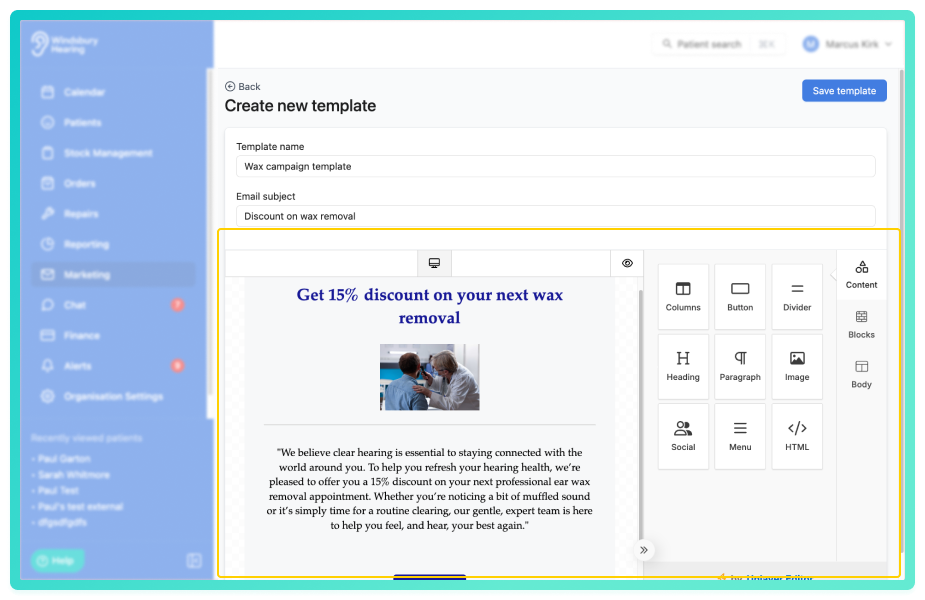
Further reading: Marketing Email Templates.
Unified patient notes area:
Repair notes, appointment notes and hearing test notes have now been consolidated into the main patient notes area. This provides a single location for reviewing patient activity and context, making it easier to view important information without navigating between multiple sections.
Improvements -
Online booking patient details updates:
When a patient books online and an existing patient record is matched, any updated details entered in the booking form will now update the patient's record automatically. This helps ensure patient information remains accurate and up to date.
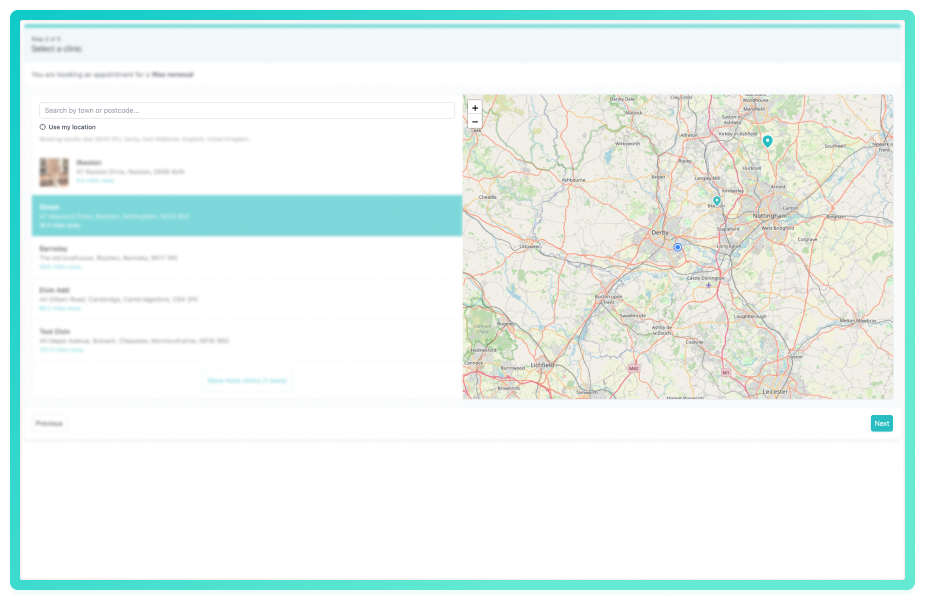
Online booking clinic map and search:
A map and location search have been added to the clinic selection step of the online booking widget. This allows patients to easily find and select their preferred clinic by searching for a location or using the map interface.
Patient note categories:
Organisations can now define and apply note categories within the patient notes system. Default categories are available and additional custom categories can be created, helping teams organise notes more effectively and filter them when reviewing patient information.
Further reading: Note Categories.
Unified patient notes area:
Repair notes, appointment notes and hearing test notes have now been consolidated into the main patient notes area. This provides a single location for reviewing patient activity and context, making it easier to view important information without navigating between multiple sections.
Custom field types for patient forms:
Custom fields on the patient form can now be created using multiple field types. In addition to text fields, organisations can now configure fields such as date, number, select and text areas, allowing more structured and flexible data collection.
Further reading: Patient Form Field Configuration.
External contact GP field on patient creation:
A new default field called GP (External contact) has been added to the patient form. This allows organisations to select an existing external contact as the patient's GP when creating or editing a patient. The previous GP text field has been marked as a legacy field, helping move GP management towards the external contacts system.
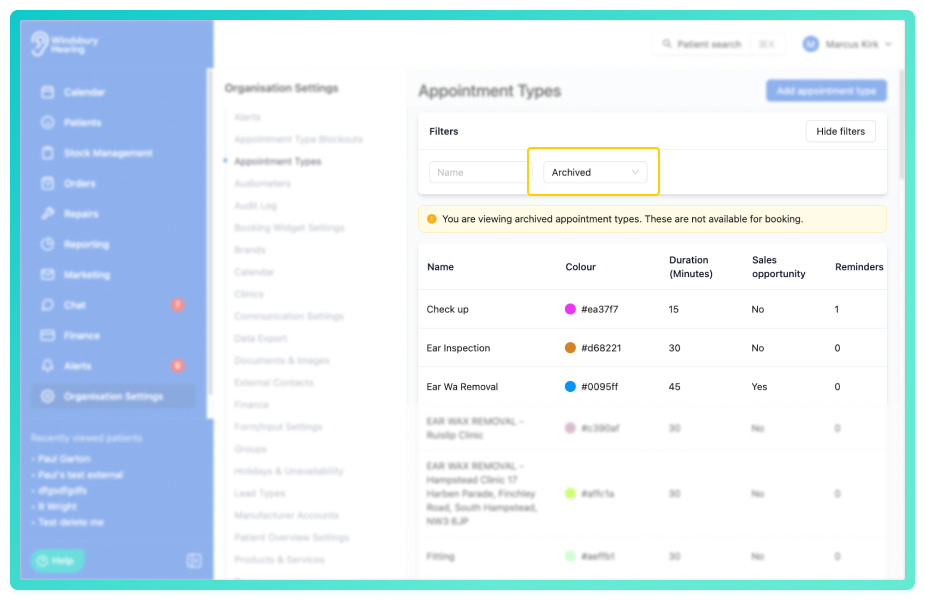
View and reinstate archived appointment types:
Appointment types can now be archived instead of permanently deleted. Archived appointment types remain accessible in the system and can be viewed and reinstated if needed, helping organisations safely manage and maintain their appointment configurations.
Right click appointment menu:
The appointment action menu can now be opened by right clicking directly on an appointment card within the calendar. This provides a quicker and more convenient way to access appointment actions without clicking the 3 dots.
Require outcome before checkout setting:
A new calendar setting allows organisations to require an appointment outcome to be selected before an appointment can be marked as checked out. This helps ensure that results are consistently recorded before completing the appointment workflow.
Further reading: Calendar Settings.
Today button added to the calendar:
A dedicated today button has been added to the calendar interface. This allows users to quickly return to the current day from any point in the calendar, improving navigation when viewing past or future appointments.
Improved performance for repeating holidays:
Performance improvements have been made to how repeating holidays are processed within the system. This internal update resolves an issue that could cause slowdowns in certain scenarios when working with recurring holidays.
Optional label for manufacturers accounts:
Manufacturers accounts can now include an optional label when being created. This provides additional flexibility when organising and identifying accounts, and will support upcoming functionality in future releases.
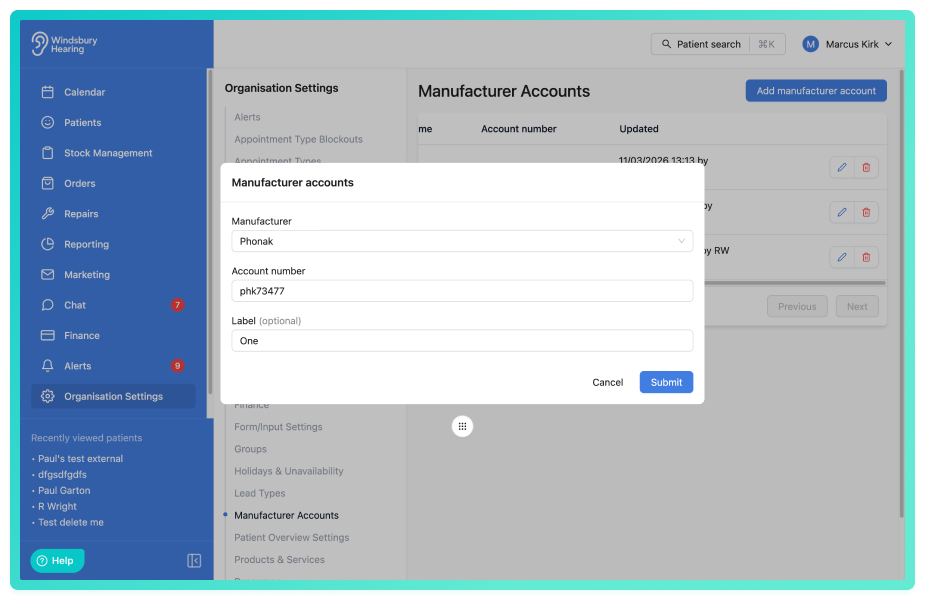
Further reading: Manufacturers Accounts.
Use native time picker on unavailability edit:
The unavailability edit screen now uses the device's native time picker. This provides an more consistent and user friendly way to adjust times when editing unavailability blocks.
Payments on refunded invoices:
Payments can now be added to invoices that have been partially or full refunded. This provides greater flexibility when managing invoice adjustments and allows payments to be recorded where required.
Sticky date header on calendar:
The calendar date header now remains visible when scrolling in week view. This improvement helps users keep track of which day they are viewing when navigating busy schedules.
Was this article helpful?
That’s Great!
Thank you for your feedback
Sorry! We couldn't be helpful
Thank you for your feedback
Feedback sent
We appreciate your effort and will try to fix the article