20th October 2025
Here's whats new in v0.0.195 - v0.0.200
Features -
Booking/Creation report:
The booking/creation report helps your organisation analyse how and where appointments are being created. This report is useful for understanding booking activity, staff performance and referral effectiveness.
Further reading: Booking/Creation Report.
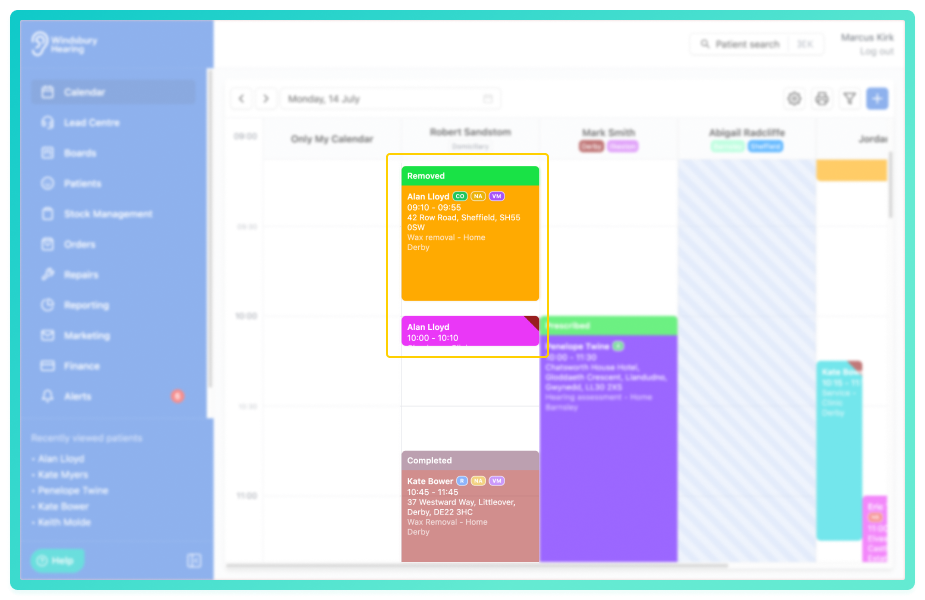
Ability to increase/decrease the time slot height on the calendar:
The time slot height works in tandem with the interval settings. When there's more information on an appointment card, using a larger time slot height with a smaller interval provides greater visibility and detail.
Further reading: Time slot height.
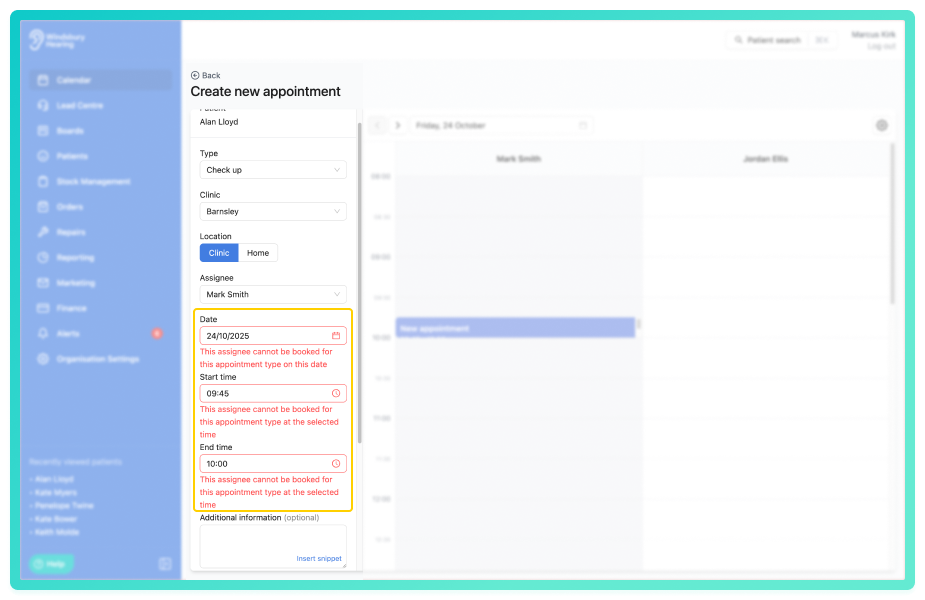
Ability to create appointment type blockouts:
Appointment type blockouts allow you to temporarily prevent specific appointment types being booked for certain users. This affects both online and within the calendar. You can create these within the organisation settings under the new section Appointment Type Blockouts.
Further reading: Appointment type blockouts.
Improvements -
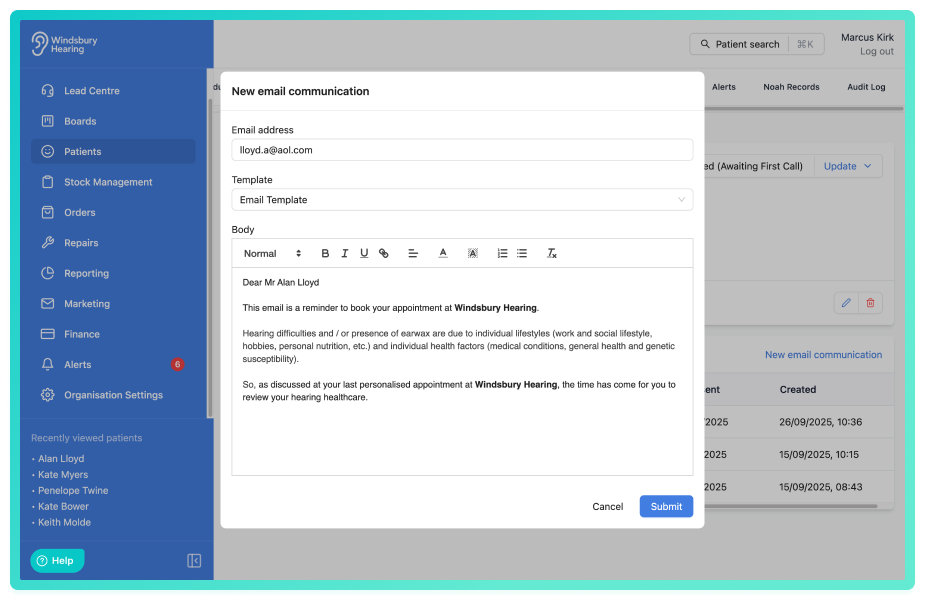
Ability to change the email template content before sending to a patient:
Option to make changes to an email template before sending to the patient.
Further reading: Send ad hoc email.
Set all day when creating a holiday or unavailability:
Option to enable all day when creating a holiday/unavailability. If you select the All day option, the start and end time will be removed and set to the start and end time of the calendar.
Further reading: Holidays & Unavailability.
Added invoice # to payments & refunds report:
Invoice number is now available in the payments and refunds report. It is also included in the exported CSV file.
Further reading: Payments & refunds report.
Trigger an outcome with a sub status from the secondary workflow:
Expand the functionality to trigger an outcome on a primary status to secondary statuses.
Further reading: Secondary workflow.
Add Rev and Father to patient titles:
Rev and Father now available to select in the title dropdown when creating a patient.
Total order added to the orders page:
The total orders for the organisation will be displayed at the top of the orders page.
Bug Fixes -
Timeline preview dialog displaying incorrect appointments:
Issue: When looking at the preview for domiciliary appointment, the dialog displayed incorrect appointments.
Fix: Change how the preview is calculated to display the correct preview.
Hearing test ear health questions copy button wasn't working correctly:
Issue: When creating a hearing test the copy button would not copy over the other ear's information.
Fix: Change order of operation so the data copies over on button click.
Was this article helpful?
That’s Great!
Thank you for your feedback
Sorry! We couldn't be helpful
Thank you for your feedback
Feedback sent
We appreciate your effort and will try to fix the article