You may occasionally need to override a user's standard schedule. For example, to adjust availability for a single day without affecting their overall working pattern.
In this article we'll cover how to:
- set a schedule override.
- clear the override.
Set a schedule override
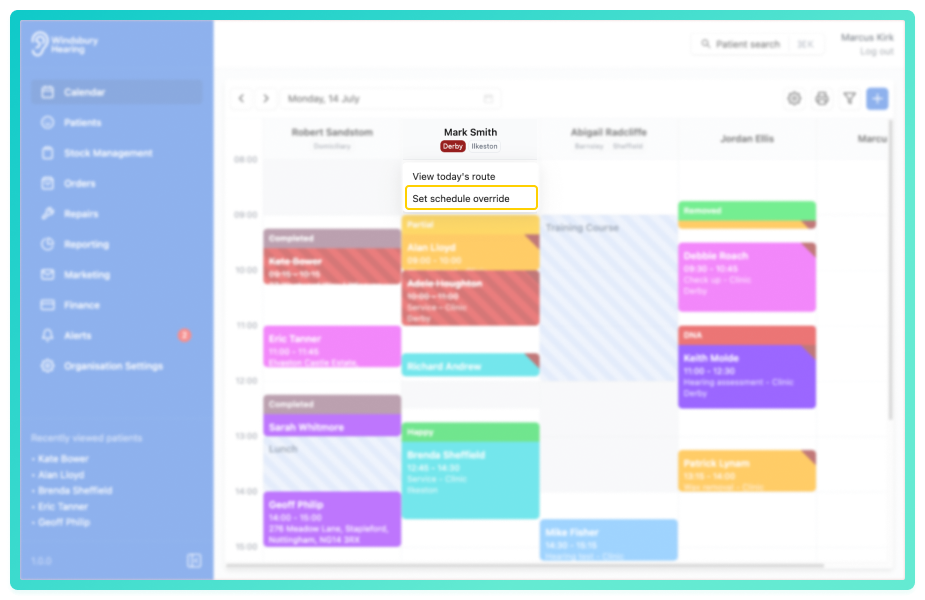
- Click the Set schedule override text.
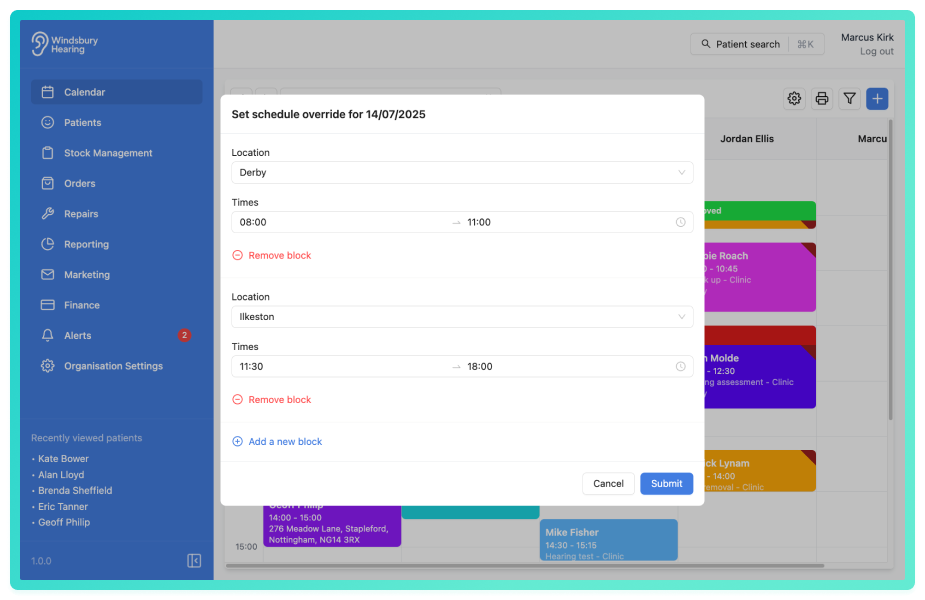
Complete the override form by either:
- adjusting the available times.
- removing a block completely by Remove block text.
- Click Submit to save the override.
Clear the override
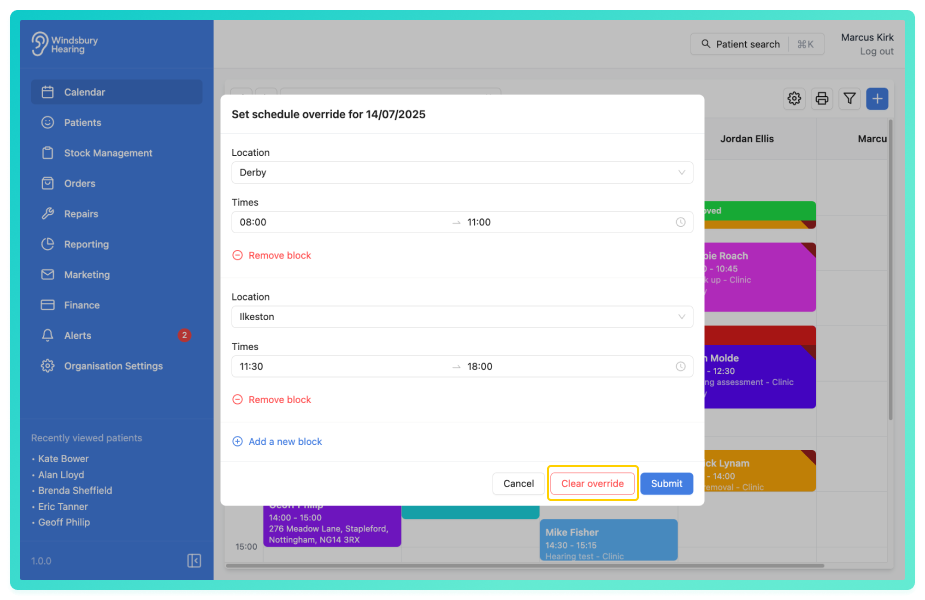
- To clear the schedule override repeat the steps above.
- Click the Clear override button to remove the override and reset the user's schedule to it's standard configuration..
Was this article helpful?
That’s Great!
Thank you for your feedback
Sorry! We couldn't be helpful
Thank you for your feedback
Feedback sent
We appreciate your effort and will try to fix the article