When booking an appointment from the calendar view, you may encounter different warning messages such as, location mismatch or non working day.
In this article we'll cover:
- what each message means.
- an example of each warning.
Appointments can still be booked and override the warning messages. Please proceed with caution!Warning messages
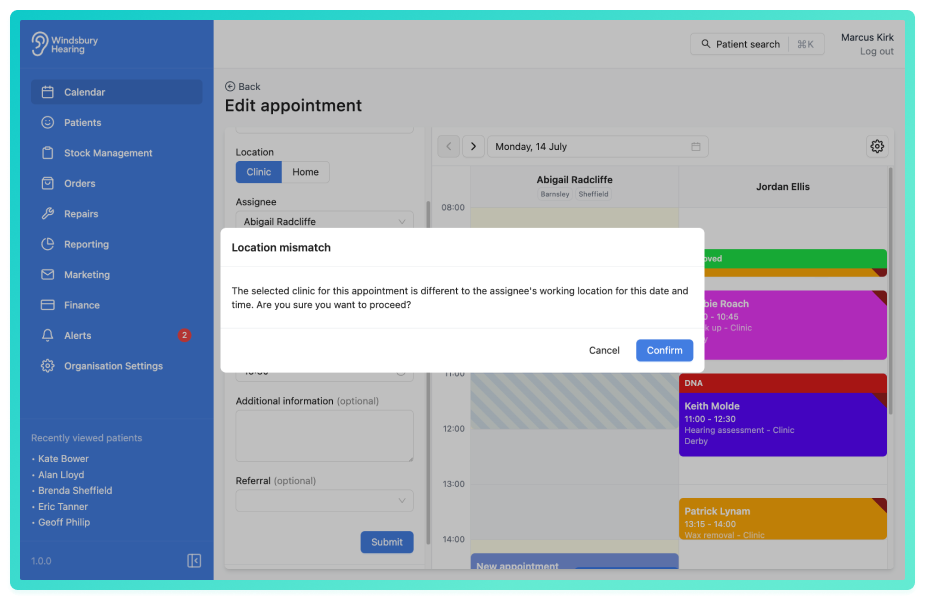
- Location mismatch - the user's location does not match the location where you are trying to book an appointment.
Example:
- Mark is scheduled to work in the Derby clinic on a Monday morning.
- An appointment is booked through the calendar on Monday for Mark at the Ilkeston clinic.
- You'll receive the Location mismatch warning message.
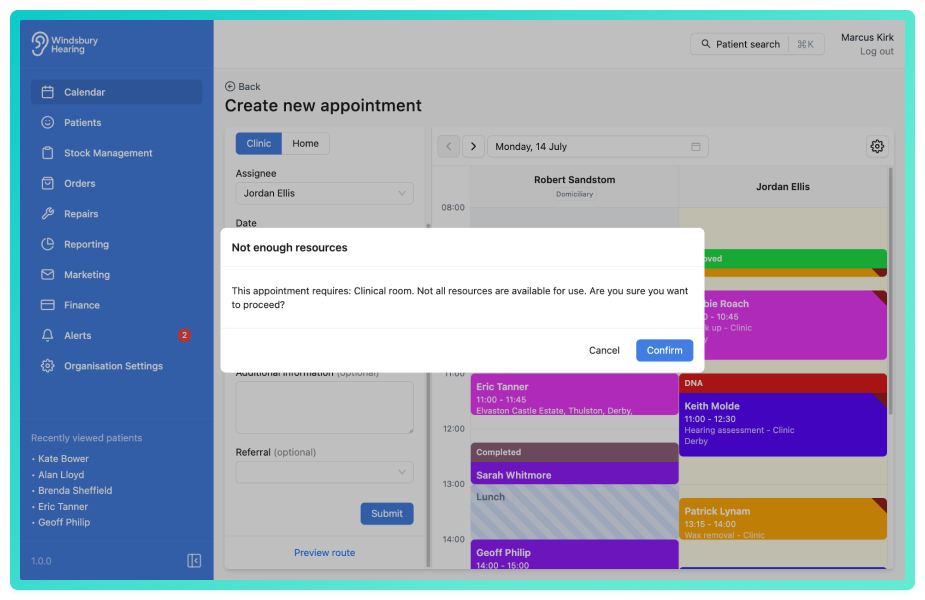
- Not enough resources - there are not enough resources (clinic rooms or hearing aids) for the required appointment.
Example:
- The Ilkeston clinic has one clinic room available as a resource.
- When booking an appointment the HearLink system checks if the required resources are available.
- If not (an appointment is already using the resource), you'll receive the Not enough resources warning.
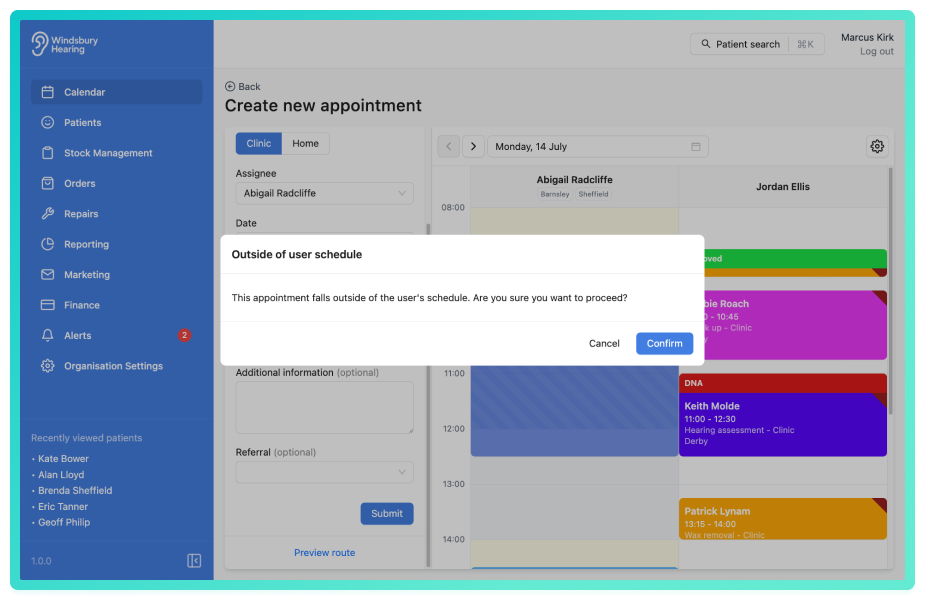
- Outside of user schedule - the appointment falls outside of the user's schedule.
Example:
- Robert is scheduled to work Monday, Wednesday and Friday.
- Booking an appointment for Robert on Tuesday would trigger the Outside of user schedule warning.
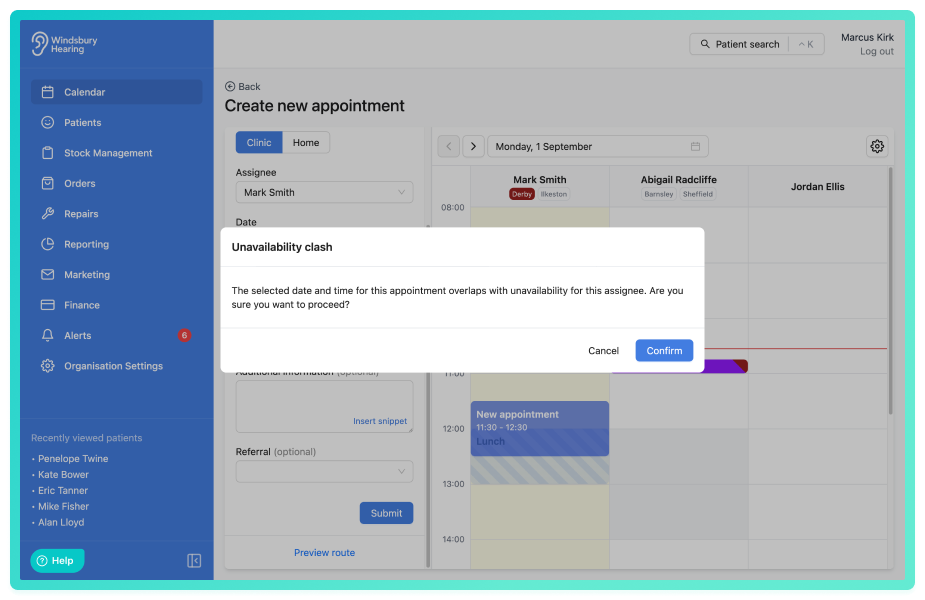
- Unavailability clash - the appointment clashes with an unavailability block.
Example:
- Robert is unavailable for lunch everyday between 12:00 and 13:00.
- Booking an appointment for Robert during this time would trigger the Unavailability clash warning.
Was this article helpful?
That’s Great!
Thank you for your feedback
Sorry! We couldn't be helpful
Thank you for your feedback
Feedback sent
We appreciate your effort and will try to fix the article