The Users section of Organisation Settings allows you to manage your team members within HearLink. From inviting new users to editing their details, resetting passwords, assigning work areas, and managing their availability, this section helps keep your organisation running smoothly.
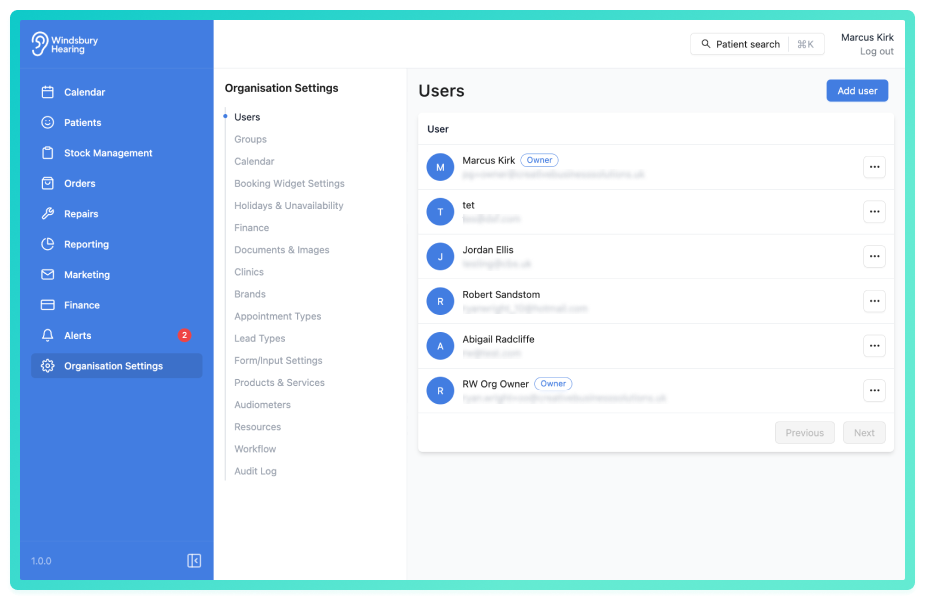
Here's what you can do under the User settings:
- Add a new user
Add a new member to your organisation - Edit a user
Update a user's name, email address, clinic or home address - Delete a user
Permanently remove a user from the system - Manage work areas and schedules
Assign the locations and times a user is available to work, ensuring accurate bookings and team coordination.
Why it matters?
Keeping user information accurate and up to date ensures your team can access the system securely and that availability is reflected correctly across appointments, communications, and reporting. The Users section gives you full control over user-specific management.
Was this article helpful?
That’s Great!
Thank you for your feedback
Sorry! We couldn't be helpful
Thank you for your feedback
Feedback sent
We appreciate your effort and will try to fix the article