You can add new users to your organisation via the Users section in Organisation Settings. This could include practitioners, administrators or other team members. When a new user is added, you'll receive a temporary password which the new user will be prompted to change on their first login.
In this article, we'll cover:
- how to add a new user
- how temporary passwords work.
- an overview of the Add a New User form.
Only users with the correct permissions can create, edit and delete users. If you think you should have permission to perform such an action please contact the organisation owner. To make an existing user an organisation owner please contact HearLink support. Add a new user
- Navigate to Organisation Settings.
- By default, you'll land in the Users section.
- Locate the Add user button.
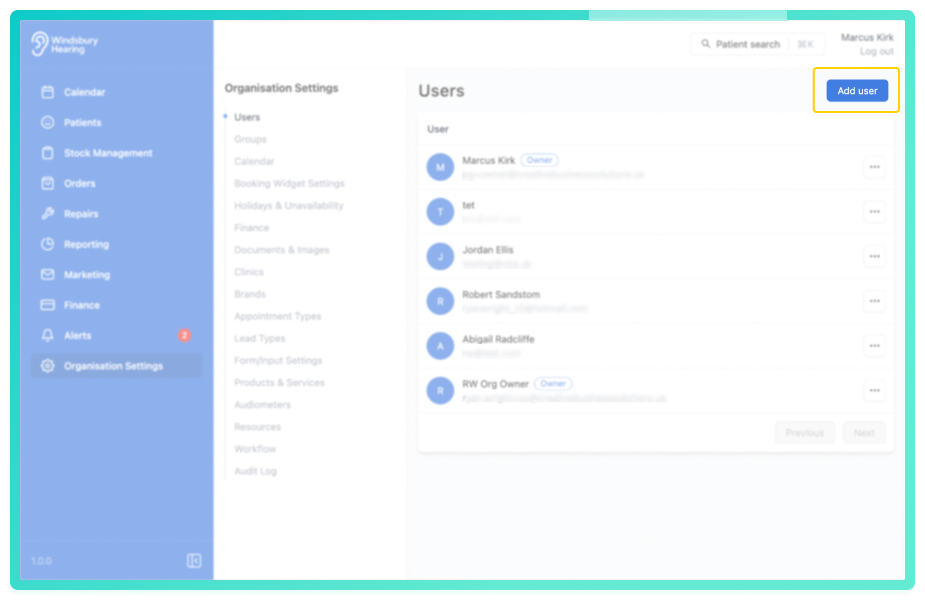
- Click the Add user button.
- Fill in the Add a new user form.
Email addresses for users must be unique across the entire HearLink system 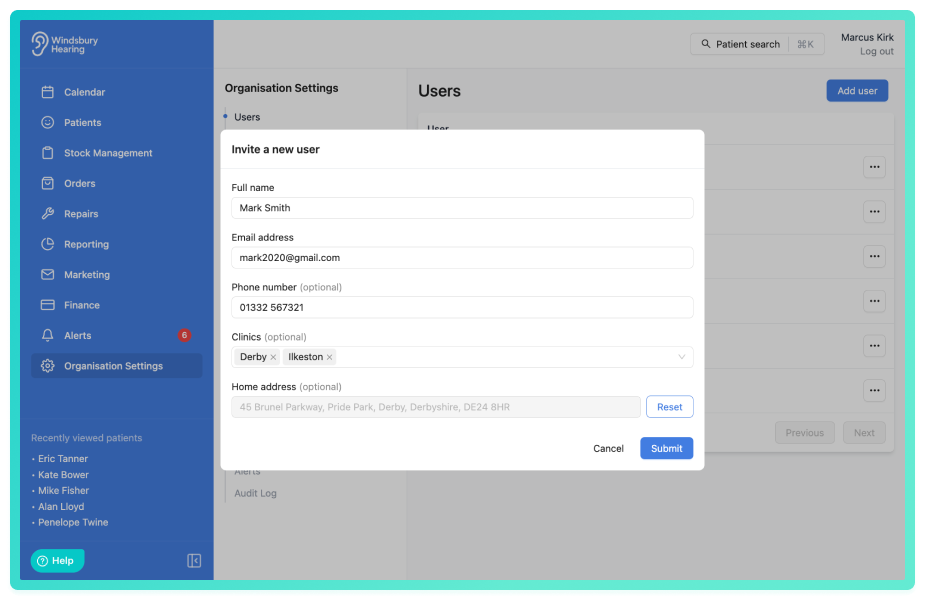
- Click Submit and to create a new user.
Once submitted a temporary password will be generated. Take note of the:
- Email Address
- Temporary Password
On first login, the user will be prompted to create their own password. You'll need to provide the user with the temporary password generated by the HearLink system.
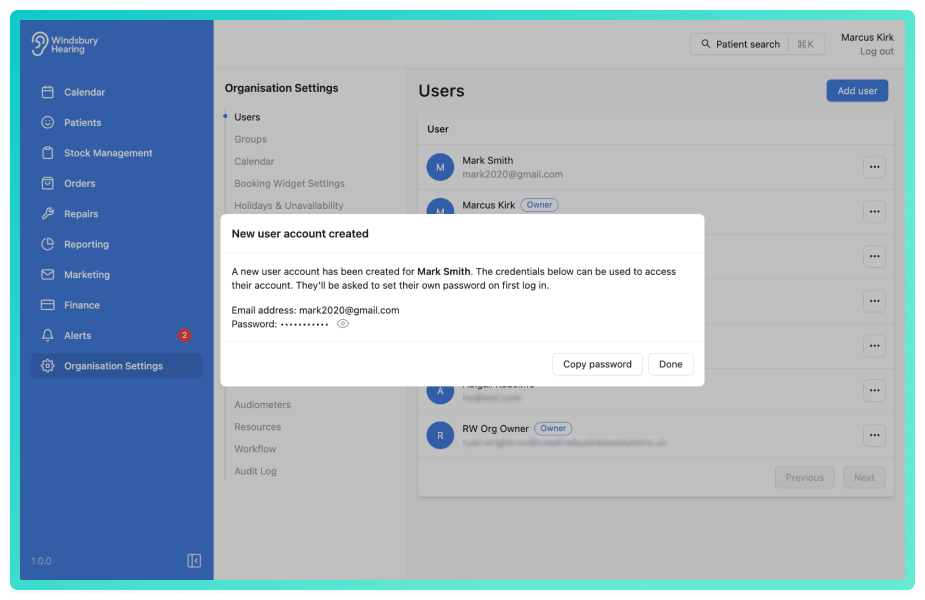
The new user will need to be added to a group or multiple groups depending on their permissions.Understanding the Add User form fields
Full Name
The full name of the new user being added.
Email Address
The email address for the new user being added.
Phone number
(Optional) The phone number for the new user being added.
Clinics
(Optional) Select the clinics the user should be associated with. Example: If your organisation has 5 clinics, in Barnsley, Derby, Ilkeston, Sheffield and Tullamore, and the new user should only work in Derby and Ilkeston, only select those two clinics.
Job title
(Optional) The user's job title. Required if you want to use as a variable in communications and letters.
Home Address
(Optional) The user's home address. Required if you want to use the Today's Route feature in HearLink.
Was this article helpful?
That’s Great!
Thank you for your feedback
Sorry! We couldn't be helpful
Thank you for your feedback
Feedback sent
We appreciate your effort and will try to fix the article