Some appointment types may include the option to send a confirmation message to the patient when the appointment is created, along with the forms associated with the confirmation.
In this article we'll cover how:
- appointment confirmations work.
- to enable or disable sending a confirmation during appointment creation.
- to enable or disable confirmation forms during appointment creation.
Sending a confirmation email or SMS to a patient
When creating an appointment, you may see an Enable confirmation option.
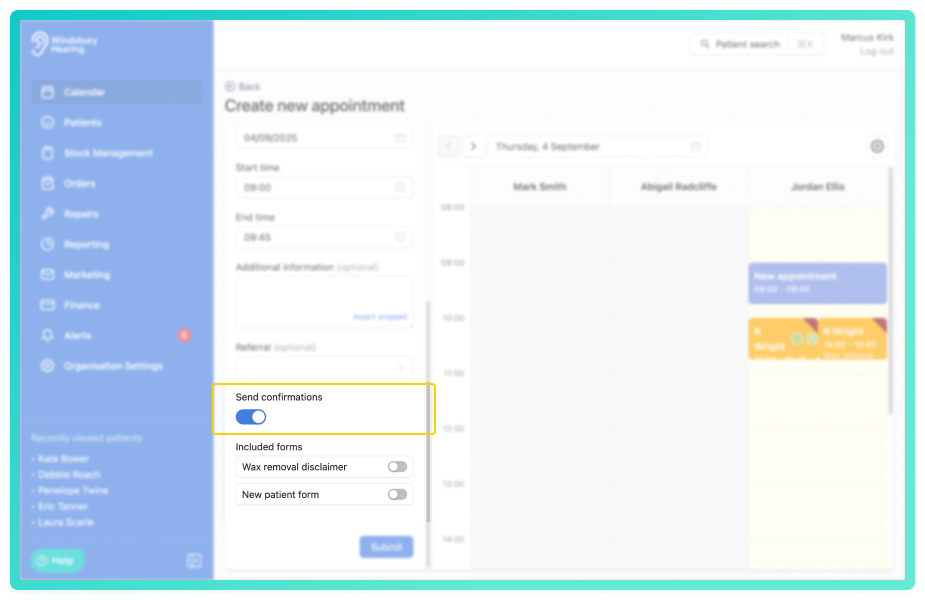
You'll only see this option if the appointment type you selected has confirmations enabled.This setting allows you to choose whether to send an Email or SMS confirmation to the patient. The message will only be sent if the patient has a valid email address or mobile number on file.
These contact details can be added when creating a new patient or updated by editing their profile.
Send the forms associated with the confirmation
When creating an appointment, you may see an Included forms option.
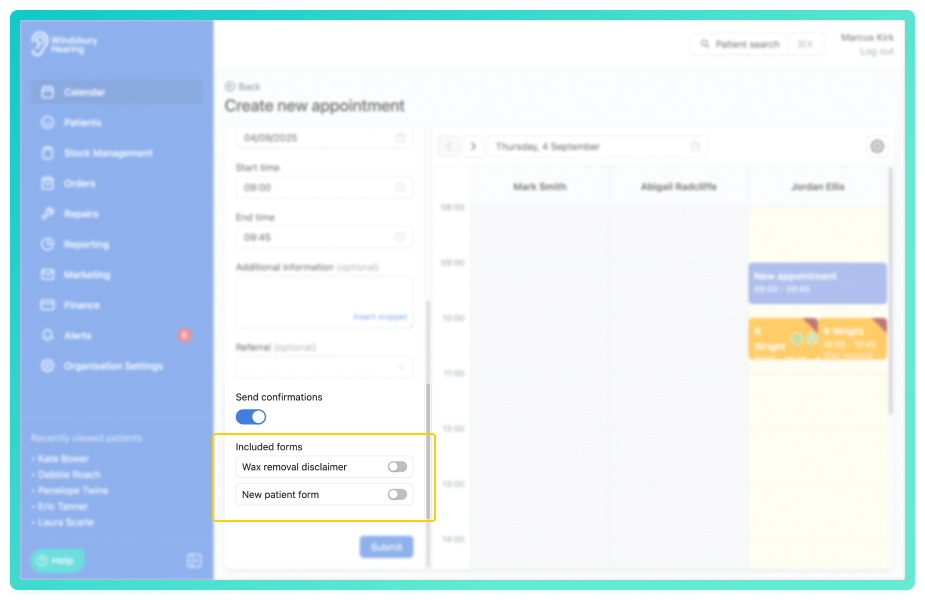
You'll only see this option if the appointment type you selected has forms attached to the confirmation.This setting allows you to choose whether to send the forms attached to a confirmation.
Was this article helpful?
That’s Great!
Thank you for your feedback
Sorry! We couldn't be helpful
Thank you for your feedback
Feedback sent
We appreciate your effort and will try to fix the article