1st September 2025
Here's whats new in v0.0.166
Features -
Alert when trying to book an appointment when it overlaps an unavailability:
Similar to other calendar alerts, when a user tries to book an appointment that overlaps with an unavailability slot a warning message will appear.
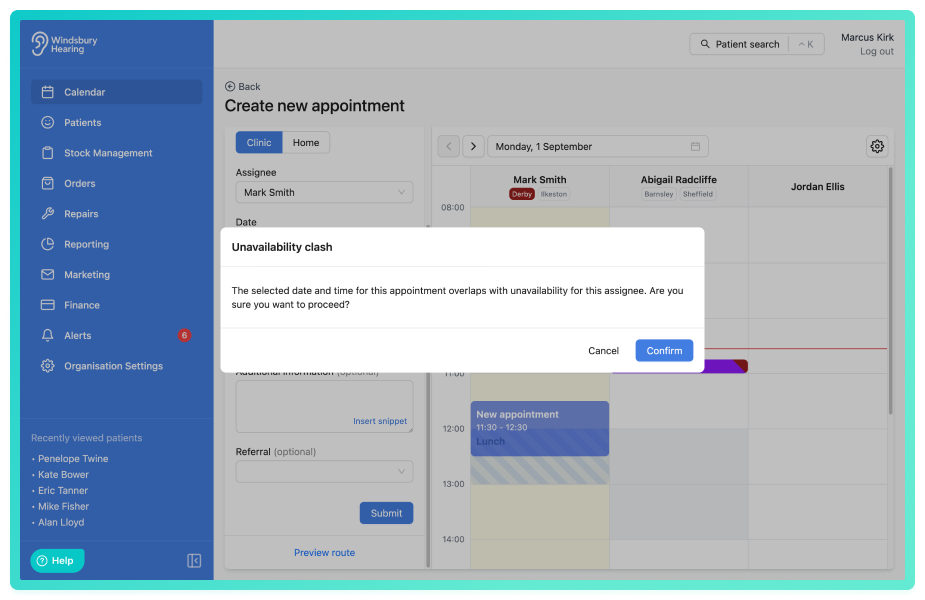
Note: As with all warning messages, you still have ultimate control and can choose to ignore the warning and book the appointment regardless.
Request -
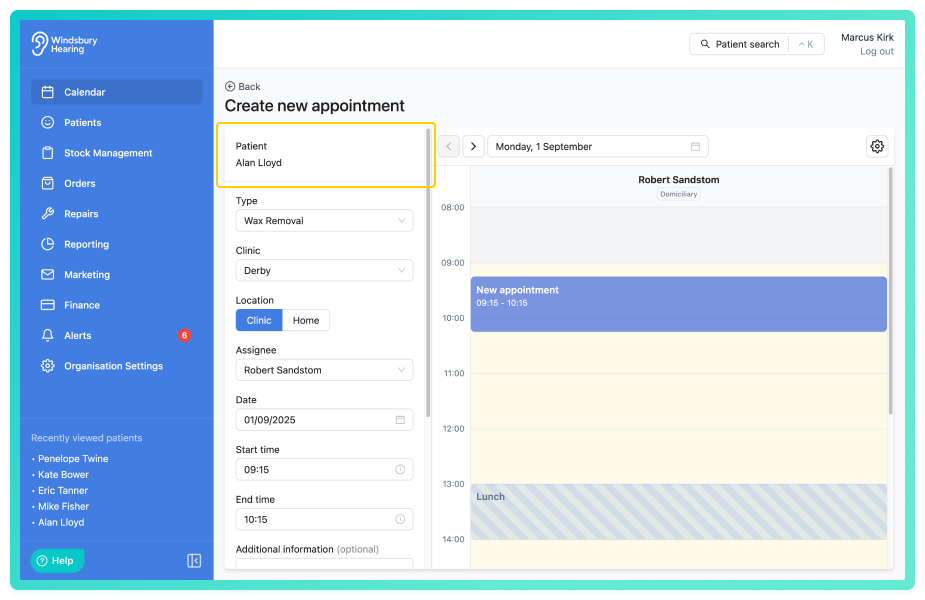
Display patient name when adding or editing an appointment:
Patient name is now displayed at the top of the form when creating or editing an appointment.
Text colour selector on appointment type:
When creating or editing an appointment type, the text colour can now be configured the same as the background colour.
Further reading: Appointment types.
Bug Fixes -
Appointment duration reset when unrelated from fields changed:
Issue: When creating or editing an appointment, if a field was changed and the end time was over the appointment type duration, the end time would reset back to the appointment duration.
Fix: Appointment end time will stay fixed to the custom time chosen, unless the appointment type or start time changes.
Was this article helpful?
That’s Great!
Thank you for your feedback
Sorry! We couldn't be helpful
Thank you for your feedback
Feedback sent
We appreciate your effort and will try to fix the article