If you need a printed copy of a user's schedule, you can generate a PDF directly from the calendar view. This can be saved to your device or printed out, depending on your requirements.
In this article we'll cover how to:
- generate a PDF of a user's daily schedule.
Create a PDF of a daily schedule
- Navigate to Calendar.
- Locate and click the Printer icon button.

- Select a User from the dropdown menu.
- Select a Date.
- Select the Export Type
- Click Submit.
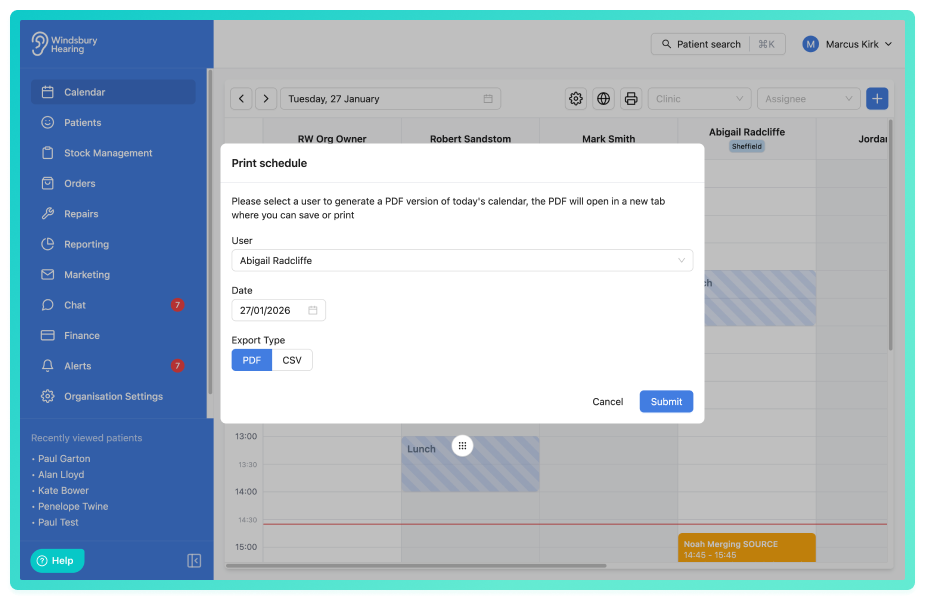
If CSV selected, a CSV file will be automatically downloaded to your system.
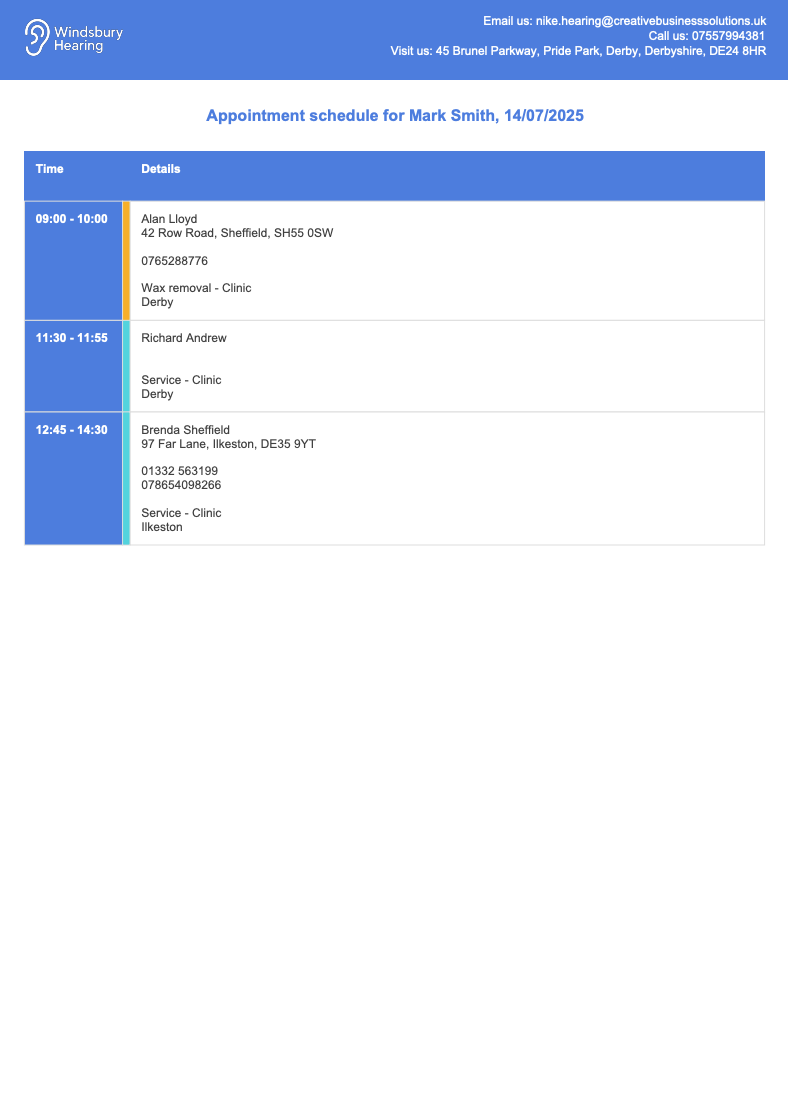
If PDF selected, a PDF of the user's daily schedule will be generated. You can then download or print it as needed.
Was this article helpful?
That’s Great!
Thank you for your feedback
Sorry! We couldn't be helpful
Thank you for your feedback
Feedback sent
We appreciate your effort and will try to fix the article