The accounts receivable report in HearLink provides an overview of outstanding patient balances, helping your organisation track unpaid invoices and manage cash flow effectively.
This report displays:
- All outstanding invoices within a specific timeframe.
- A summary by clinic including which aging bracket have the highest value of outstanding payments.
Aging bracket explained: The aging bracket refers to how long an invoice has been outstanding. The current brackets are 1 - 30 days, 31 - 60 days, 61 - 90 days and 90+ days.
You can also group data and apply filters to refine your analysis.
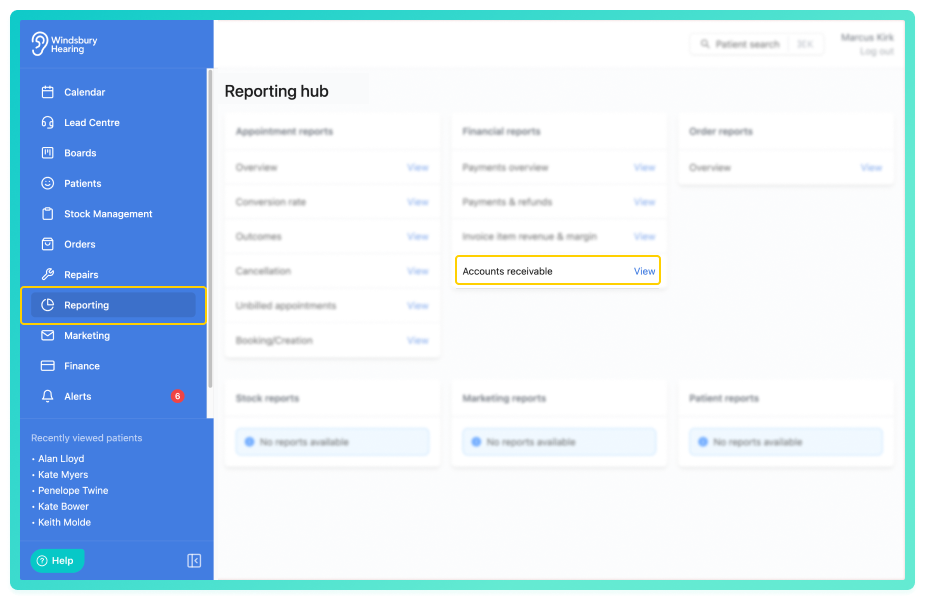
View the accounts receivable report
By default, the report shows a all outstanding invoices across the selected date range
This includes:
- Aging bracket - the bracket the outstanding invoice falls in.
- Clinic - the clinic the invoice applies to.
- Patient - patient and some basic details.
- Date - the date the invoice was created.
- Invoice #
- Invoice total - the cost of the complete invoice.
- Balance - the outstanding balance.
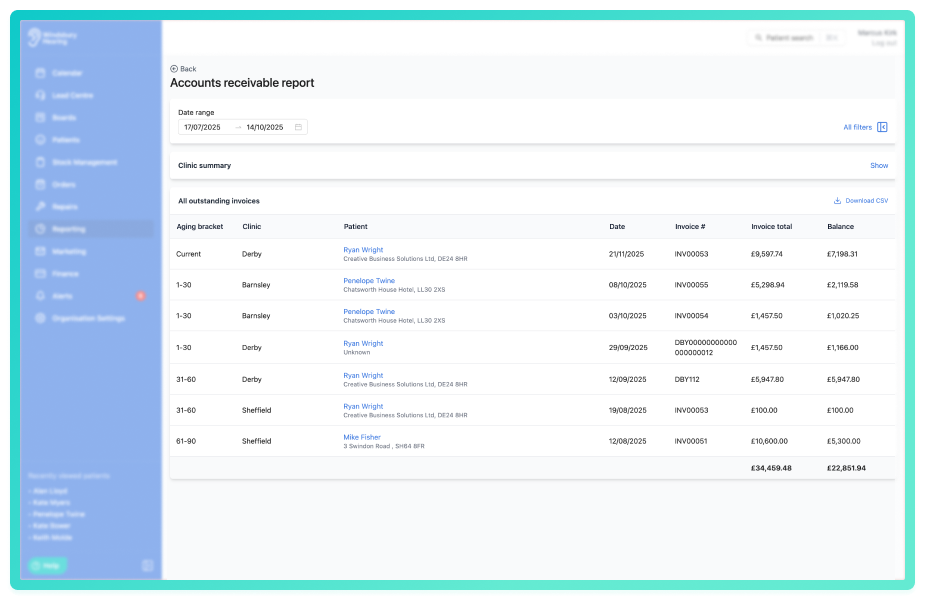
Click All filters to open the sidebar and apply the filters to narrow the results.
You can save a set of filters for each report to quickly change the data on the report. See Saved report filters
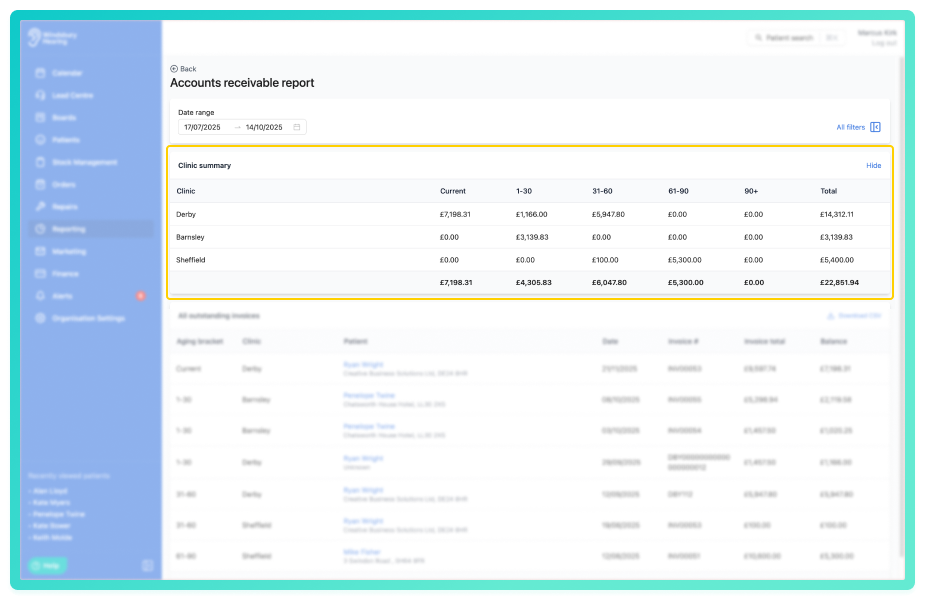
View the clinic summary
The clinic summary appears at the top of the report and gives a quick overview of all outstanding invoices grouped by clinic. Each clinic will include:
- how much is currently owed.
- how much is owed in each particular aging bracket.
Was this article helpful?
That’s Great!
Thank you for your feedback
Sorry! We couldn't be helpful
Thank you for your feedback
Feedback sent
We appreciate your effort and will try to fix the article