As an organisation, you may want to track financial performance at a more granular level, such as revenue and margin per item or service sold.
This reports displays:
- profit margin for each invoice item.
- cost of goods sold.
- discounts applied.
View invoice items
- Navigate to Reporting.
- Click the View text on Invoice item revenue & margin of the Financial reports.
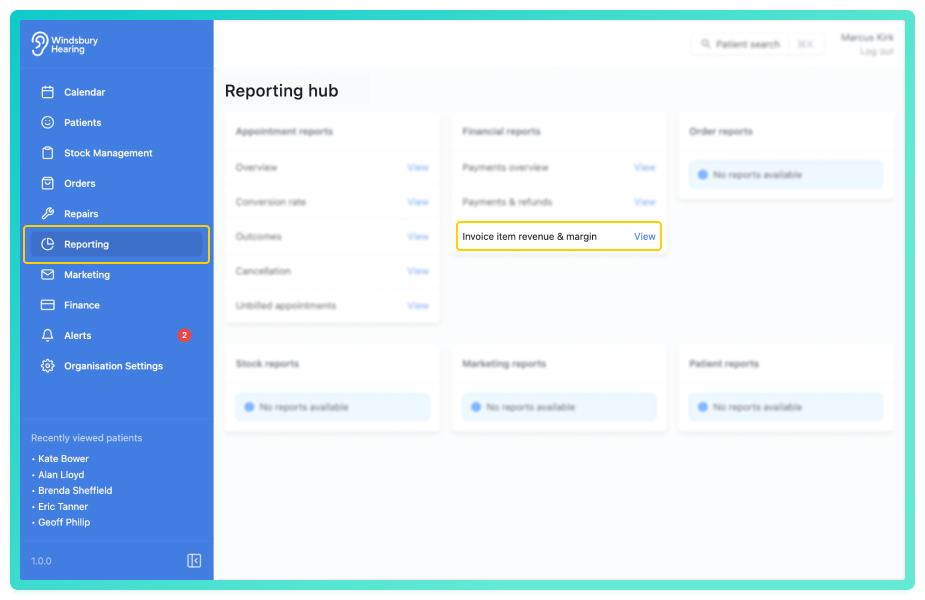
The report displays all invoice items or services with key financial metrics, including revenue and margin.
Each row represents an invoice item or service and includes the following columns:
- Date - the date of the invoice.
- Invoice# - the order the item belongs to.
- Patient - the associated patient (clickable to access their dashboard).
- Item - the name of the invoice item, service or credit note.
- Price - the original item price.
- Discount - any discount applied.
- VAT - any VAT applied.
- Amount - calculated as Price - Discount.
- COG - cost of goods.
- Margin - calculated as Revenue - COG.
You'll also see a bar chart visualising the conversion activity across the selected period.
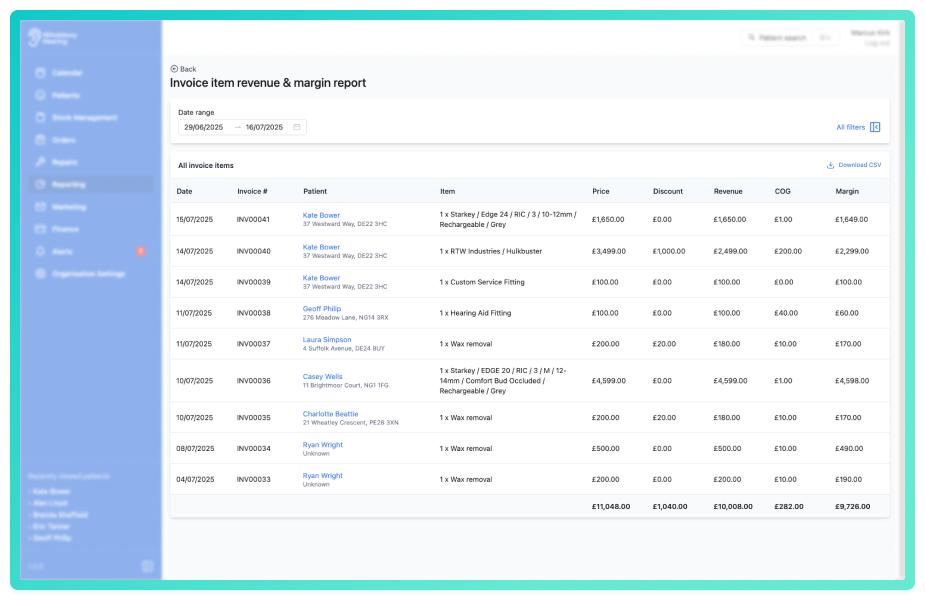
Use the dropdown filters above the report to refine the data.
These filters allow you to drill into item or service level performance across different sources, services or locations.
You can save a set of filters for each report to quickly change the data on the report. See Saved report filters
Export to CSV
Click the Download CSV button to export the current data view.
This is useful for deeper analysis or record keeping outside of the HearLink system.
Was this article helpful?
That’s Great!
Thank you for your feedback
Sorry! We couldn't be helpful
Thank you for your feedback
Feedback sent
We appreciate your effort and will try to fix the article