The Stock Management section allows you to manage hearing aids and accessories within the HearLink system. From adding and editing stock to managing statuses and searching by serial number, Stock Management provides a central place to track and allocate stock to patients.
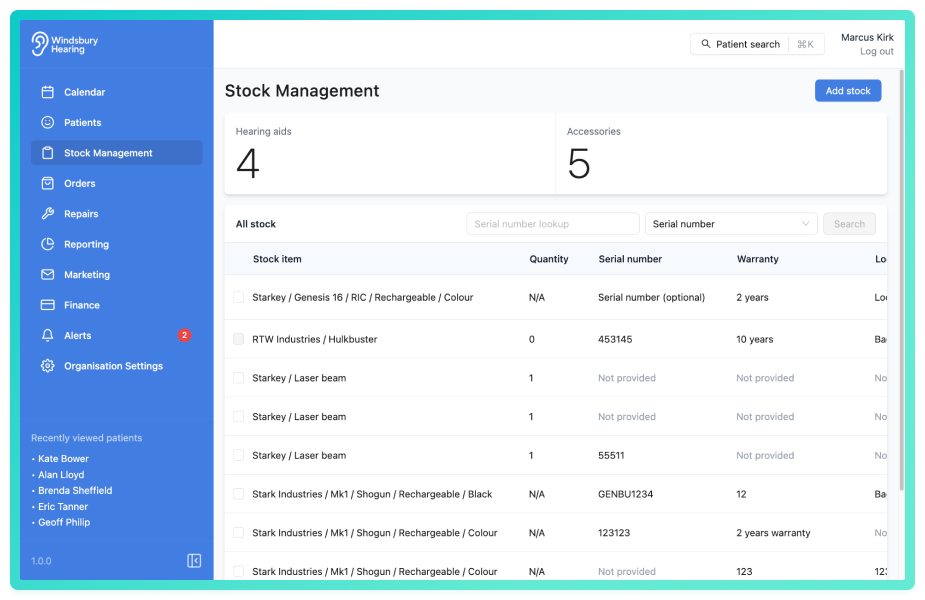
In this section, we’ll cover how to:
- add, edit, and delete stock.
- manage stock statuses, including trial and allocation.
- generate stock from orders and assign it to patients.
- search and filter stock by type, manufacturer, model, or serial number.
- view hearing aids or accessories separately.
This ensures your clinic has a clear, accurate view of all available inventory and can allocate items efficiently to support patient care.
Was this article helpful?
That’s Great!
Thank you for your feedback
Sorry! We couldn't be helpful
Thank you for your feedback
Feedback sent
We appreciate your effort and will try to fix the article