Archived appointment types remain stored in HearLink and can be restored if required. Unarchiving an appointment type will make it available again when booking appointments.
In this article we will cover:
- view archived appointment types.
- unarchive an appointment type.
Only users with the correct permissions can unarchive an appointment type. If you think you should have permission to perform such an action please contact the organisation owner.View archived appointment type
- Navigate to the Organisation Settings.
- Locate the Appointment Types section of the settings.
- Use the select dropdown to view Archived appointment types.
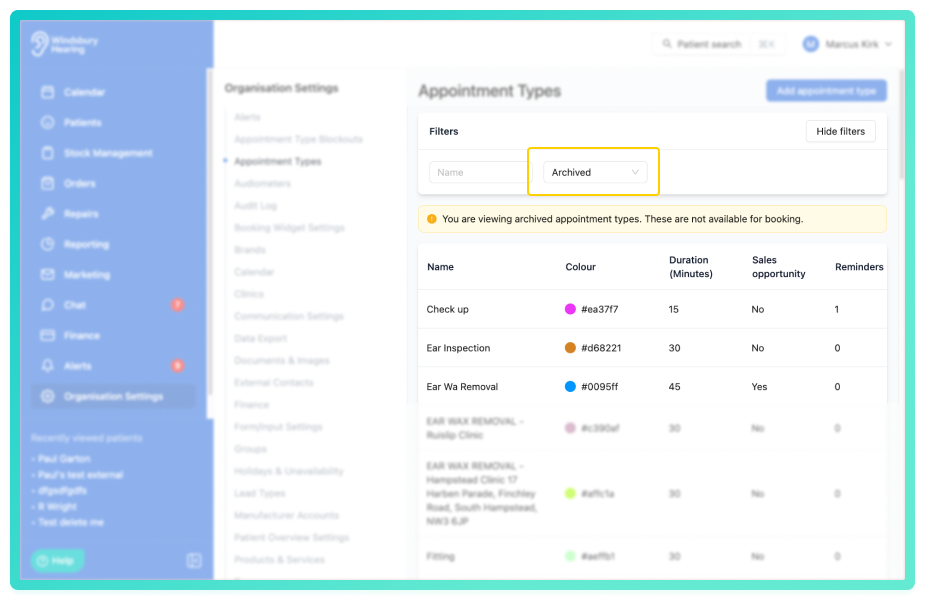
Archived appointment types will appear in the list but will not be available when booking appointments.
Unarchive an appointment type
- Locate the archived appointment type you want to restore.
- Click the View
 icon.
icon.
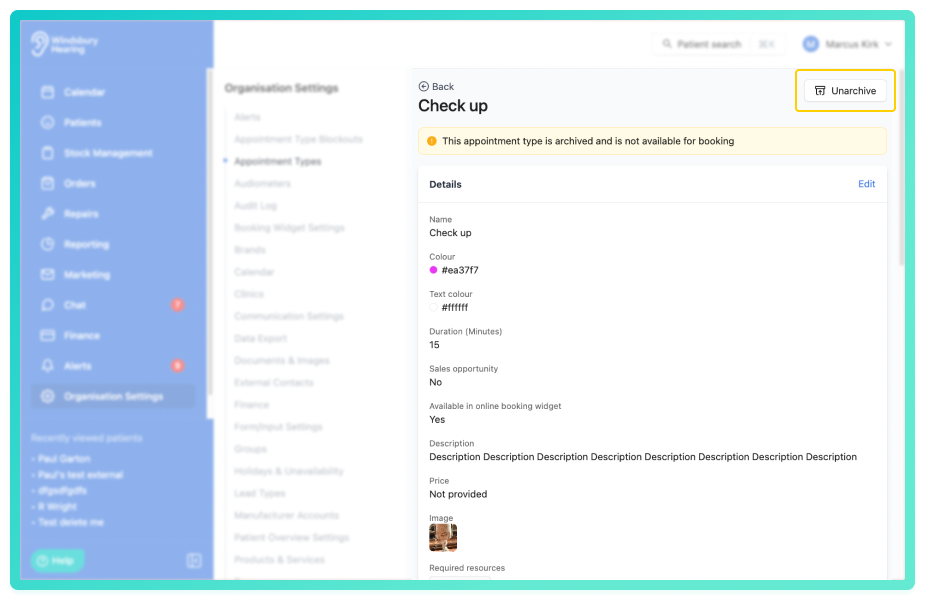
- Locate and click the Unarchive button.
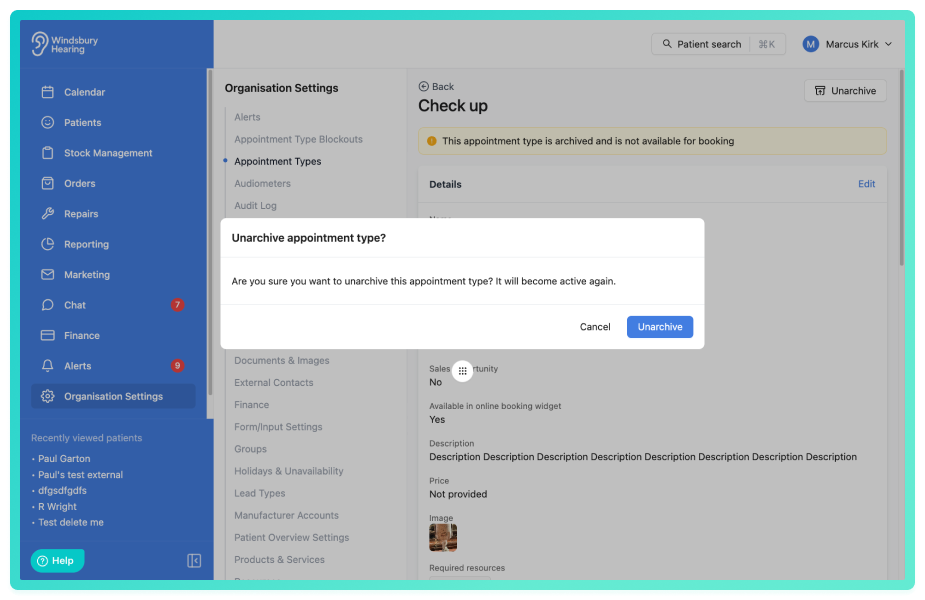
The appointment type will now be restored and available again when booking appointments.
Was this article helpful?
That’s Great!
Thank you for your feedback
Sorry! We couldn't be helpful
Thank you for your feedback
Feedback sent
We appreciate your effort and will try to fix the article