Manual marketing queries allow you to build and run your own patient lists with using Tonee. This gives you full control over filters, conditions and logic when creating marketing datasets.
Manual queries are ideal when you know exactly what criteria you want to apply and need repeatable, editable queries for ongoing campaigns or reporting.
In this article we'll cover how to:
- create a manual marketing query.
- build and run a query.
- view and reuse query history.
- export query results.
Create a manual marketing query
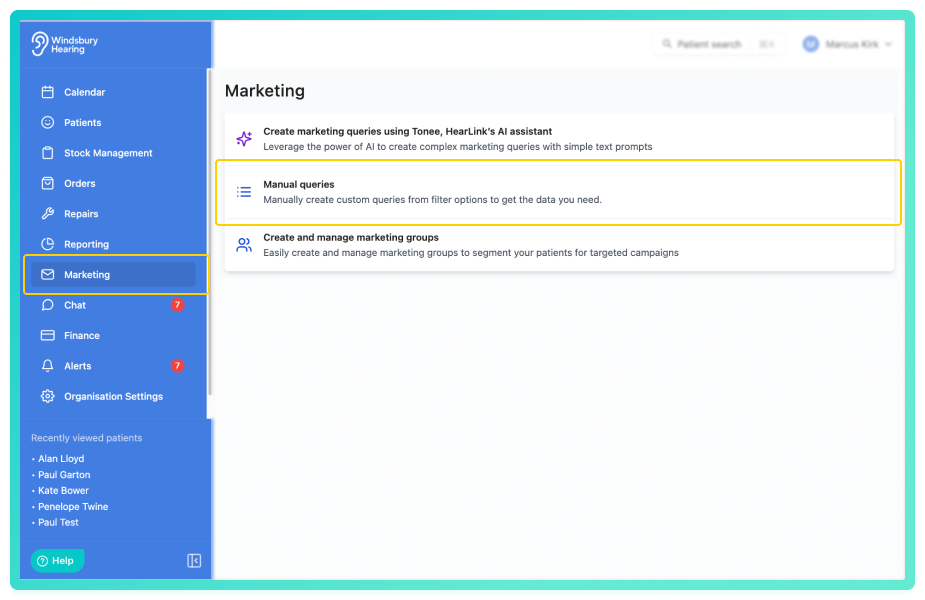
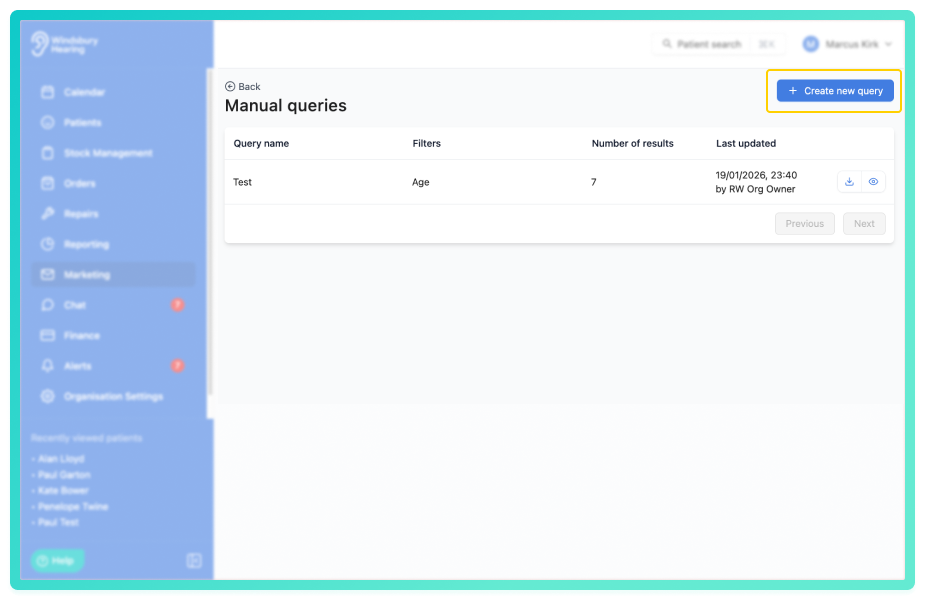
- Click Create new query.
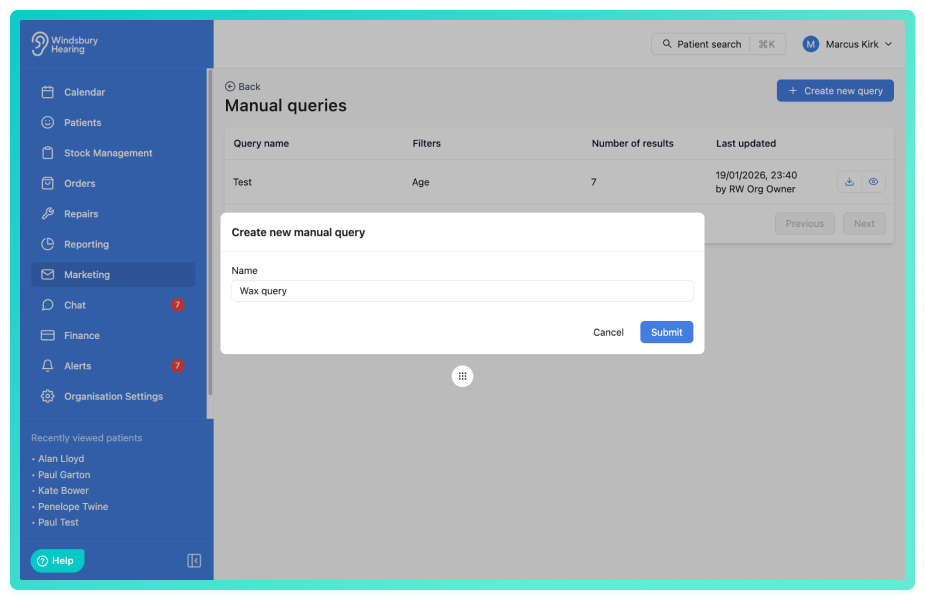
- Give the manual query a name.
- Click Submit.
Build and run a manual marketing query
- Build the query using the available fields, operators and values.
You can combine multiple conditions and groups to narrow and broaden the results as required. The query builder allows precise control over patient and appointment data such as demographics, statuses, dates, referrals and more to come.

- Add more parameter groups as required, including Last appointment and Any appointment.
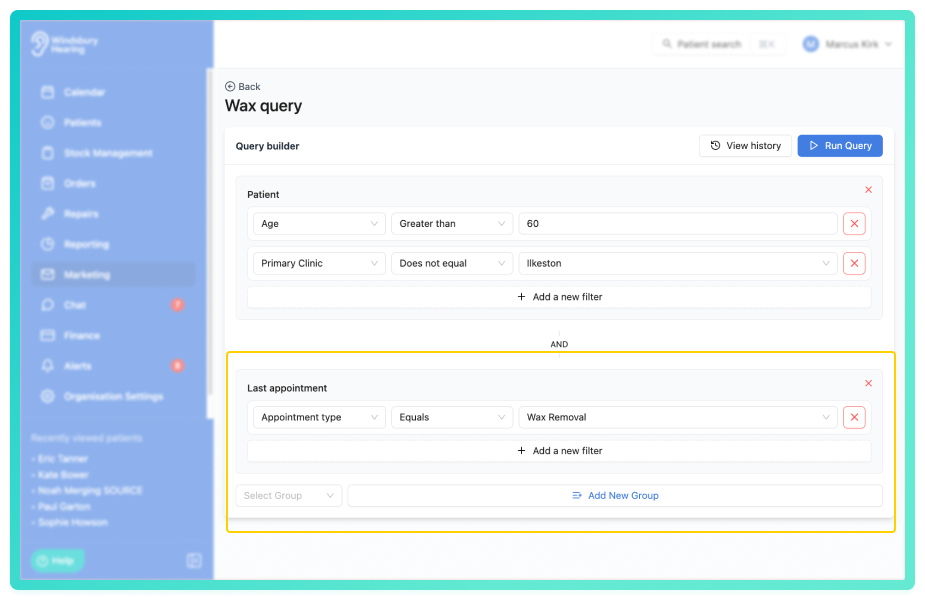
- Click Run query.
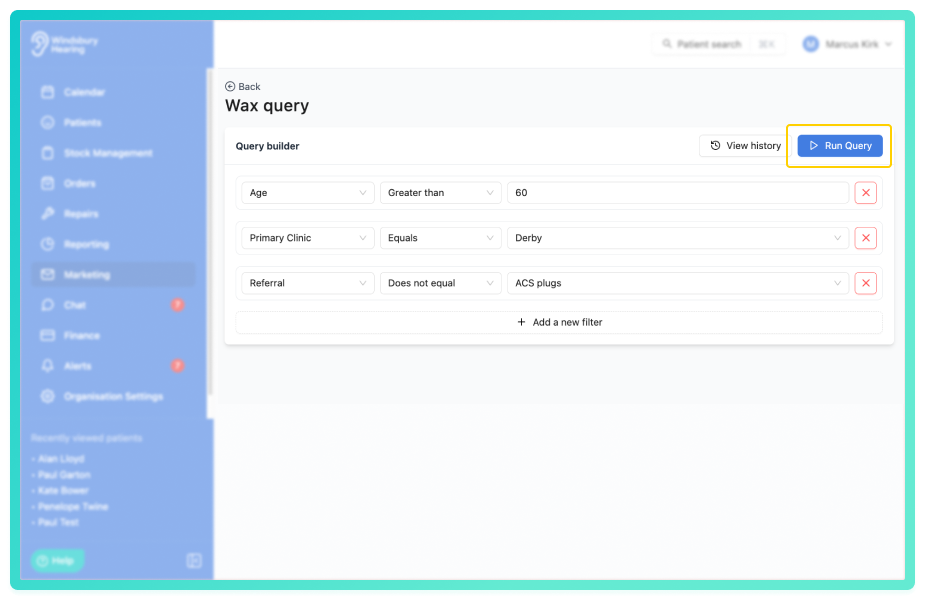
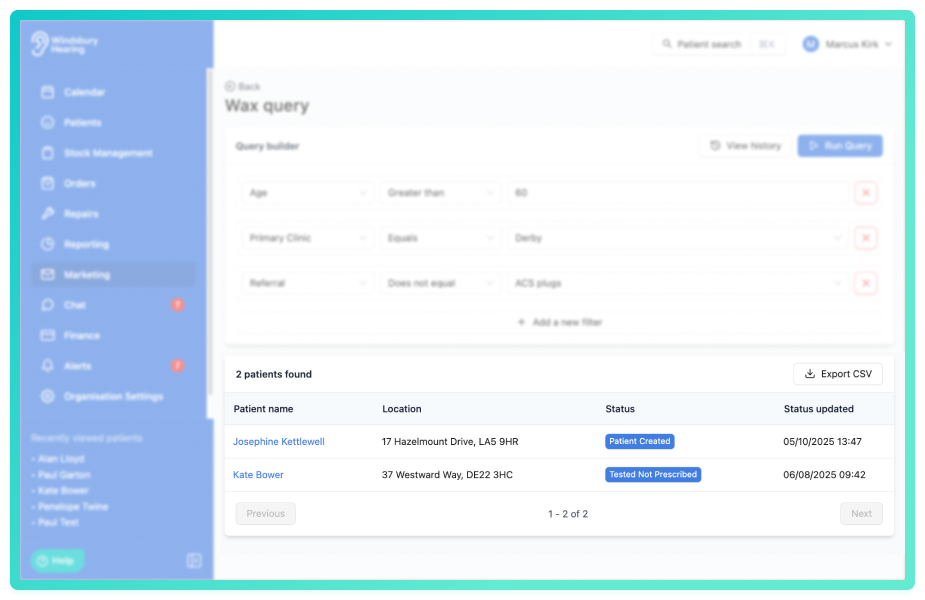
- Once run, a list of patients matching the query criteria will be displayed.
View results and export
The results list shows all patients that match the query conditions at the time it is run.
- Review the returned patient list.
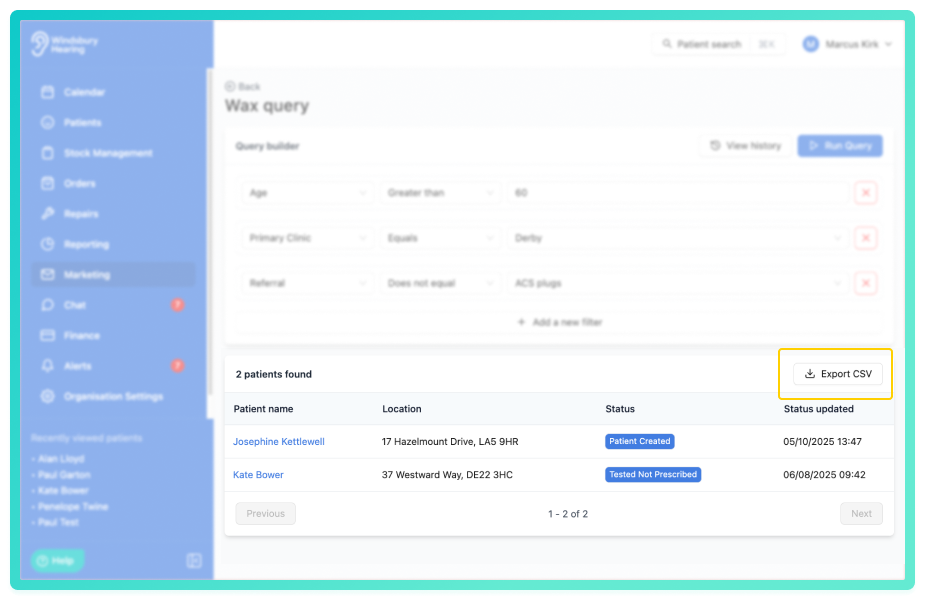
- Click Export CSV to export the data for use in external marketing tools or further analysis.
Each manual query stores a history of changes and runs.
- View the Query history to see previous versions.
- Apply and edit the query conditions if required.
- Rerun the query to refresh the results using the updated criteria.
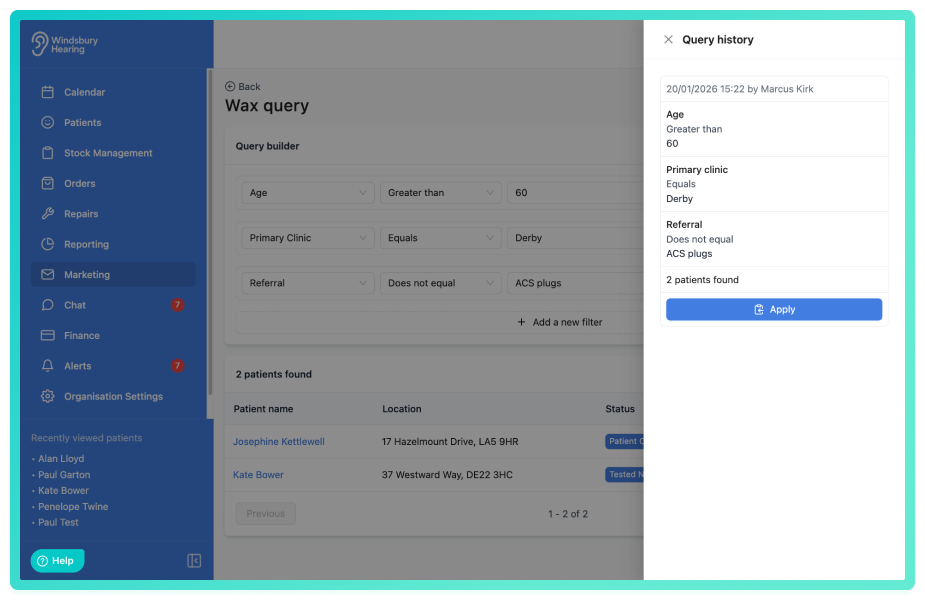
This allows you to reuse and adapt queries over time without rebuilding them from scratch.
Delete a manual marketing query
- Navigate to the manual query you want to delete.
- Click the Delete
 icon.
icon.
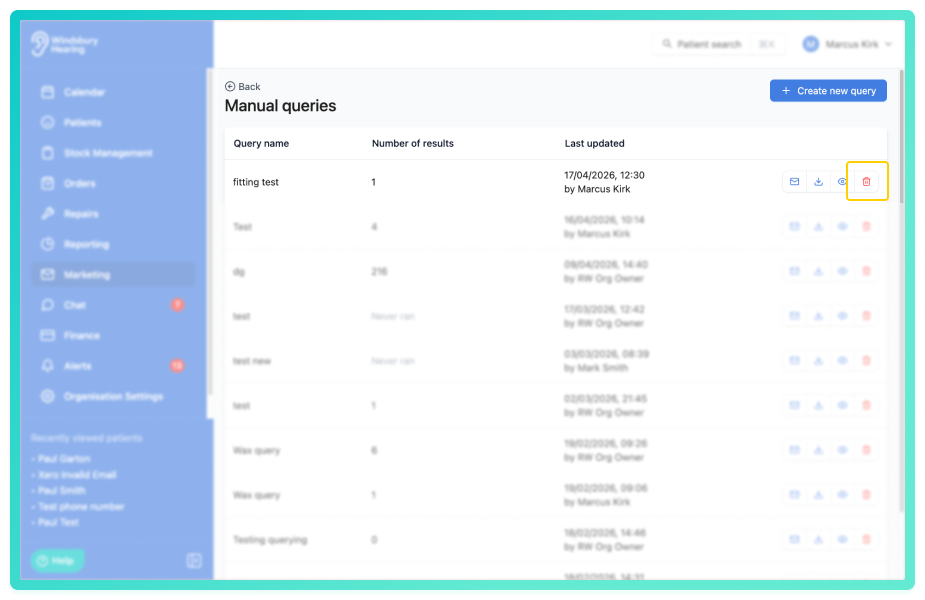
- You will see a warning message.
- Click Delete to confirm and remove the query.
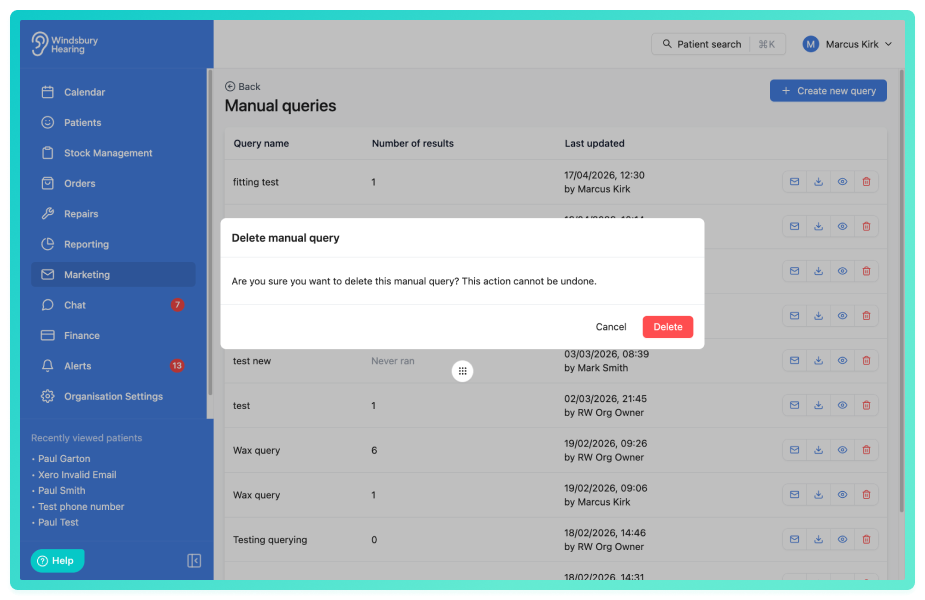
Warning: Once a marketing query has been deleted this action cannot be undone. Please proceed with caution!Was this article helpful?
That’s Great!
Thank you for your feedback
Sorry! We couldn't be helpful
Thank you for your feedback
Feedback sent
We appreciate your effort and will try to fix the article