Product warranties in HearLink allow your organisation to track both manufacturer and patient warranty periods for hearing aids and accessories. These warranty settings help ensure accurate record keeping from the moment a product is created or ordered.
This section covers hearing aid and accessory warranty in detail. If you are looking for how to add products to your catalogue, see Add or import hearing aids and Add or import accessories.In this article we'll cover how:
- product warranty settings work.
- to set default warranties on products.
- warranty information is applied to stock and/or products.
- to edit warranty for manufacturer and patient.
Only users with the correct permissions can enter warranty information when creating products. If you think you should have permission to perform such an action please contact the organisation owner.How product warranties work
Each product when added to the hearing aid or accessory catalogue can be assigned a default warranty period. Warranties can be entered in months or years, depending on your organisation's preferred method.
These default settings automatically set warranty when:
- stock is created manually.
- stock is generated from an order.
Once applied, warranties can be adjusted on individual stock items and patient products if required.
There are two warranty types.
- Manufacturer warranty: The warranty period supplied by the manufacturer of the product.
- Patient warranty: The warranty period you offer directly to the patient. This may match the manufacturer warranty or differ depending on your policies.
Set default warranty periods on a product (hearing aid example)
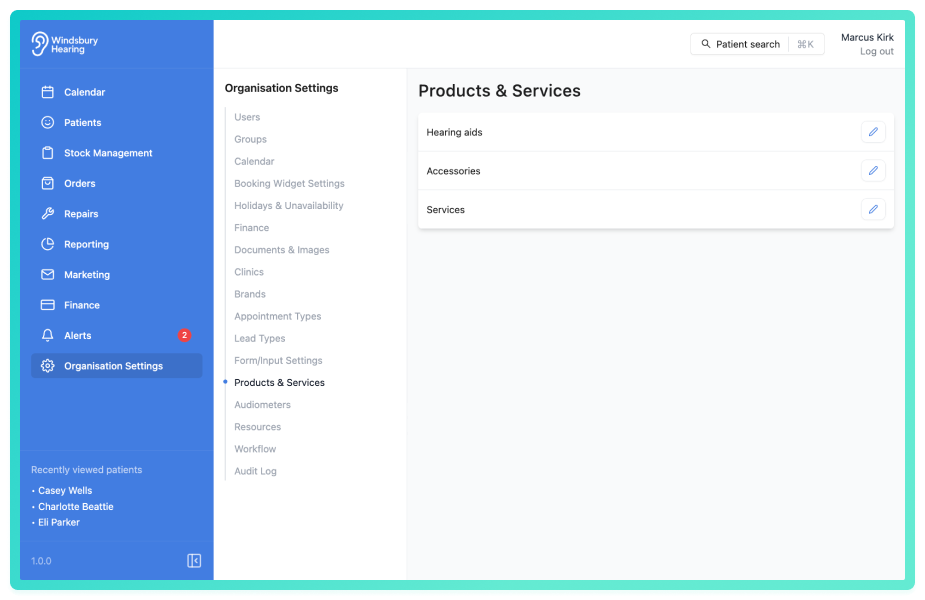
- Navigate to Organisation settings.
- Click the the Edit icon
 on Hearing aids.
 - Click the Edit iconon the Hearing aid you want to update (or when creating a new product).
- Scroll down to the Warranty section at the bottom of the form
- Enter the product warranty using either: a number of months, or a number of years.
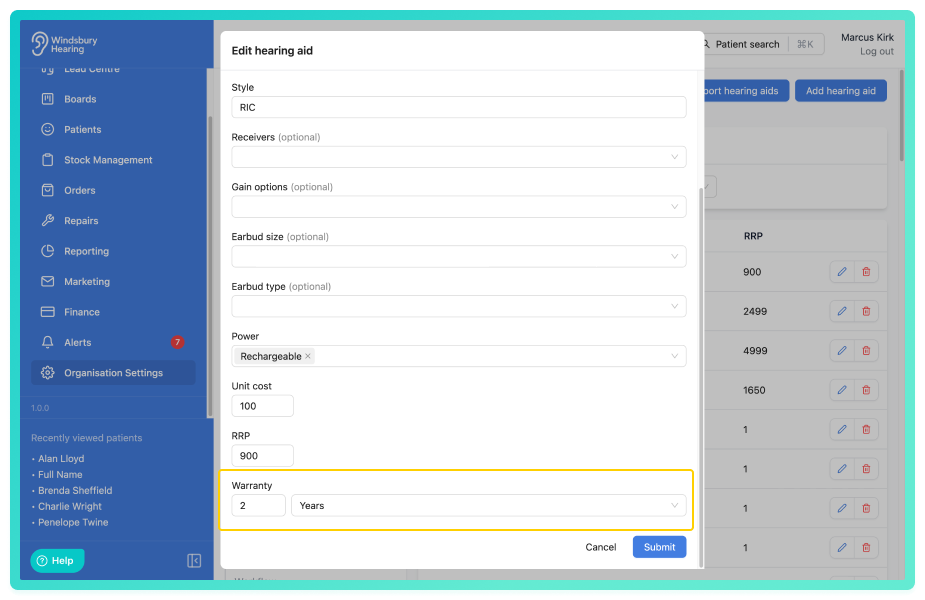
- Click Submit to save the product and the product warranty.
How warranties apply to stock and patient products
When new stock is created (either in stock management or via generating stock from an order).
- The Manufacturer warranty period is automatically calculated based on the product's default warranty and today's date.
- The Patient warranty will also be pre-populated using the same default period.
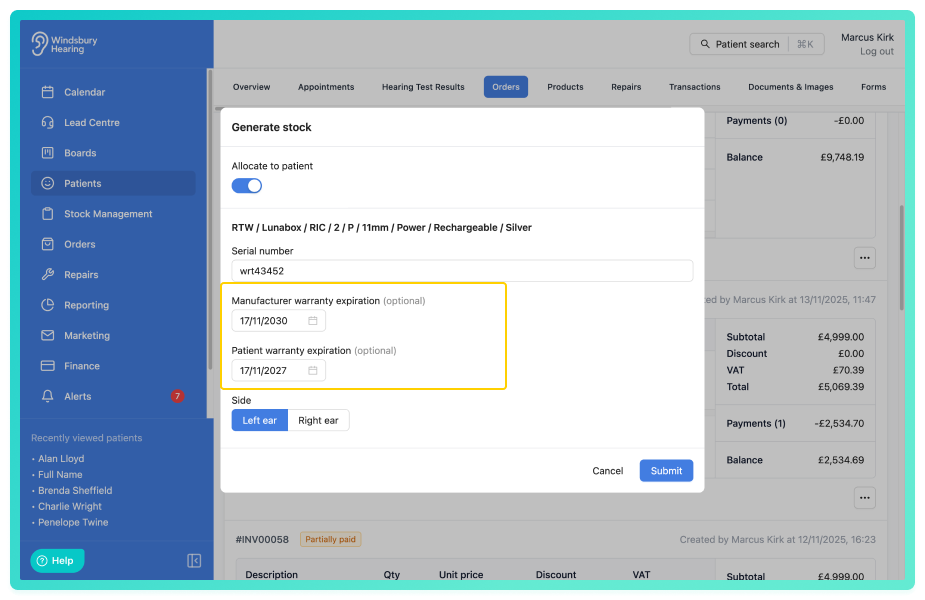
- Both warranties are displayed on the stock item for easy reference.
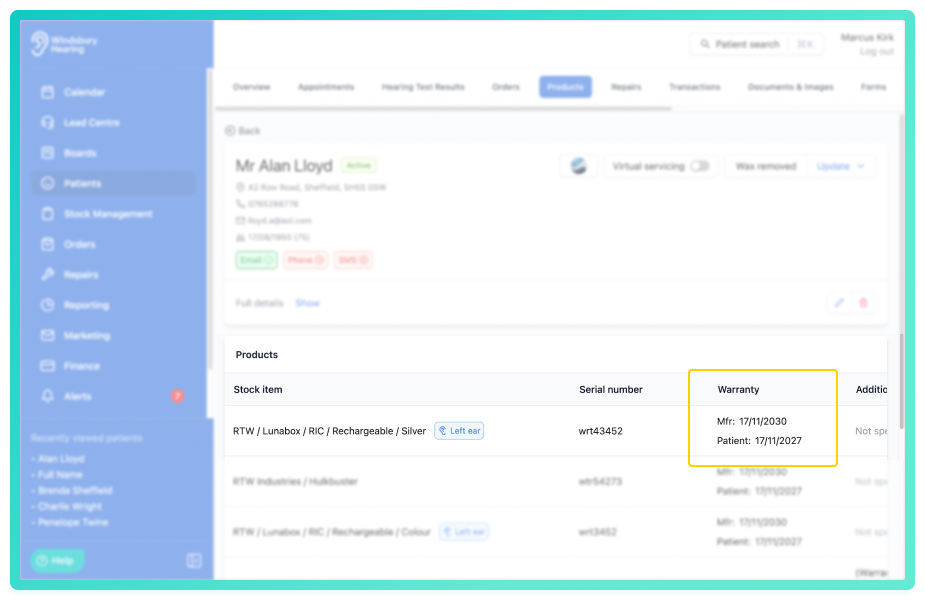
Editing warranty information on stock or patient products
If your warranty values ever need updating, you can do this by editing stock or by editing patient products.
Was this article helpful?
That’s Great!
Thank you for your feedback
Sorry! We couldn't be helpful
Thank you for your feedback
Feedback sent
We appreciate your effort and will try to fix the article