How do I move a patient from one clinic to another?
When creating a patient you can optionally assign them to a clinic. This helps organise patients across organisations with multiple locations, but isn't mandatory.
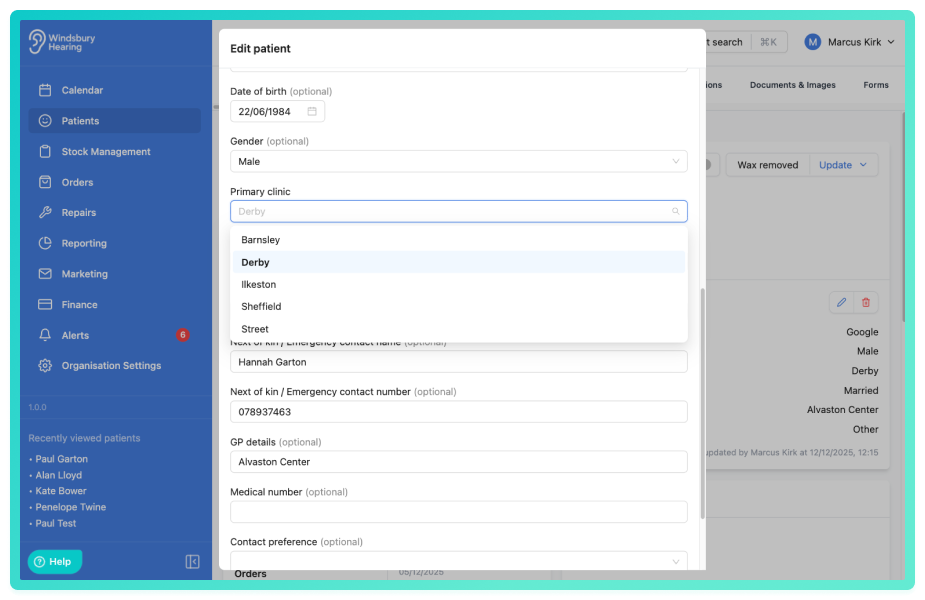
If a patient's clinic needs to change later, you can update this at any time from the patient's details.
How it works:
- Clinic assignment is optional when a patient is first created.
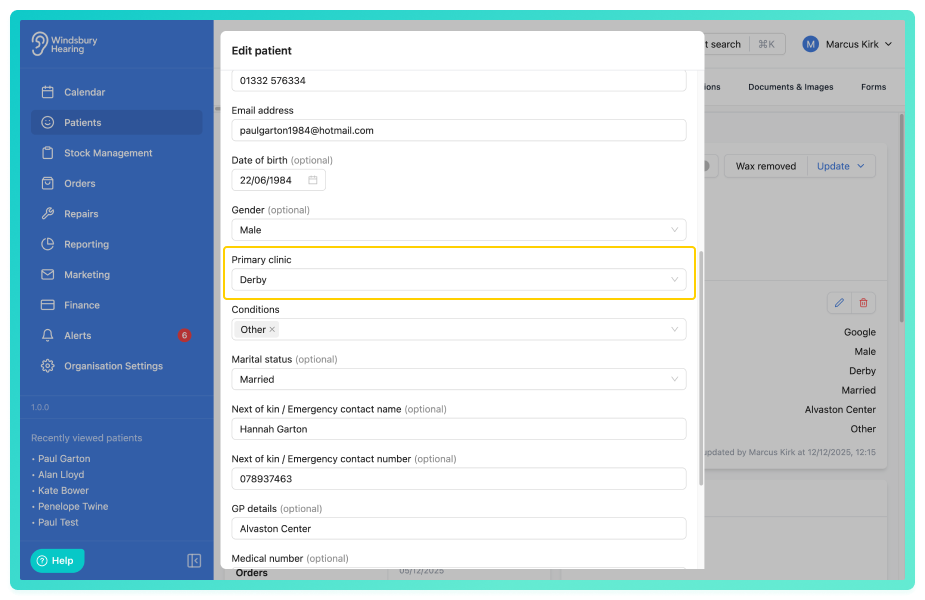
- A patient can be reassigned to a different clinic by editing their patient details.
- Changing a patient's clinic does not affect their historical appointments, notes, or transactions.
This flexibility allows organisations to manage shared caseloads while keeping patient records accurate as circumstances change.
Change a patient's primary clinic:
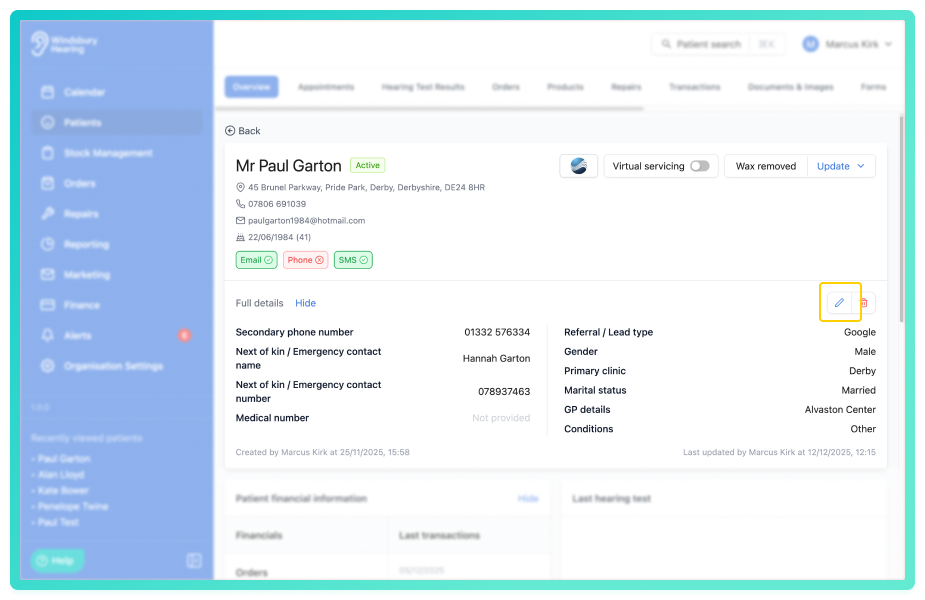
- Click the Edit
 icon on the patient details.
- Update the clinic as required.
Further reading:
Was this article helpful?
That’s Great!
Thank you for your feedback
Sorry! We couldn't be helpful
Thank you for your feedback
Feedback sent
We appreciate your effort and will try to fix the article