You can reset your password in two ways:
Directly from the login page using a Reset link.
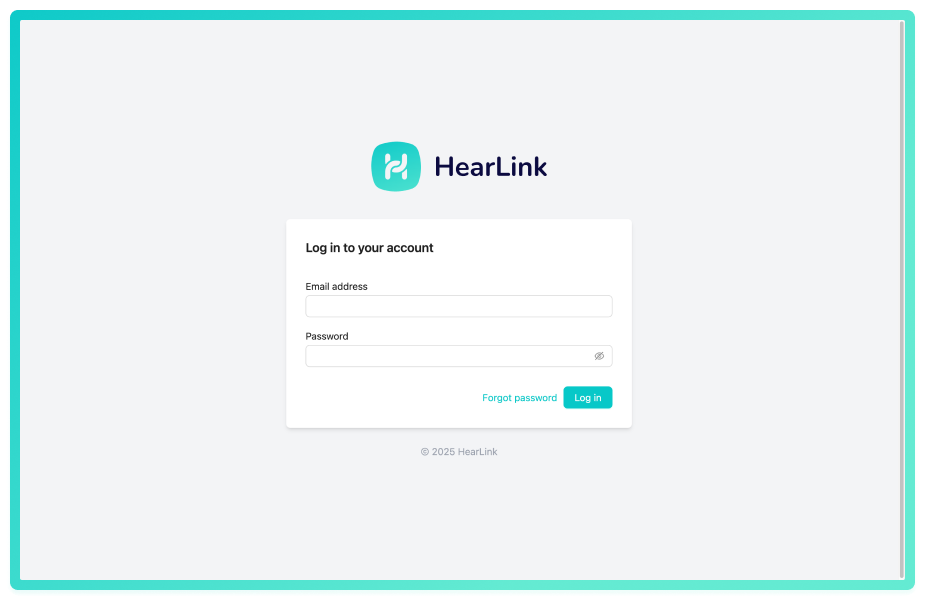
- On the main login page to HearLink, click Forgot password.
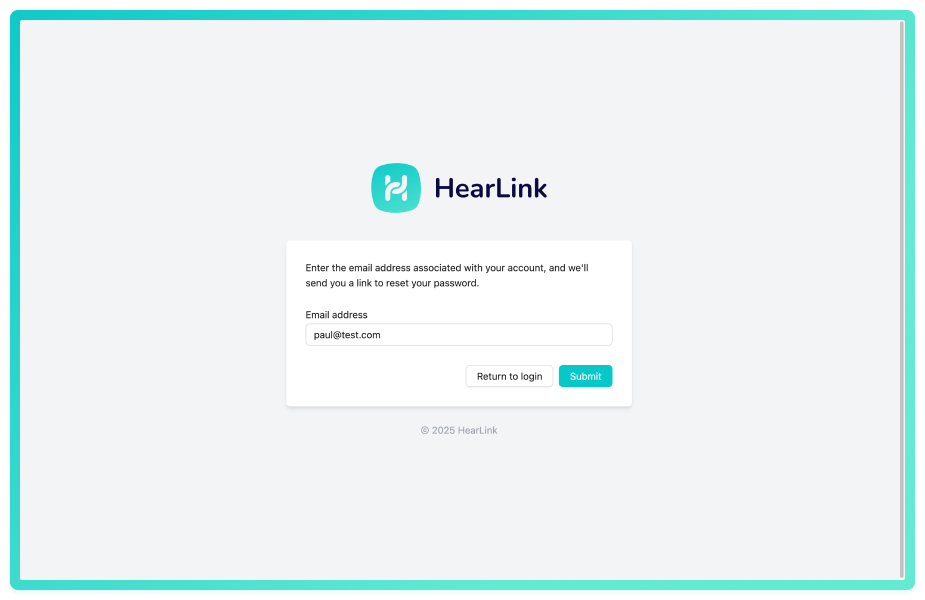
- Enter your Email address you use to sign in to HearLink.
- You will be shown a message to return to the main screen.
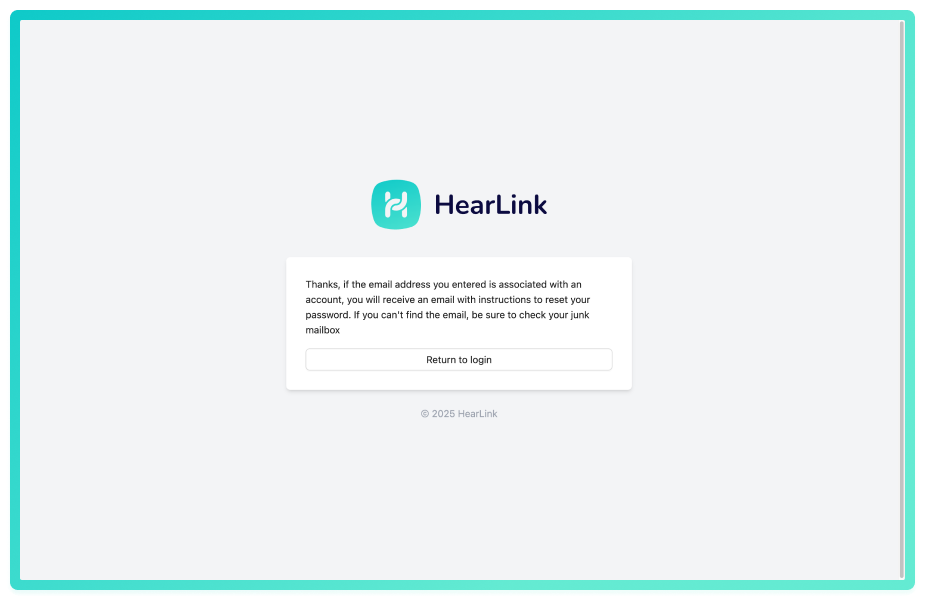
- You will shortly receive an email with the instructions to reset your password.
Didn't receive the reset email?
- Check your spam/junk folder
- Make sure you entered the correct email address associated with your HearLink account
- Wait a few minutes - emails can sometimes be delayed
- If still nothing, contact your organisation owner or HearLink support
Password requirements: HearLink passwords must meet minimum security requirements. The system will tell you if your new password doesn't meet the requirements.
As an organisation owner or a user with permission you can Reset other user's passwords from the organisation settings, please see the articles below fro further information.
Further reading:
Was this article helpful?
That’s Great!
Thank you for your feedback
Sorry! We couldn't be helpful
Thank you for your feedback
Feedback sent
We appreciate your effort and will try to fix the article