All unassigned alerts are viewable by all users, however a user can be assigned to a specific alert and only they and the organisation owner can view this alert.
In this article we'll cover how to:
- assign a user to an alert.
- show all alerts for an organisation owner.
Assign alert to a user
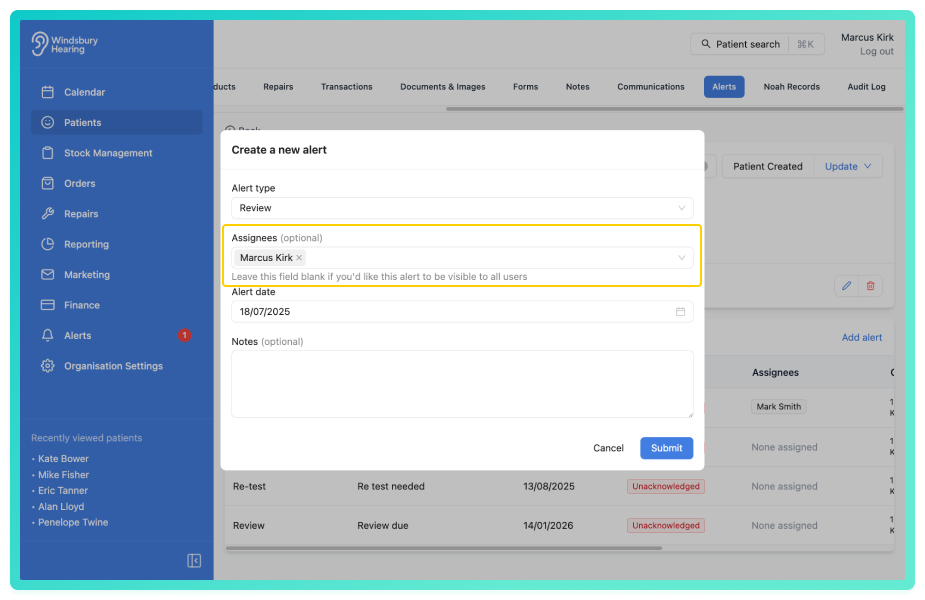
- Navigate to the desired patient.
- Create an alert and assign a User.
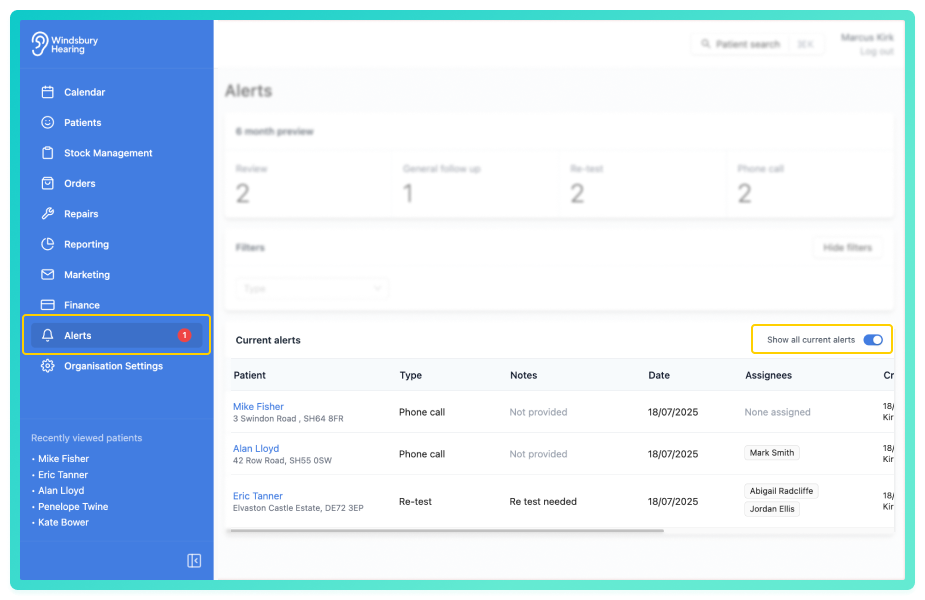
An organisation owner has the option to view all Alerts whether they are assigned to them, another user or are unassigned.
- Navigate to Alerts.
- Enable Show all current alerts.
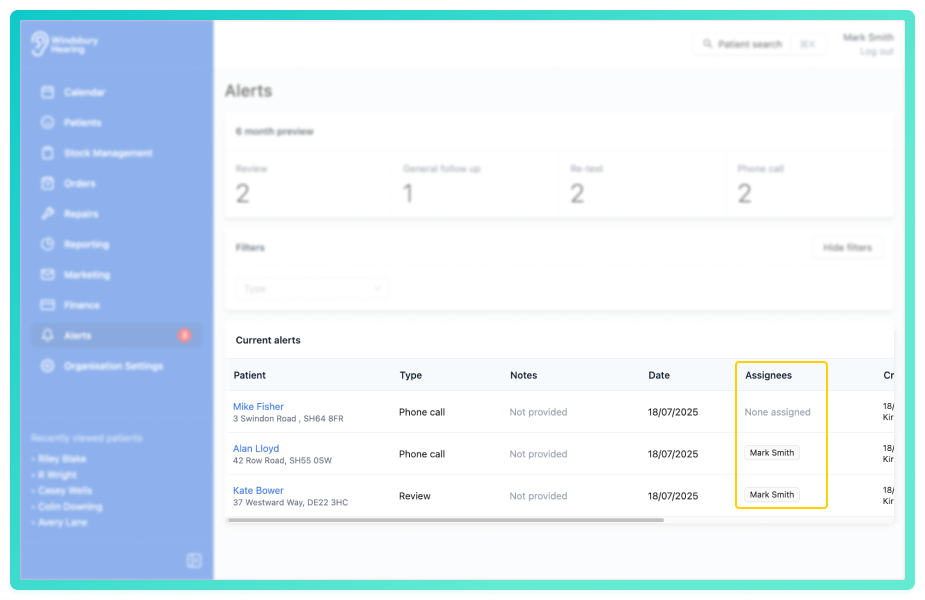
A user can only view Alerts assigned to them, or unassigned Alerts.
Example:
- Mark has been assigned to 2 Alerts.
- He also has access to view the unassigned Alert.
- Mark doesn't have access to view Alerts assigned to Abigail's and vice-versa.
Was this article helpful?
That’s Great!
Thank you for your feedback
Sorry! We couldn't be helpful
Thank you for your feedback
Feedback sent
We appreciate your effort and will try to fix the article