Alerts in HearLink help your organisation keep track of important patient reminders or actions that need follow up. They can be used for a variety of purposes, such as reminding users to contact a patient or complete an administrative task.
Each alert can include an alert type, date, optional notes, and assigned users to ensure accountability and visibility across the team.
In this article we'll cover how to:
- create an alert for a patient.
- add optional assignee's.
Create alert
- Navigate to the desired patient.
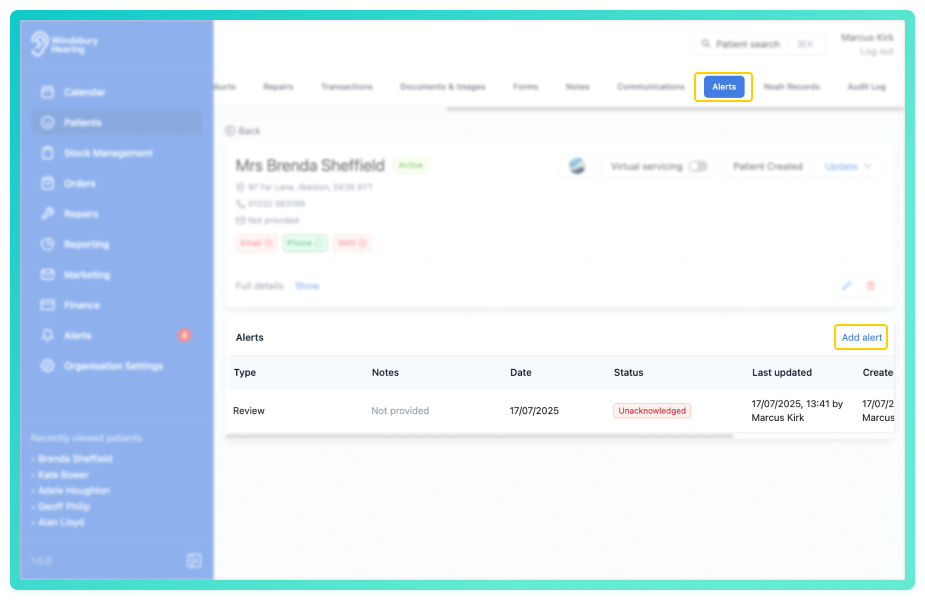
- Navigate to Alerts.
- Click the Add alert button.
- Select an Alert type (these can be configured in Alert settings).
- Optionally, add assignees.
- Choose an Alert date (this is the date the alert will trigger).
- Optionally, add Notes.
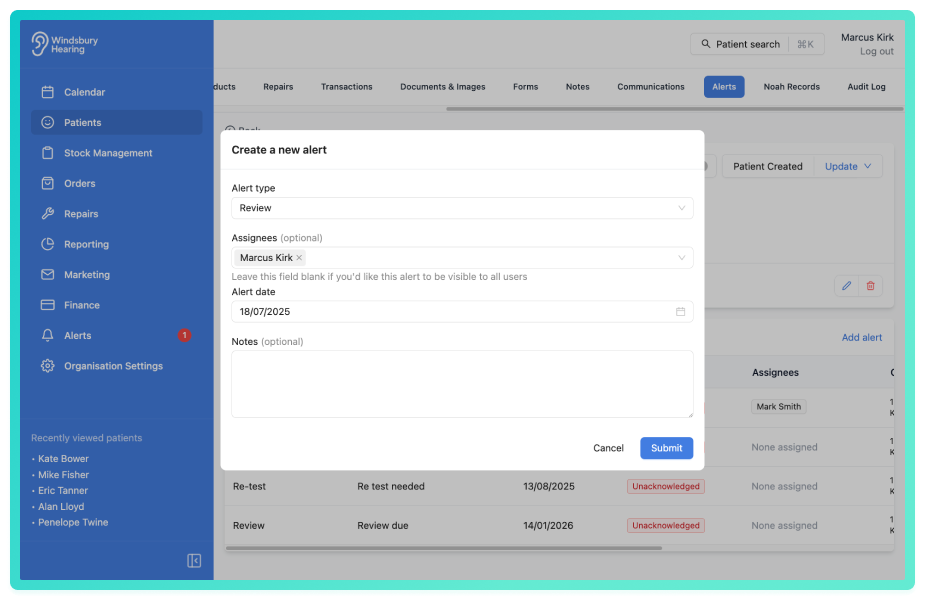
- Click Submit to save the alert.
The newly created alert will show in the Alerts tab of the patient's dashboard and the Alert's section.
Was this article helpful?
That’s Great!
Thank you for your feedback
Sorry! We couldn't be helpful
Thank you for your feedback
Feedback sent
We appreciate your effort and will try to fix the article