Marketing groups allow your organisation to organise patients into targeted lists for campaigns or follow up activity. These groups can be created, edited and managed directly within HearLink, giving you greater flexibility when planning marketing activity.
To add patients to a marketing group, please view this article.In this article we'll cover how to:
- create a marketing group.
- view and manage existing marketing groups.
- edit or delete a marketing group.
Only users with the correct permissions can manage marketing groups. If you think you should have permission to perform such an action please contact the organisation owner.Create a marketing group
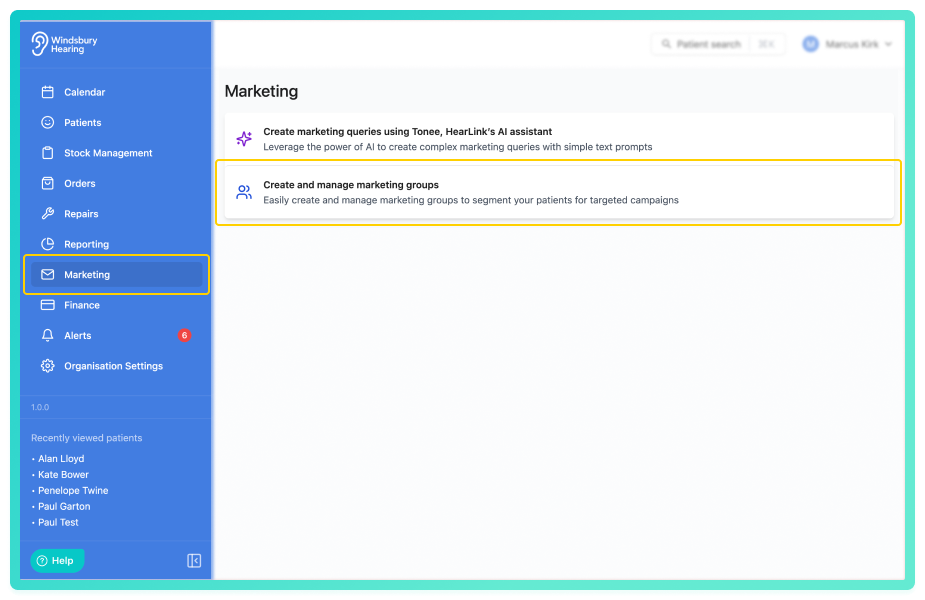
- Click Create marketing group.
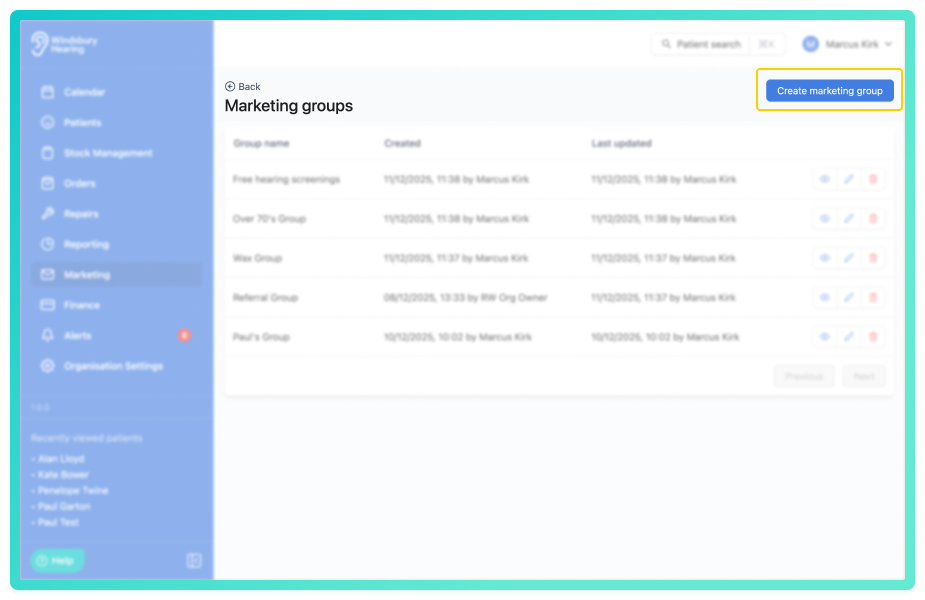
- Give the marketing group a Group name.
- Click Submit.
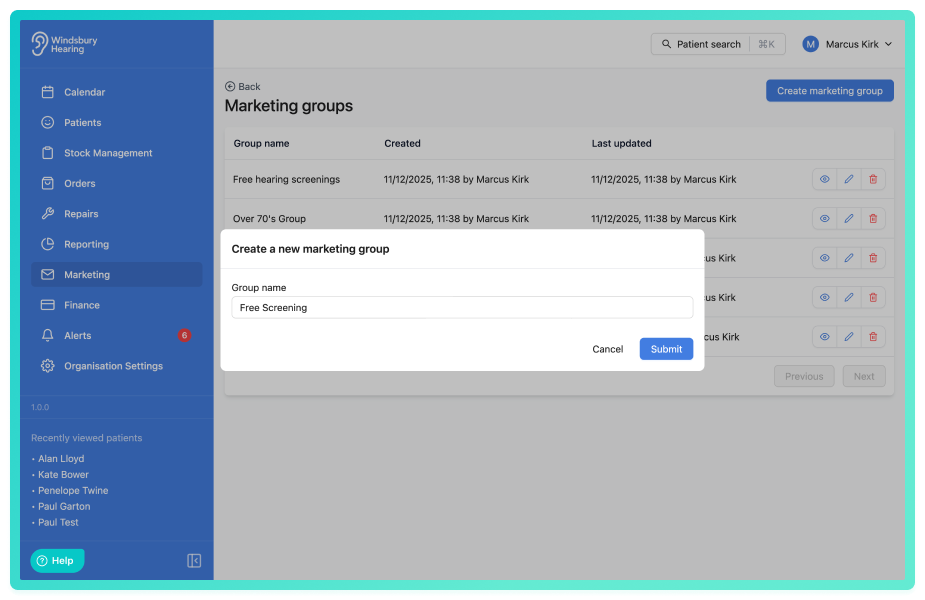
- Your new marketing group will be displayed in the list.
View existing marketing groups
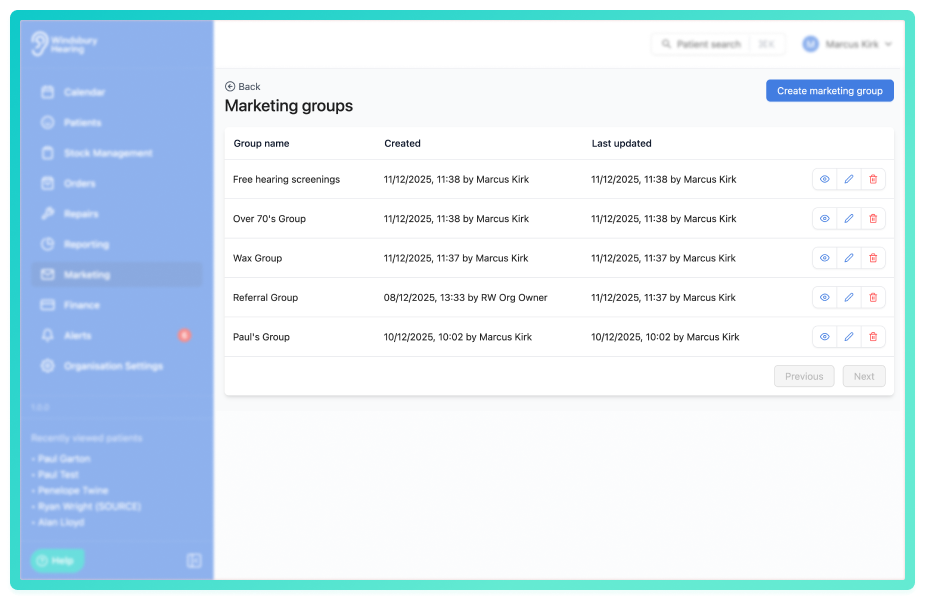
The marketing groups list shows all previously created marketing groups along with information:
- Name - the group's title.
- Created - when the group was first added.
- Last updated - the most recent change made to the group.
This list provides quick access to manage or review your existing groups.
Edit a marketing group
- Navigate to Create and manage marketing groups.
- Locate the group you want to update.
- Click the Edit
 icon.
icon.
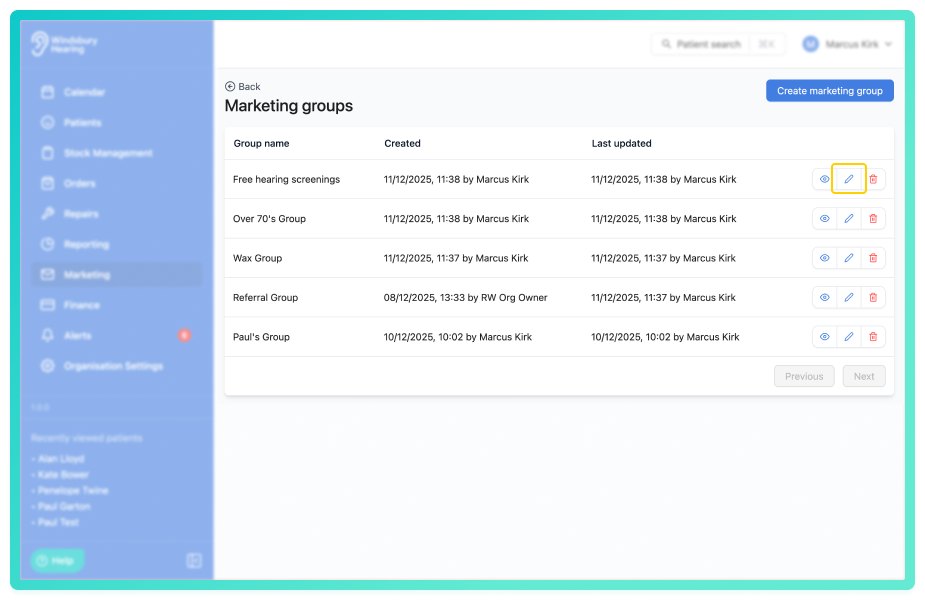
- Edit the group's name as required.
- Click Submit.
Your changes will be applied immediately.
Delete a marketing group
- Navigate to Create and manage marketing groups.
- Locate the group you want to delete.
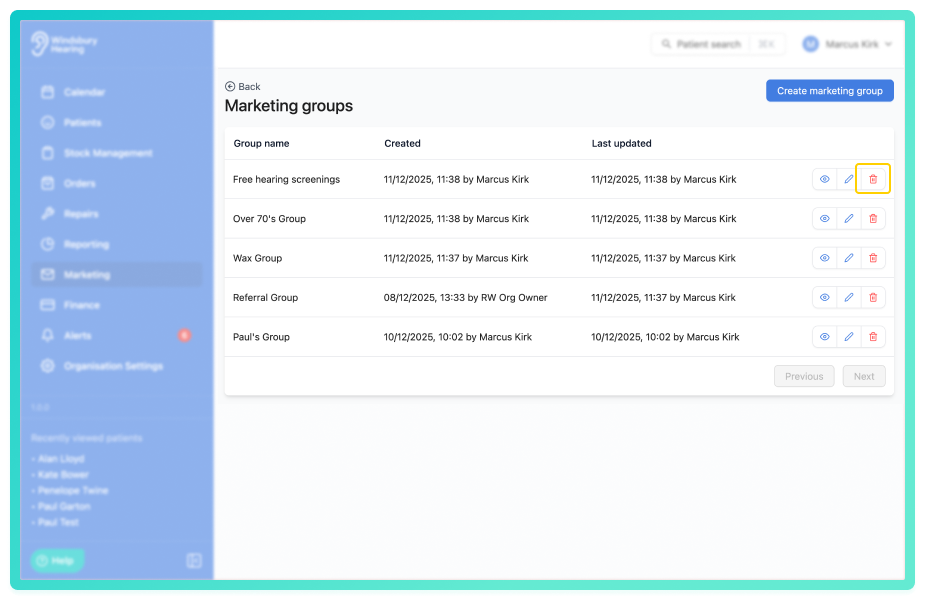
- Click the Delete
 icon.
icon. - You'll be shown a warning message.
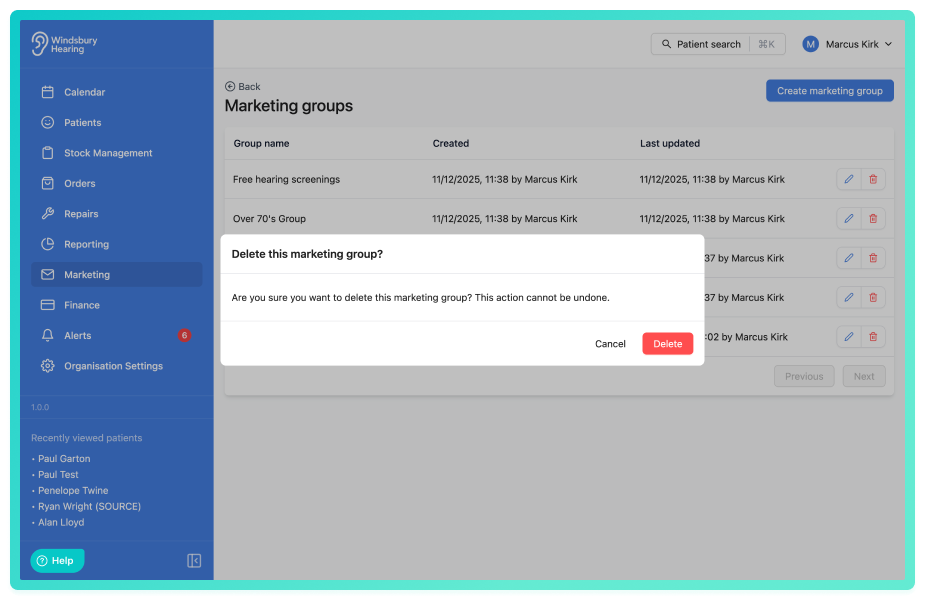
- Click Delete to confirm and delete the marketing group.
Warning: Once a marketing group has been deleted this action cannot be undone. Please proceed with caution!Was this article helpful?
That’s Great!
Thank you for your feedback
Sorry! We couldn't be helpful
Thank you for your feedback
Feedback sent
We appreciate your effort and will try to fix the article