When creating a patient you must add a patient state. In HearLink the patient state is used to define the current state of a patient in your organisation. It's a simple but essential field that affects visibility and how records are handled.
In this article we'll cover:
- what each state means.
- how to edit a patient state.
Patient state types
- Active - The patient is actively receiving care and can have appointments created and managed.
- Inactive - The patient is still in the system but is no longer actively being seen. You may use this if the patient has moved or is not currently engaging with your services.
- Deceased - The patient has passed away. No further appointment or communications should occur.
Setting or updating a status
You can set the patient state when creating a patient or update it at any time.
- Navigate to the desired patient.
- Locate and click the Edit icon
 .
.
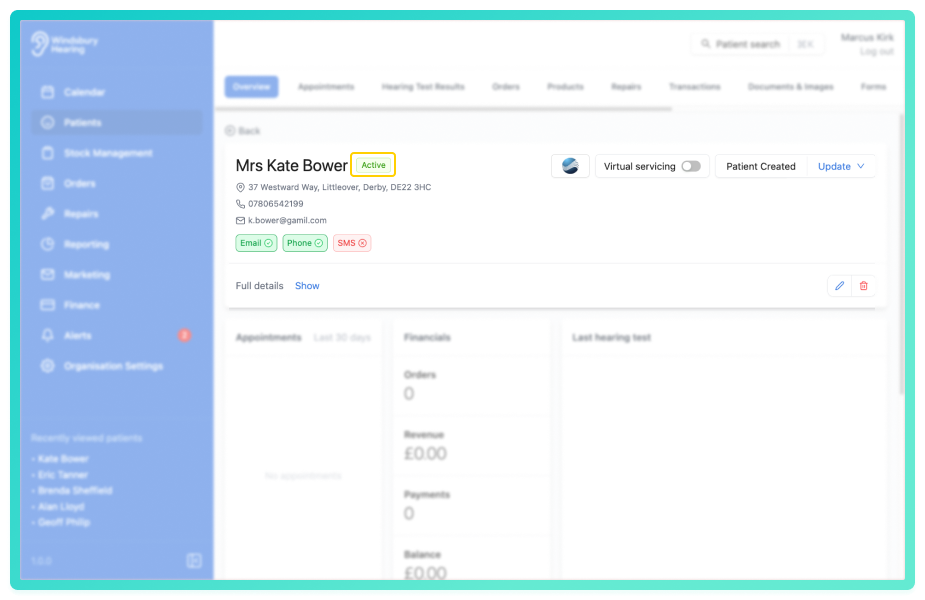
- Update the state as required.
- Click Submit to save your changes.
Was this article helpful?
That’s Great!
Thank you for your feedback
Sorry! We couldn't be helpful
Thank you for your feedback
Feedback sent
We appreciate your effort and will try to fix the article