You can delete a patient directly from the patient dashboard. This action is irreversible, all associated patient data will be permanently removed and cannot be recovered. Please take caution and ensure you've considered any clinical or legal obligations before proceeding.
In this article we'll cover how to:
- delete a patient.
Delete a patient
- Navigate to the desired patient.
- Locate and click the Delete icon

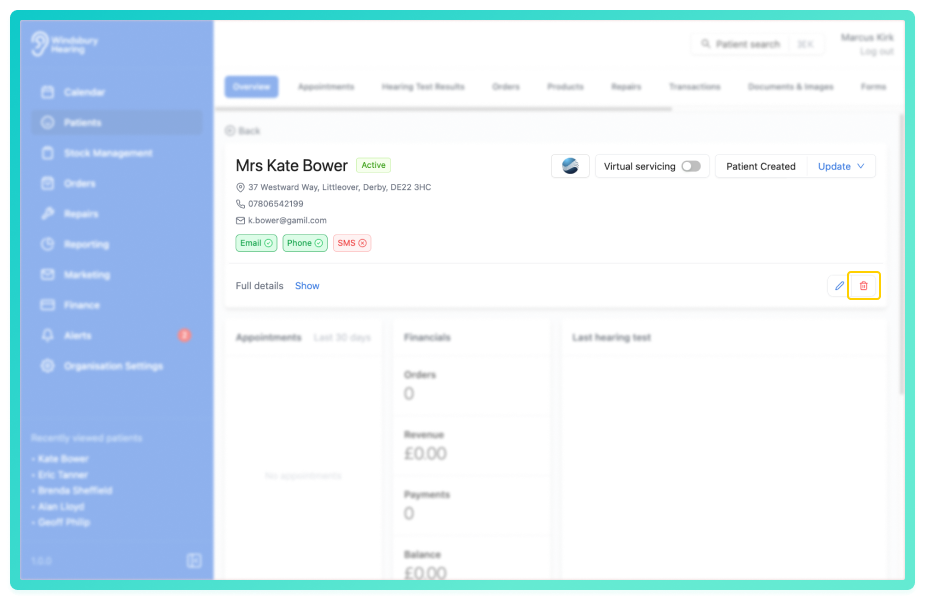
- You'll be shown a warning message.
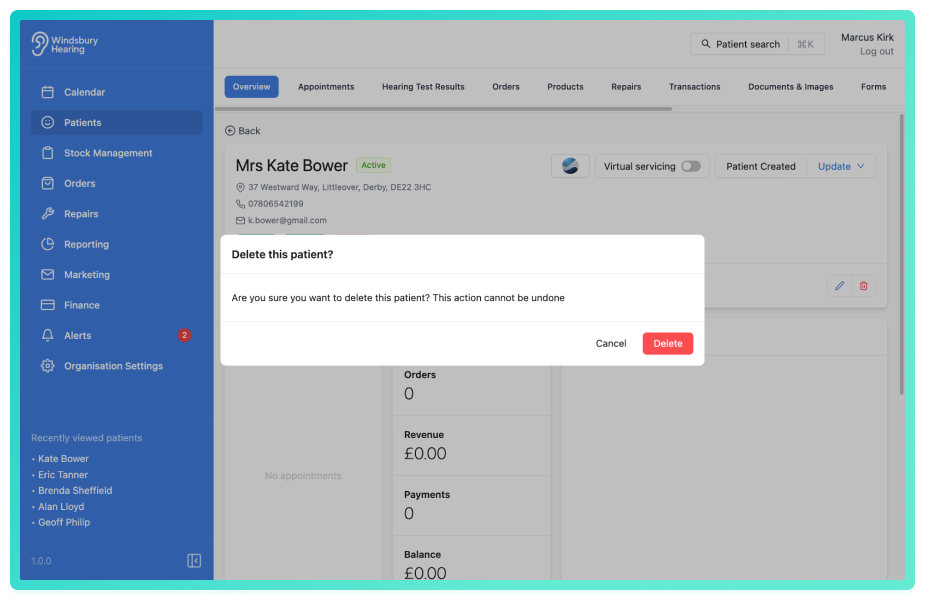
- Click Delete to confirm and delete the patient.
Warning: Once a patient has been deleted this action cannot be undone. Please proceed with caution!Was this article helpful?
That’s Great!
Thank you for your feedback
Sorry! We couldn't be helpful
Thank you for your feedback
Feedback sent
We appreciate your effort and will try to fix the article