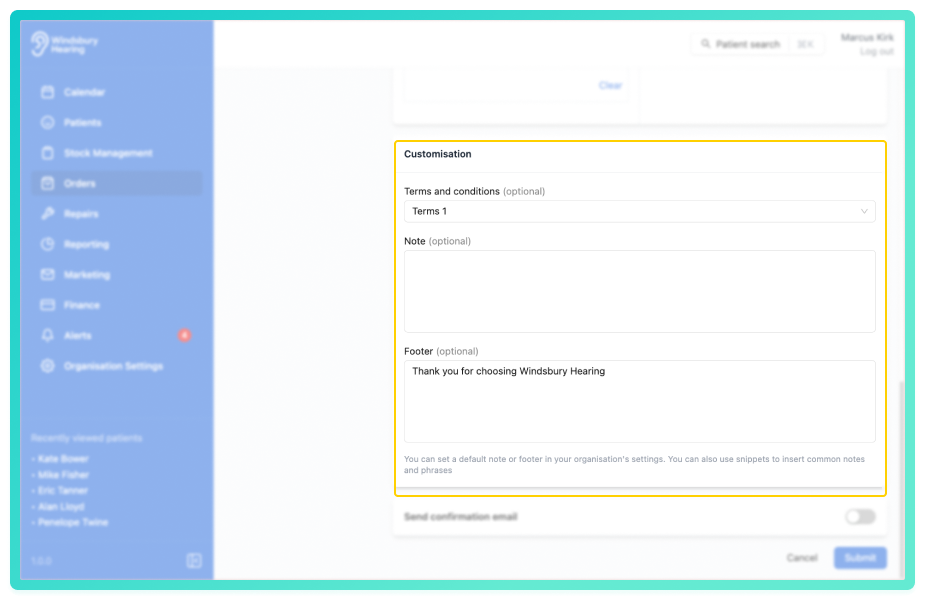
The invoice customisation section allows you to add optional terms and conditions, note and footer to the invoice. These fields are often used for general information, disclaimers, or personalised messages.
In this article we'll cover how to:
- add optional terms and conditions.
- customise the note.
- customise the footer.
For a general overview, read create an invoice.Add terms and conditions
Terms and conditions can be added to an invoice PDF. Select up to 5 terms and conditions documents from the dropdown menu. Add terms and conditions in the organisation settings.
Customise note and footer
The Note and Footer can be automatically populated using your organisation invoice settings. These fields will appear pre-filled when creating an invoice but can be overwritten or added to as needed.
Note snippets can also be used in these sections to quickly insert commonly used content such as payment terms, follow up instructions, or disclaimers.
Was this article helpful?
That’s Great!
Thank you for your feedback
Sorry! We couldn't be helpful
Thank you for your feedback
Feedback sent
We appreciate your effort and will try to fix the article