When a patient has had a hearing aid fitted, you can generate a fitting receipt to document the fitting.
In this article we'll cover how to:
- generate a fitting receipt.
- view the fitting receipt in transactions.
Generate fitting receipt
- Navigate to the desired patient.
- Locate and click the Orders tab.
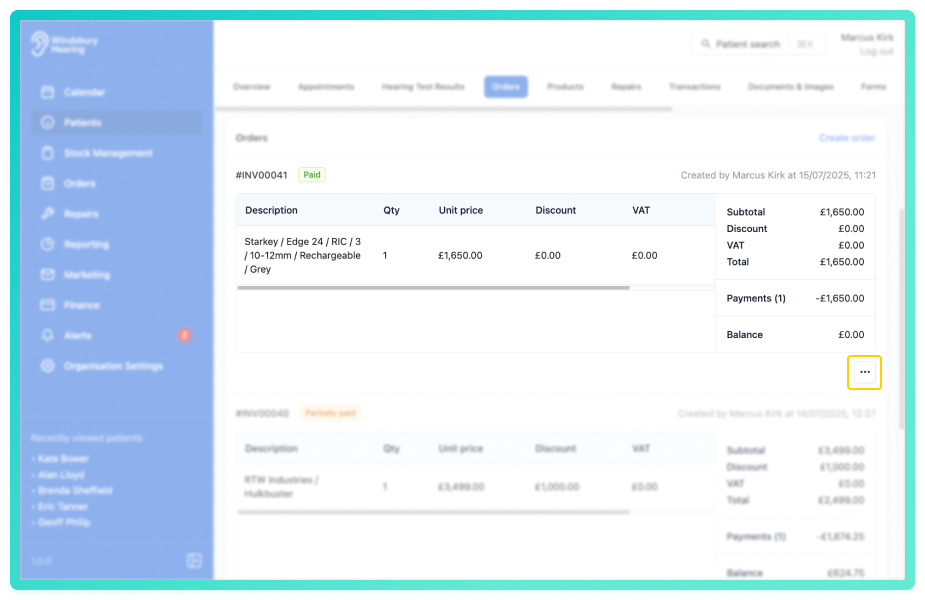
- Locate the relevant order, then click More options

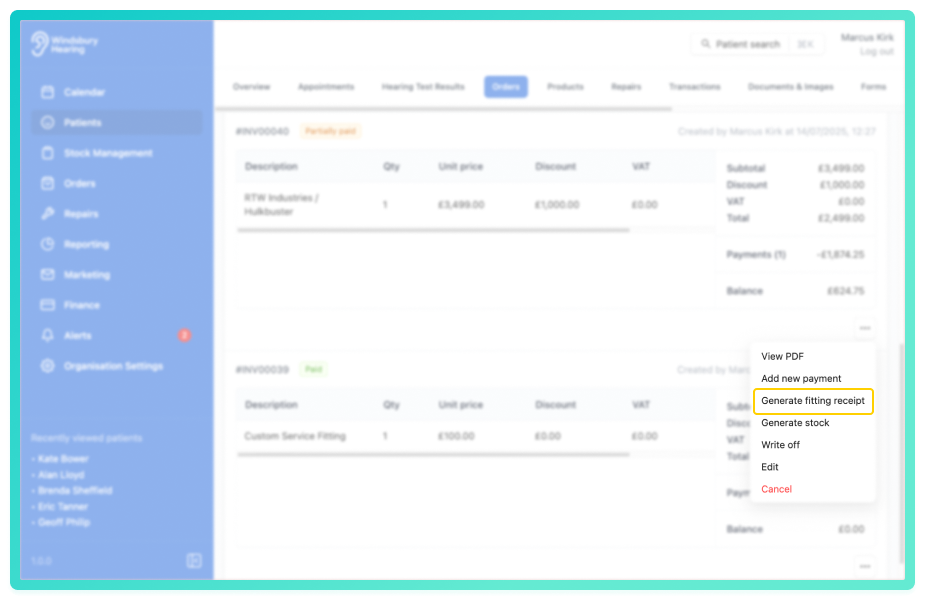
- Select Generate fitting receipt from the options.
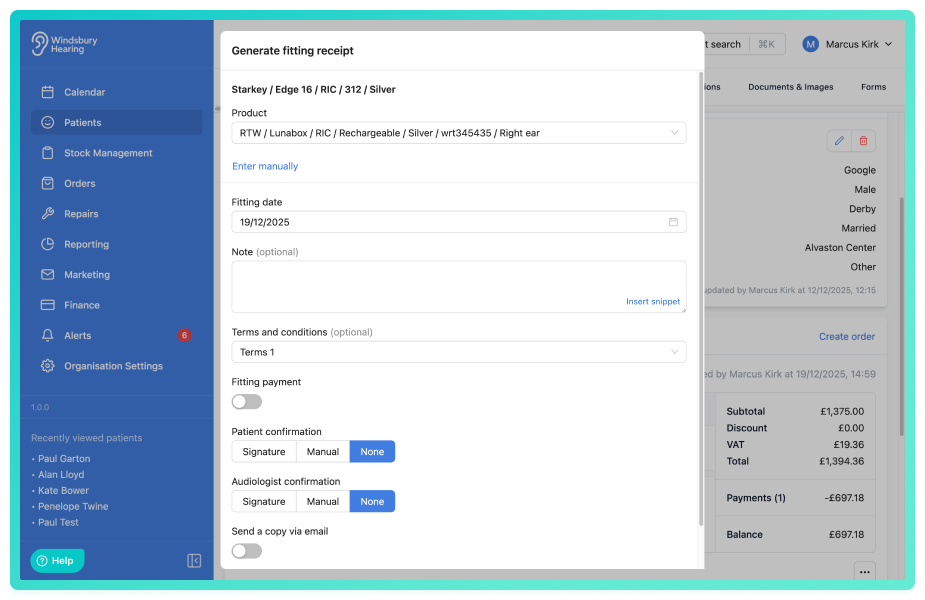
- Complete the form with the Fitting receipt details:
- Product - The product you are fitting.
- Fitting date - The date the product was fitted.
- Notes - Any optional notes.
- Terms & Conditions - Attach any optional terms and conditions.
- Fitting payment
- Patient and Audiologist confirmations - Either a signature or manual input.
- Send a copy via email - Send the fitting receipt directly to the patient or any other email address.
- Click Submit to save.
The fitting receipt will now be available to email, view or delete in the Documents & Images section of the patient dashboard.
Was this article helpful?
That’s Great!
Thank you for your feedback
Sorry! We couldn't be helpful
Thank you for your feedback
Feedback sent
We appreciate your effort and will try to fix the article