Declarations are used when creating an order, and can be written manually or created as a template created in organisation settings. Declaration templates use variables to automatically pull in relevant data when generating an order. For a deeper understanding of variables, please refer to the dedicated article.
In this article we will cover how to:
- add a declaration.
Only users with the correct permission can add declarations. If you think you should have permission to perform such an action please contact the organisation owner.Add invoice declaration
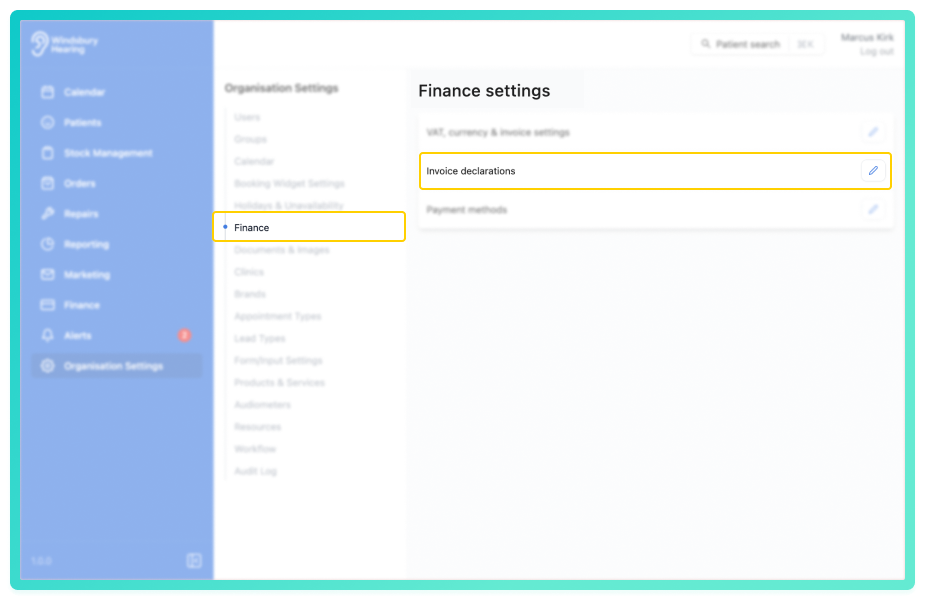
- Navigate to Organisation settings.
- Locate and click the Finance section of the settings.
- Click the Edit icon
 next to Invoice declarations.
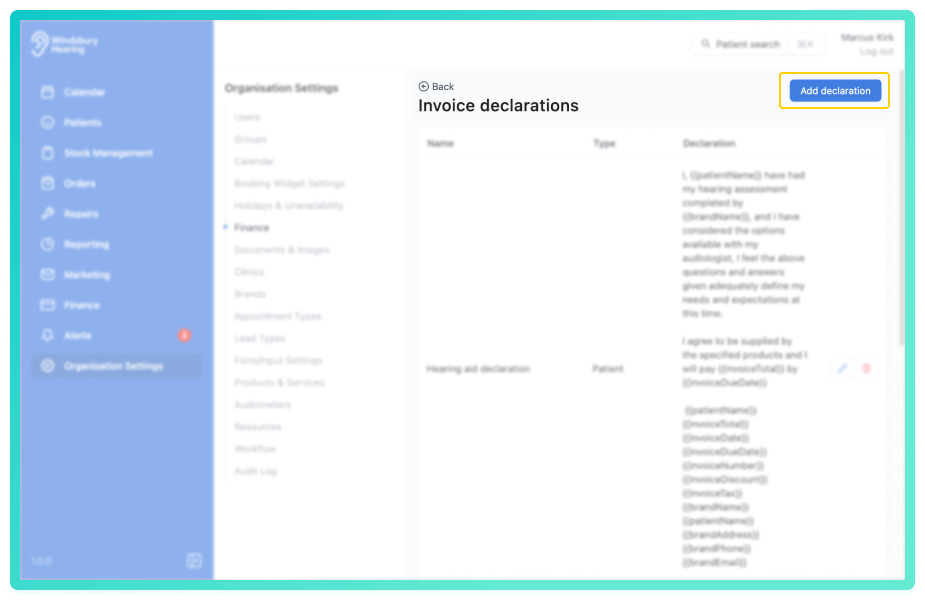
- Click the Add declaration button.
Complete the form according to your declaration's requirements:
- Name: Give your declaration a clear name.
- Type: Choose whether this declaration applies to Patient or Audiologist.
- Declaration: Enter the text of the declaration. (Variables can be added if desired, refer to the variables article for more information.)
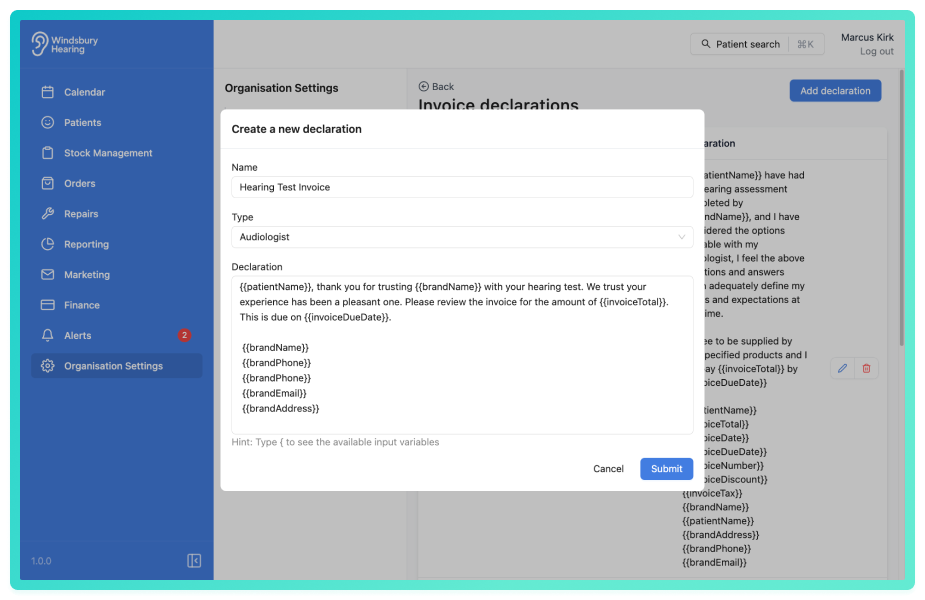
- Click Submit to save the declaration.
Your new declaration will now be ready to use when creating an order.
Was this article helpful?
That’s Great!
Thank you for your feedback
Sorry! We couldn't be helpful
Thank you for your feedback
Feedback sent
We appreciate your effort and will try to fix the article