The patient overview provides information at a glance for each patient, including financial information, appointment, hearing test results and more.
In this article we'll cover:
- how to view the patient information.
- how to view the patient action details.
- how to hide or show the financial information.
How to view the patient information
- Navigate to the desired patient.
- You will now be viewing the patient overview page.
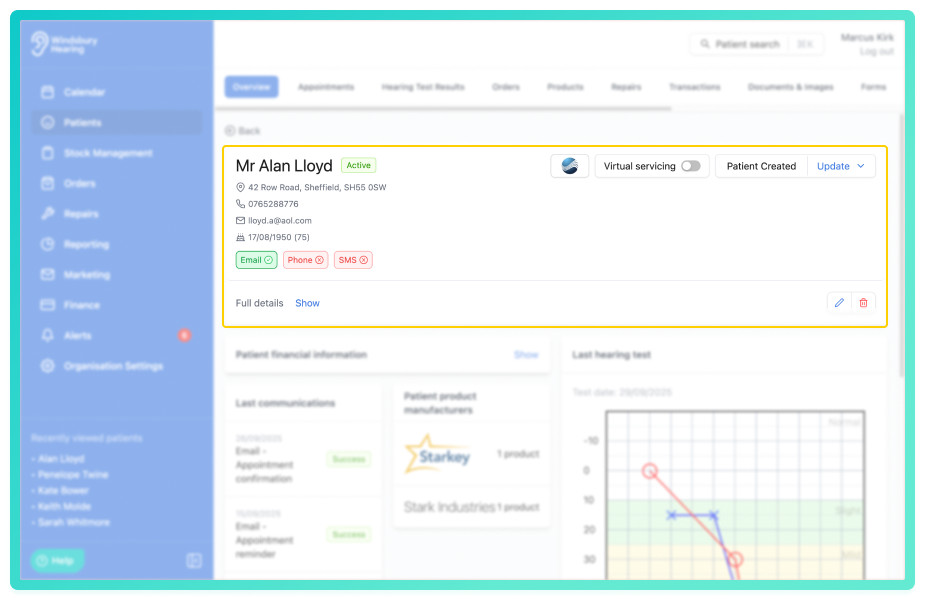
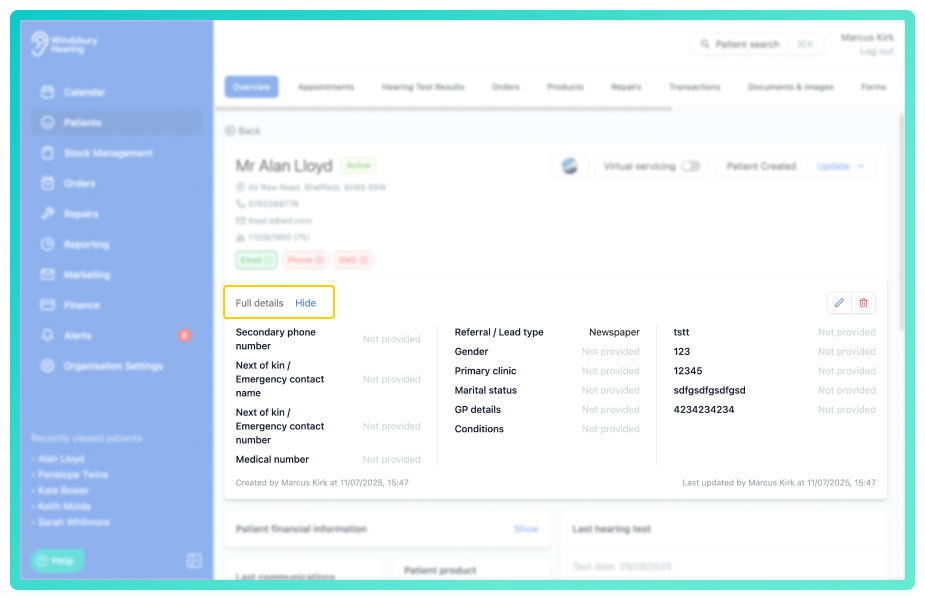
Located at the top of the page will be the patient information. This includes all address and contact information, including marketing permissions. To view the Full details click Show.
How to view the patient action details
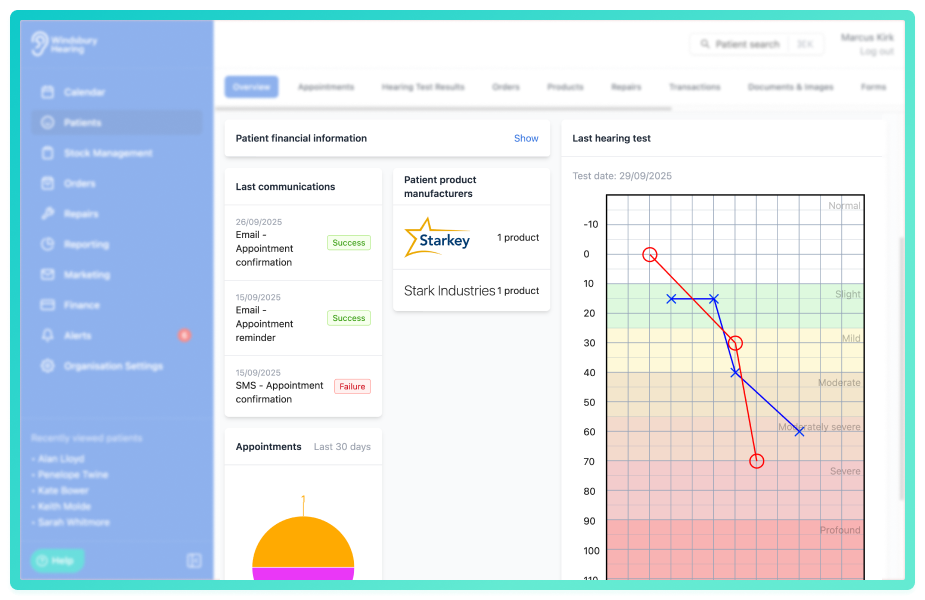
Located under the patient information is the patient action details. Here you will find information such as appointments, financial information and hearing test results.
Hide or show financial
There may be occasions where a user may need to hide financial information. You can do this by clicking the Hide/Show text located on the Patient financial information title.
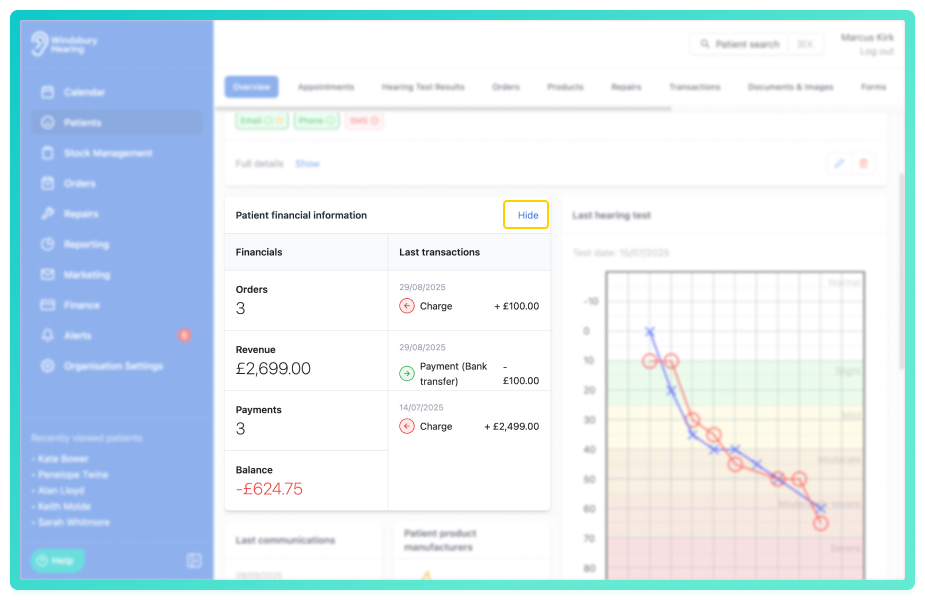
Whether or not the Patient financial information is hidden or not by default depends on the settings in Patient Overview Settings.Was this article helpful?
That’s Great!
Thank you for your feedback
Sorry! We couldn't be helpful
Thank you for your feedback
Feedback sent
We appreciate your effort and will try to fix the article