Manufacturer accounts allow you to store your organisation's account details for each manufacturer. These accounts are used for credit notes, ensuring the correct account information and return address are applied where required. Manufacturers accounts will be expanding to more areas of the system soon.
In this article we'll cover how to:
Only users with the correct permissions can manage manufacturers accounts in an organisation. If you think you should have permission to perform such an action please contact the organisation owner.Add a manufacturer account
- Navigate to Organisation settings.
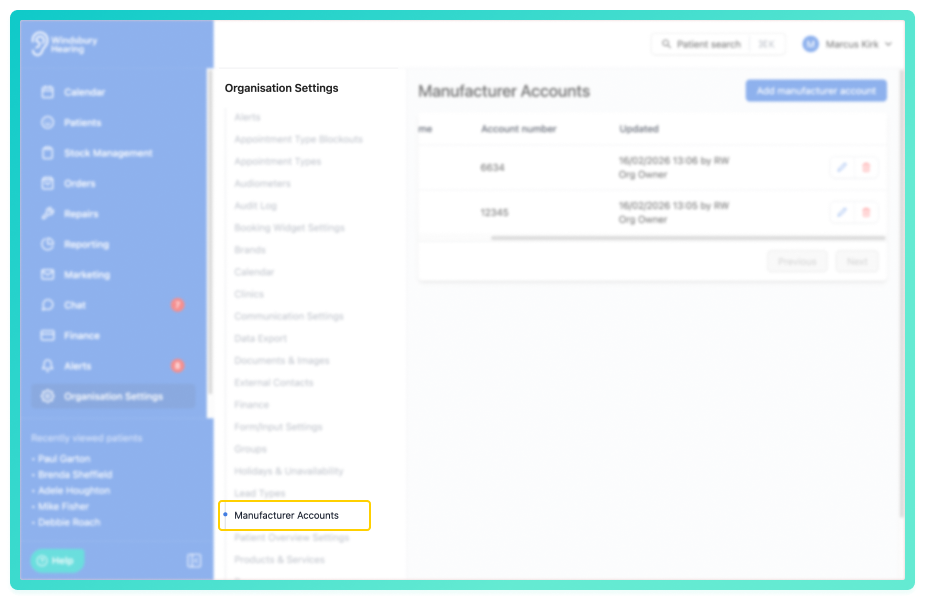
- Locate and click the Manufacturer Accounts section of the settings.
- Click the Add manufacturer account button.
- Select the Manufacturer from the dropdown.
If your desired manufacturer is not available in the list, please contact HearLink support for it to be added.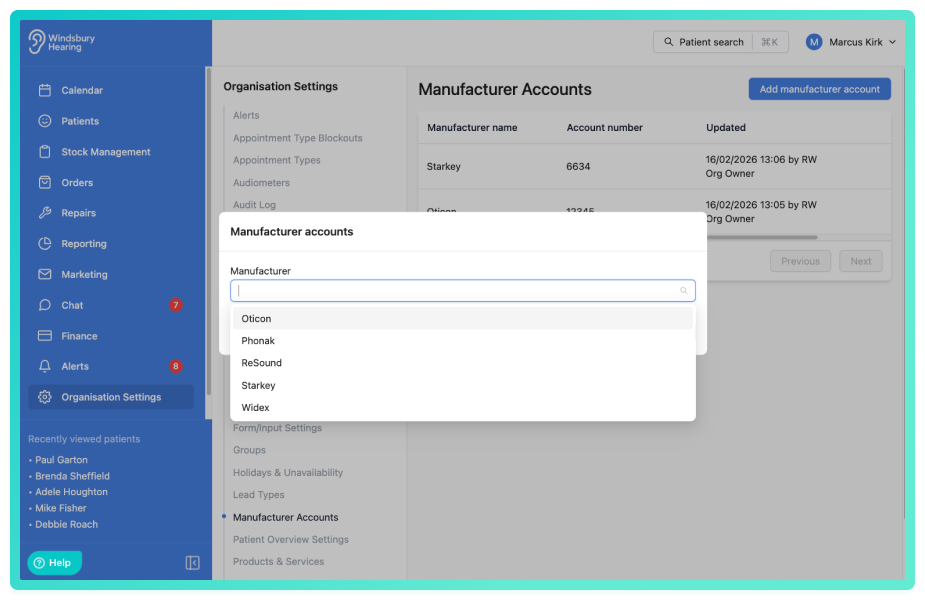
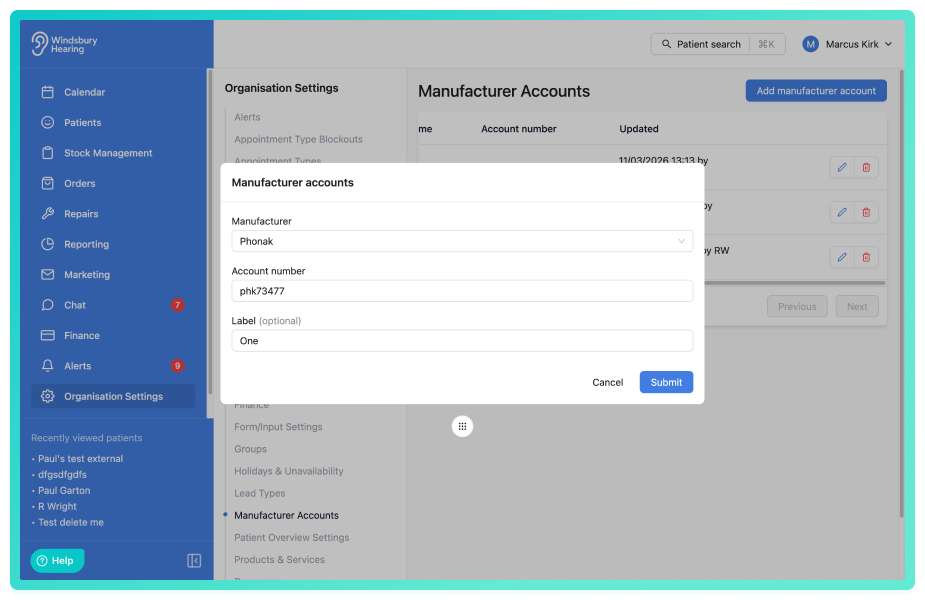
- Add your Account number with the manufacturer.
- Add an optional Label (this will show after a hyphen on the name).
- Click Submit.
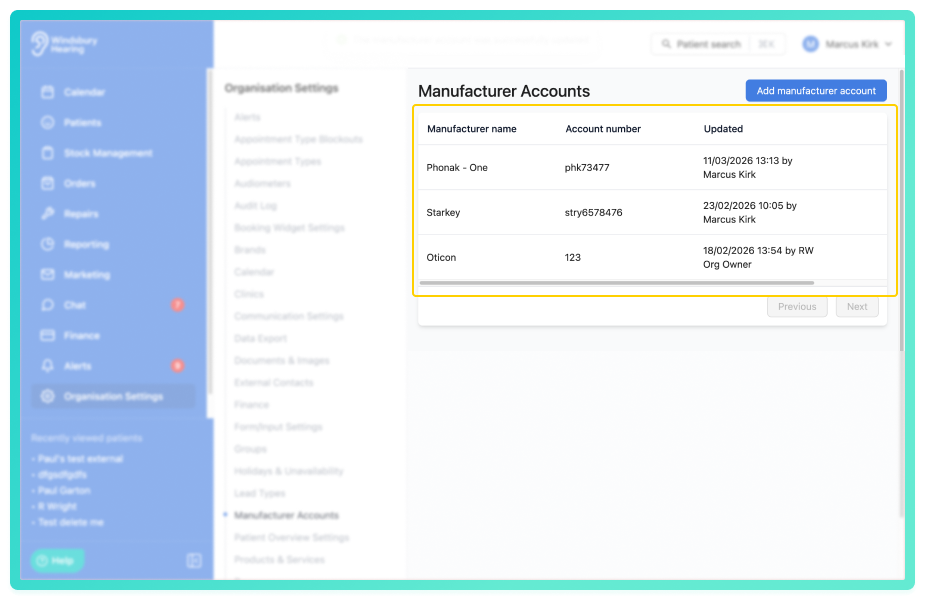
Your Manufacturers Account will now be added to the list to be used across the system.
Edit a manufacturer account
- Navigate to Organisation settings.
- Locate and click the Manufacturer Accounts section of the settings.
- Click the Edit icon
 for the Manufacturer account you want to modify.
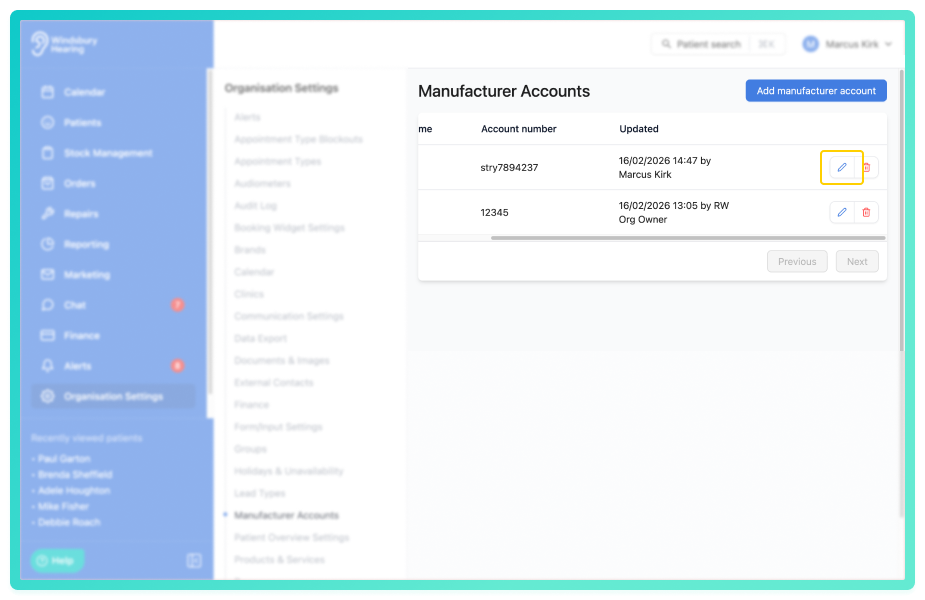
- Update the Account details as required.
- Click Submit to save your changes.
Delete a manufacturers account
- Locate and click the Manufacturer Accounts section of the settings.
- Locate the Delete icon
 of the Manufacturers account you want to delete.
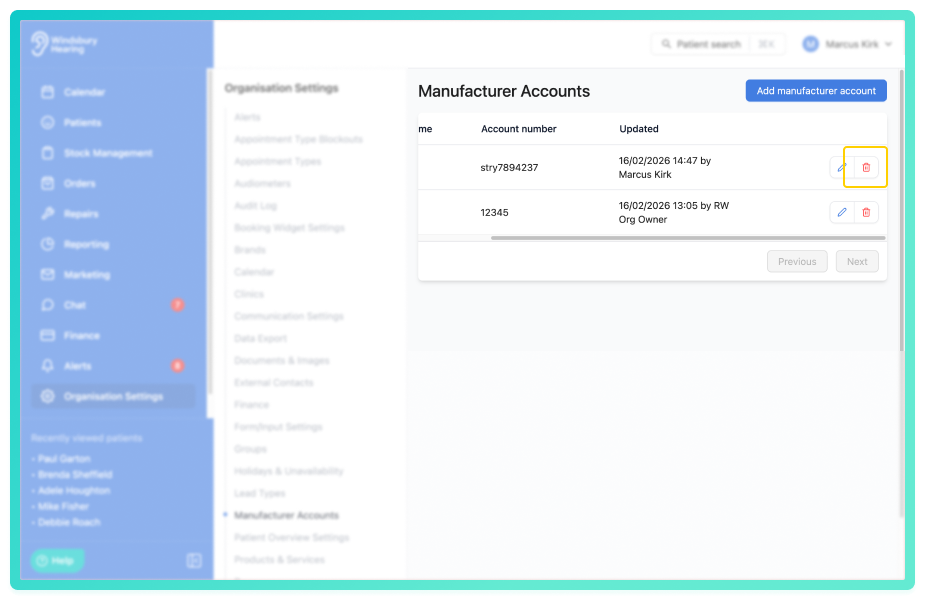
- Click the Delete icon.
- You'll be shown a warning message.
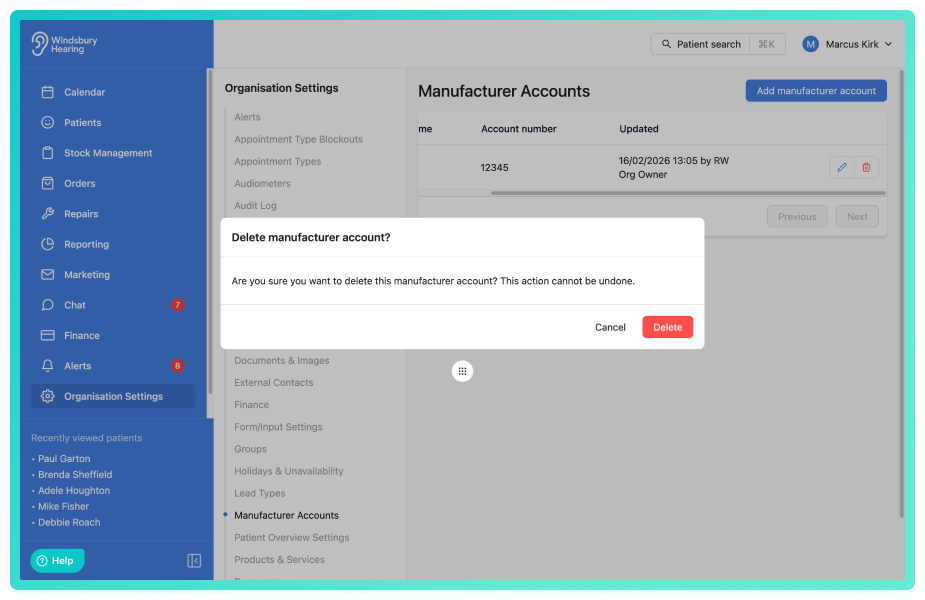
- Click Delete to confirm and delete the aacount.
Warning: Once a manufacturers account has been deleted this action cannot be undone. Please proceed with caution!
Was this article helpful?
That’s Great!
Thank you for your feedback
Sorry! We couldn't be helpful
Thank you for your feedback
Feedback sent
We appreciate your effort and will try to fix the article