In this article we'll cover how to:
- view all orders associated with a specific patient.
- access additional actions related to patient orders.
- Navigate to the desired patient.
View patient orders
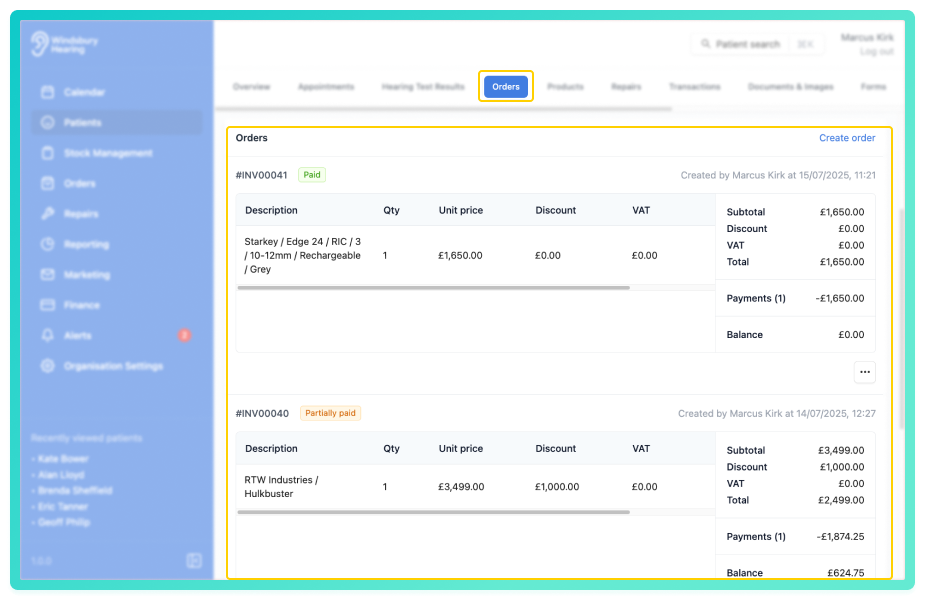
You'll see a list of patient's Orders, ordered by most recently updated.
From her you can:
- cancel an order.
- generate a fitting receipt.
- perform other order related actions.
This view provides a focused way to manage an individual patient's order history.
Was this article helpful?
That’s Great!
Thank you for your feedback
Sorry! We couldn't be helpful
Thank you for your feedback
Feedback sent
We appreciate your effort and will try to fix the article