You may need to permanently remove an appointment from the patient's records. This is different from cancelling an appointment, as deleted appointments are no longer visible.
In this article we'll cover how to:
- delete an appointment directly from the calendar.
Delete an appointment from the calendar
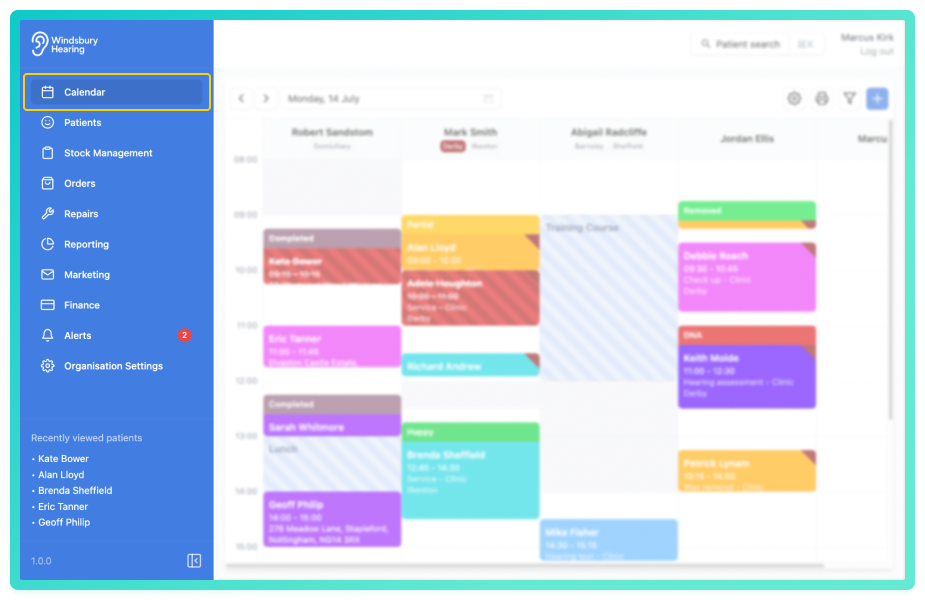

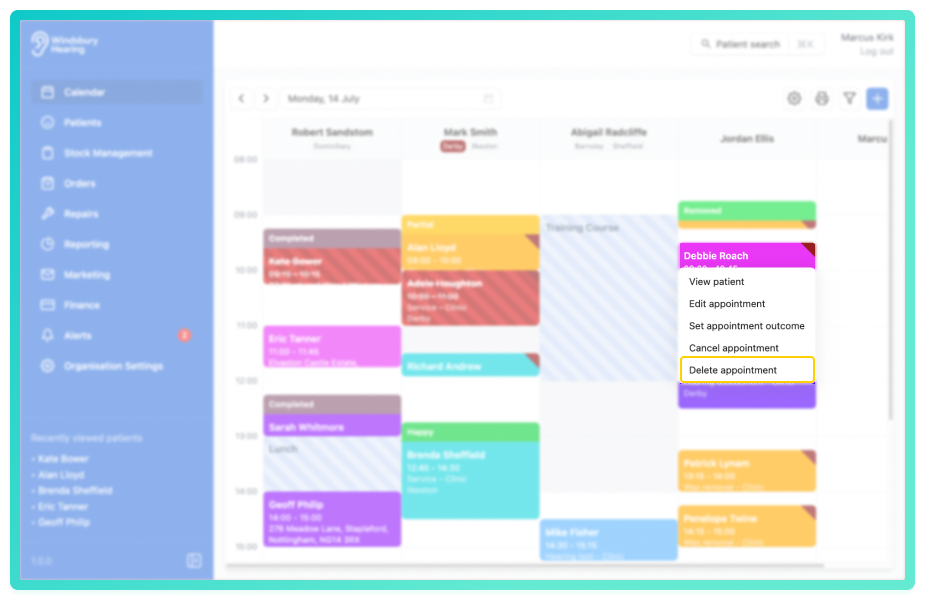
- Click the Delete appointment text.
- You'll be shown a warning message with a text field to enter a deletion reason, should it be required.
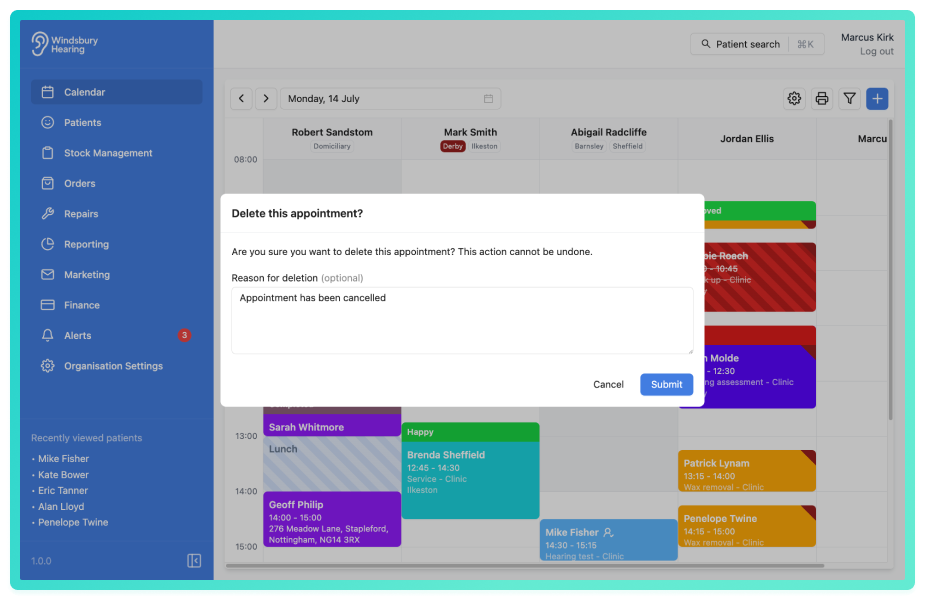
Warning: Once an appointment has been deleted this action cannot be undone. If you wish to keep a record of the appointment without it being active, consider cancelling the appointment.Was this article helpful?
That’s Great!
Thank you for your feedback
Sorry! We couldn't be helpful
Thank you for your feedback
Feedback sent
We appreciate your effort and will try to fix the article