The Marketing section in HearLink allows your organisation to generate targeted marketing lists using two complementary tools:
- Marketing Queries (Tonee) - dynamic lists created using natural language prompts.
- Marketing Groups - static list where you can manually add or remove patients.
Tonee will guide you through creating queries using natural language prompts. These queries generate CSV files for use in external marketing tools or internal analysis. Whilst the marketing groups allow you to create a list of patients to then use in an external marketing campaign.
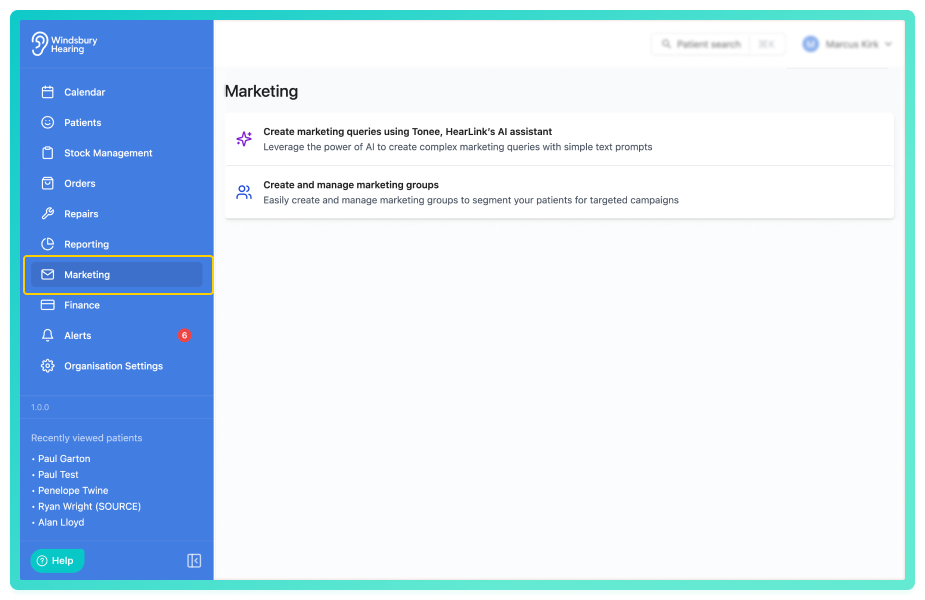
In the Marketing query section you can:
- Create a marketing query – use Tonee to build a list based on your specific criteria.
- View previous queries – revisit and download CSV files from past queries.
- Delete marketing queries – remove outdated or unused queries.
In the Marketing groups section you can:
- Create and manage marketing groups.
- View and export patients within a group.
What is a marketing query?
A marketing query is a request for a list of patients based on the conditions you define. Tonee will ask questions or accept prompts and generate a downloadable CSV file based on your criteria.
Common use cases include:
- patients who haven't had an appointment in 12 months.
- those aged over 60 with a specific referral source.
- follow up campaigns for hearing aid assessments.
What are marketing groups?
Marketing groups are static lists of patients that your organisation manages manually. You can create as many groups as needed. For example:
- "Open Day Invite List"
- "Annual Check Up Reminders"
Once created, patients can be added directly from their dashboard. Groups can be also exported for external campaign tools such as Mailchimp, HubSpot.
What is Tonee?
Tonee is HearLink's built-in assistant for creating smart marketing queries. Not a chatbot, but a fast way to generate filtered patient lists suing plain language.
| Tonee Can... | Tonne Can't... |
|---|---|
| Build targeted marketing queries from natural language | Answer general questions or act like a chatbot |
| Return a CSV list of matching patients | Perform bulk actions or edits inside the CRM |
| Understand time based filter (eg. 3 months) | View patient records or private notes |
| Work with common filters like DOB, status, location | Interpret vague requests without enough criteria |
| Speed up query building for email, SMS or export | Replace campaign setup or full marketing planning |
| Support basic SQL |
For step-by-step guidance on using this section, see:
Was this article helpful?
That’s Great!
Thank you for your feedback
Sorry! We couldn't be helpful
Thank you for your feedback
Feedback sent
We appreciate your effort and will try to fix the article