All orders across your organisation are available to view in the orders section. You can filter these orders in a combination of ways and also perform actions such as editing and deleting.
In this article we'll cover how to:
- view all orders across the organisation.
- access additional order actions.
- filter the orders list.
View all orders
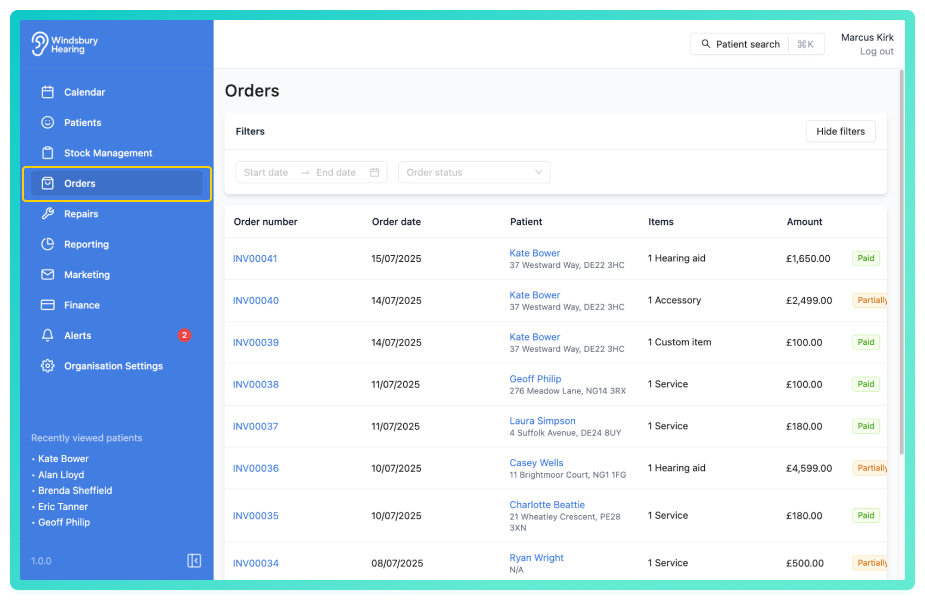
You'll see a list of Orders placed within the organisation, ordered by most recently updated. This section also includes a total orders count at the top of the table.
From here you can:
- view a patients order.
- edit or delete an existing order.
- perform other order related actions.
This view provides a quick and centralised way to manage all orders.
Filter orders
A user can filter orders by Product types, Status, Clinic and provide a Date range.
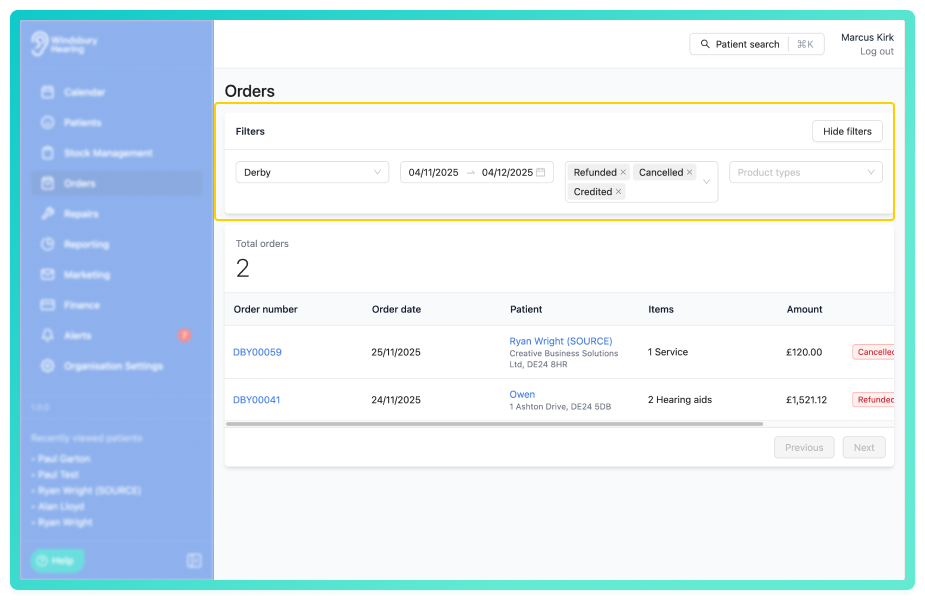
Different combinations of these filters will provide different orders list, helping you narrow down and manage your orders quickly and efficiently.
Was this article helpful?
That’s Great!
Thank you for your feedback
Sorry! We couldn't be helpful
Thank you for your feedback
Feedback sent
We appreciate your effort and will try to fix the article