The Audit log is available so you can view when an action was taken, what the action was, and who performed it. This allows for visibility and accountability across your organisation.
- accessing the audit log.
- filtering audit log entries.
- understanding audit log data.
Audit Log
- Navigate to Organisation Settings.
- Locate and click the Audit Log section of the settings.
You'll see a list of recorded actions, including:
- User - who performed the action.
- Action - the action performed (Create, Update, Delete).
- Resource - the type of record that was affected.
- Timestamp - when the action was taken.
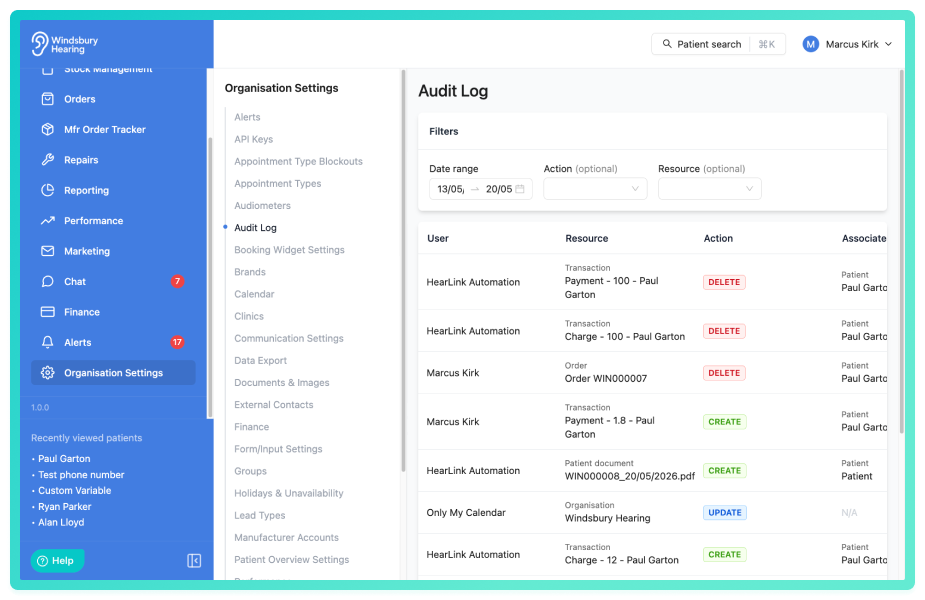
This section is read only and cannot be edited.
Filter audit log entries
The audit log can be filtered to help you find specific actions or narrow down results to a particular timeframe or activity type.
Date range filter:
- Use the date range selector to view actions within a specific period (default is 7 days).
- Select start and end times to narrow down the results.
- Clear the date filter to view all historical entries.
Action filter:
Filter by the type of action: Create, Update or Delete
Resource filter:
Filter by the type of record that was affected. Resources include: Patients, Appointments, Users, API Keys, Invoices and much more
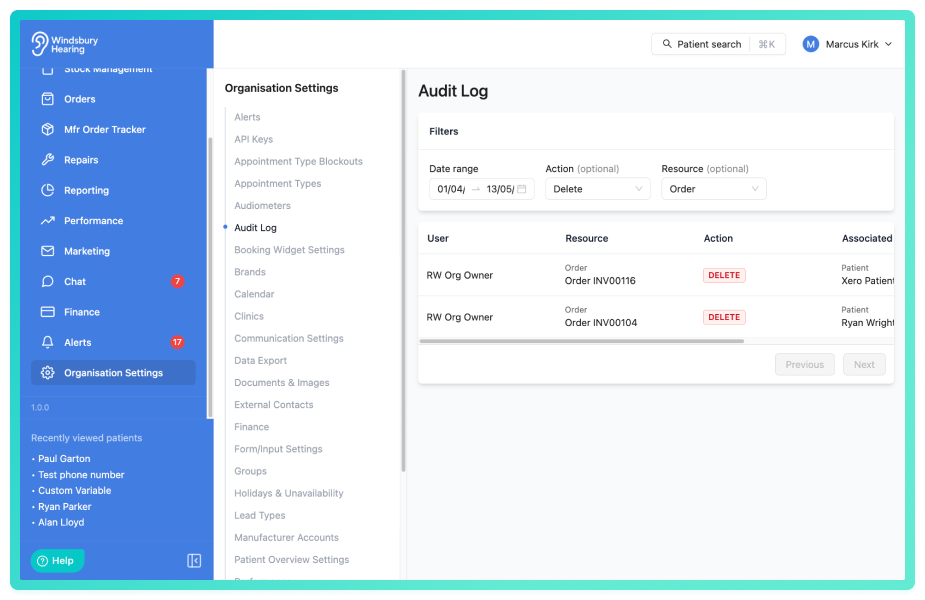
Multiple filters can be applied simultaneously to narrow results. For example, you can view all appointments deleted in the last 7 days, or all invoice updates made by a specific user in the past month.
Understanding audit log data
Each audit log entry provides a complete record of what happened:
User - The name of the user who performed the action. This helps identify accountability for changes made across the system.
Action - Whether the record was created, updated or deleted. This tells you the nature of the change.
Resource - The type of record affected (e.g, Patient, Appointment, Invoice). This identifies what was changed.
Timestamp - The exact data and time the action ocurred, shown in your local timezone.
Why the audit log is important:
Troubleshooting - Track down when and by whom a change was made ("Who deleted this appointment?")
Accountability - See who is making changes across your organisation.
Compliance - Maintain records of changes to patient data and clinical information for regulatory purposes.
Security - Monitor sensitive actions like patient deletions, API Key creation etc.
Was this article helpful?
That’s Great!
Thank you for your feedback
Sorry! We couldn't be helpful
Thank you for your feedback
Feedback sent
We appreciate your effort and will try to fix the article